WARNING: To prevent injury, do not touch the fan with your hands or any tools as you
slide the fan module out of the chassis—the fan might sll be running.
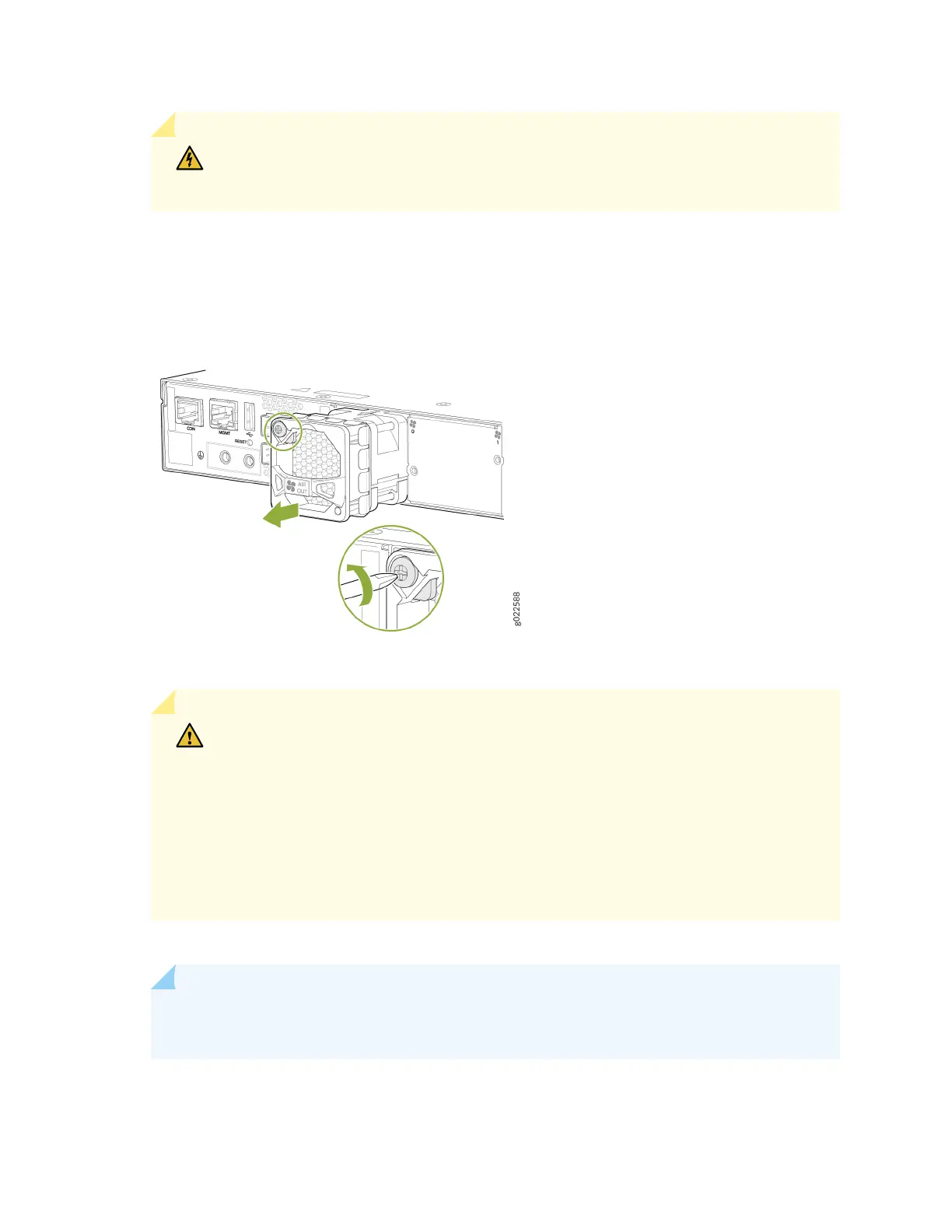
4. Grasp the handle on the fan module and pull it rmly to slide the fan module out of the chassis (see
Figure 111 on page 198).
Figure 111: Remove a Fan Module from the EX4400 Switch
5. Place the fan module in the anstac bag or on the anstac mat placed on a at, stable surface.
CAUTION: Do not mix:
• Fan modules with dierent airow direcons in the same chassis.
• Power supplies and fan modules with dierent airow direcons in the same
chassis.
If you install power supplies or fan modules with dierent airow direcons, Junos OS
raises an alarm.
6. Install the replacement fan.
NOTE: You must install all the fan modules and they must be operaonal for opmal
funconing of the switch.
198














 To Next Page