• AC power supply—If the AC power source outlet has a power switch, set it to the o posion. If
the AC power source outlet does not have a power switch, gently pull out the plug end of the
power cord connected to the power source outlet.
• DC power supply—Switch the circuit breaker on the panel board that services the DC circuit to
the o posion.
4. Remove the power source cable from the power supply faceplate:
• AC power supply—Detach the power cord retainer by using your hands, and gently pull out the
power cord.
• DC power supply—Loosen the screws securing the DC power source cable by using the
screwdriver, and gently pull out the power cord.
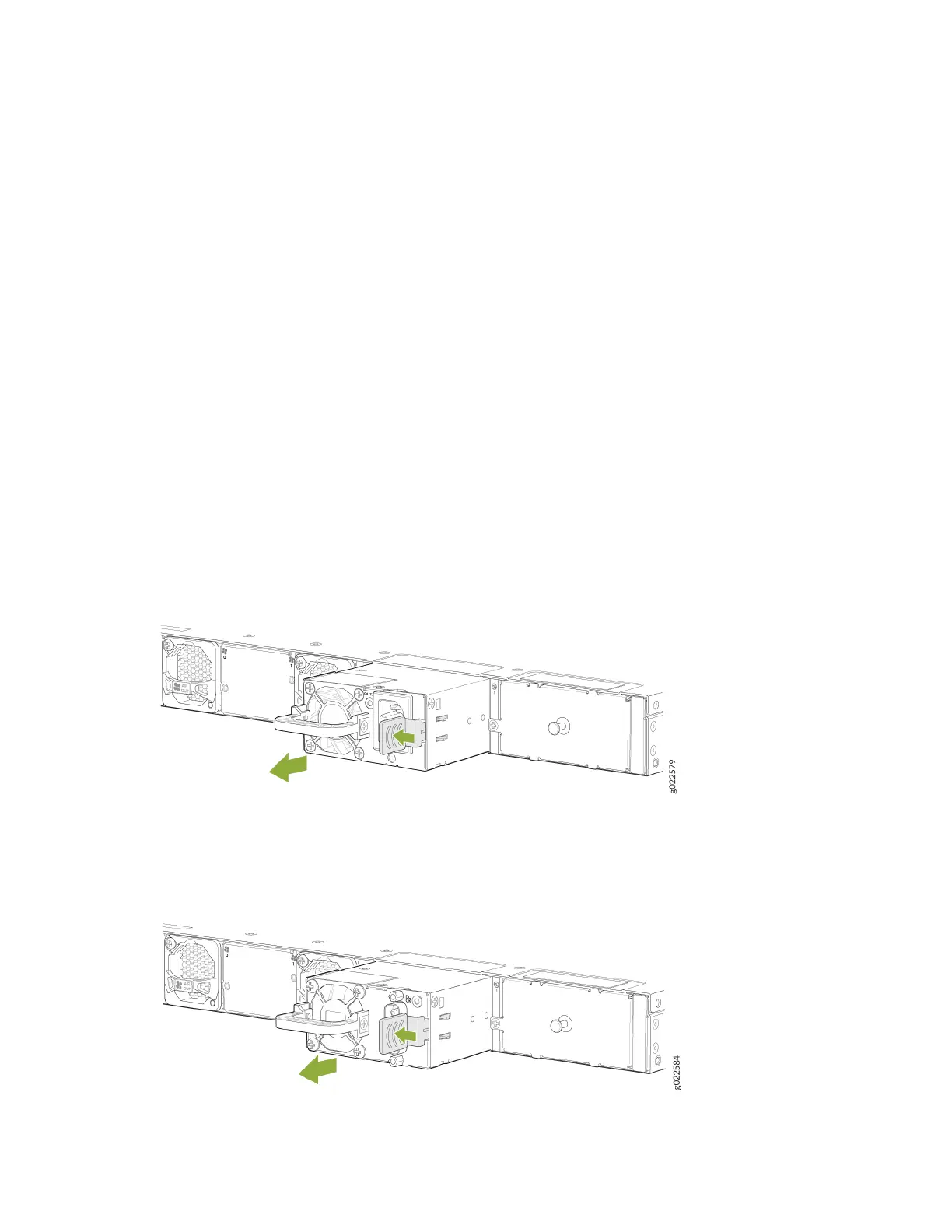
5. Push the ejector lever toward the handle unl it stops.
6. Grasp the power supply handle and pull rmly to slide the power supply halfway out of the chassis.
7. Place one hand under the power supply to support it and then slide it completely out of the chassis.
Take care not to touch power supply components, pins, leads, or solder connecons (see Figure 113
on page 202 and Figure 114 on page 202).
Figure 113: Remove an AC Power Supply from the EX4400 Switch
Figure 114: Remove a DC Power Supply from the EX4400 Switch
202














 To Next Page