1. Wrap and fasten one end of the ESD wrist strap around your bare wrist, and connect the other end
of the strap to a site ESD point.
2. Taking care not to touch power supply pins, leads, or solder connecons, remove the power supply
from its bag.
3. If you are installing an AC power supply, push the end of the retainer strip into the hole below the
inlet on the power supply faceplate unl it snaps into place.
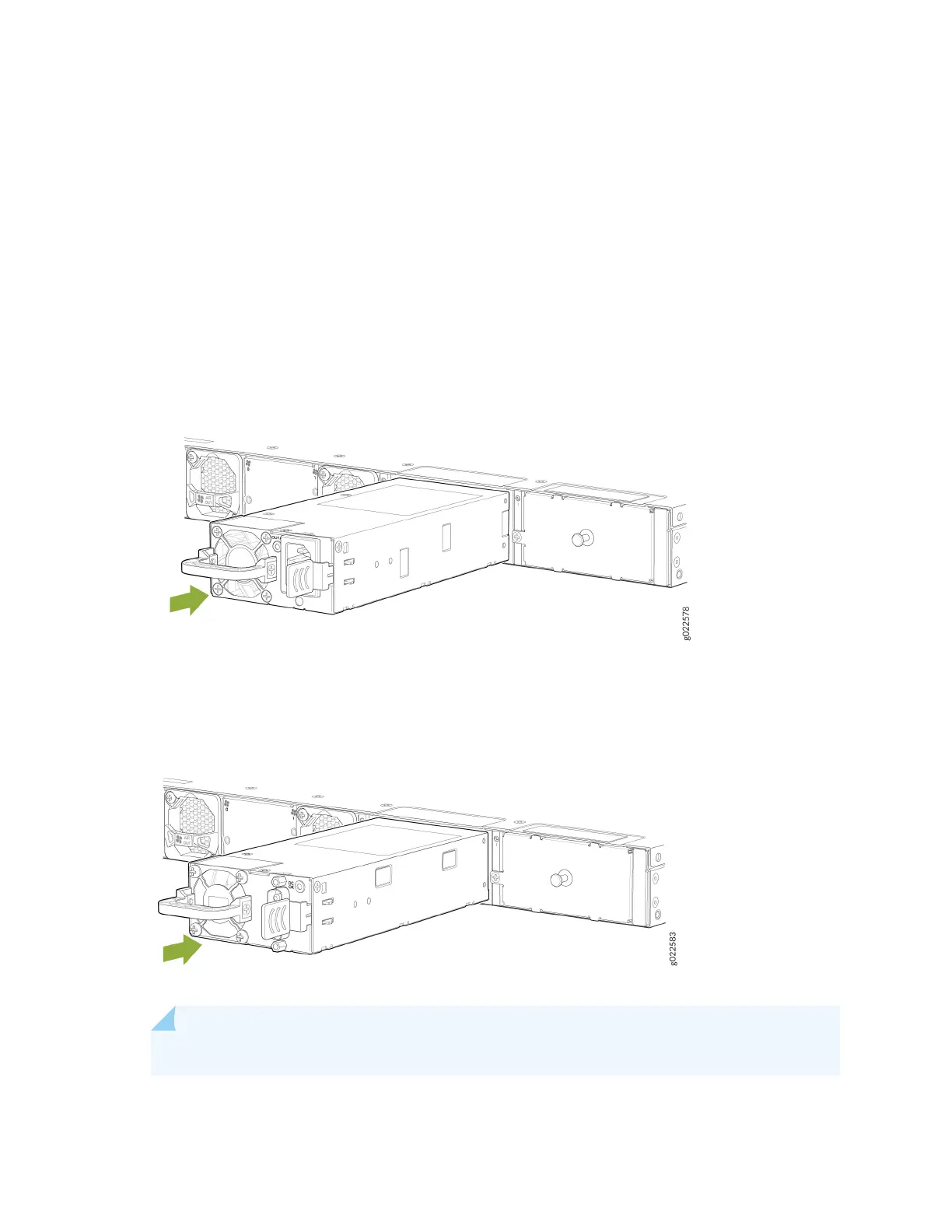
4. Using both hands, place the power supply in the power supply slot on the rear panel of the switch
and slide it in unl it is fully seated and the ejector lever ts into place (see Figure 115 on page 204
and Figure 116 on page 204).
Figure 115: Install an AC Power Supply in the EX4400 Switch
Figure 116: Install a DC Power Supply in the EX4400 Switch
NOTE: If you have a Juniper J-Care service contract, register any addion, change, or upgrade
of hardware components at hps://www.juniper.net/customers/support/tools/
204














 To Next Page