NOTE: This is the password that a maintenance mode administrator must
specify to access maintenance mode and shutdown all Junos Space nodes
in the fabric. When in maintenance mode, an administrator can
troubleshoot the Junos Space system or perform database restore
operations.
17. Renter the password for cluster maintenance mode.
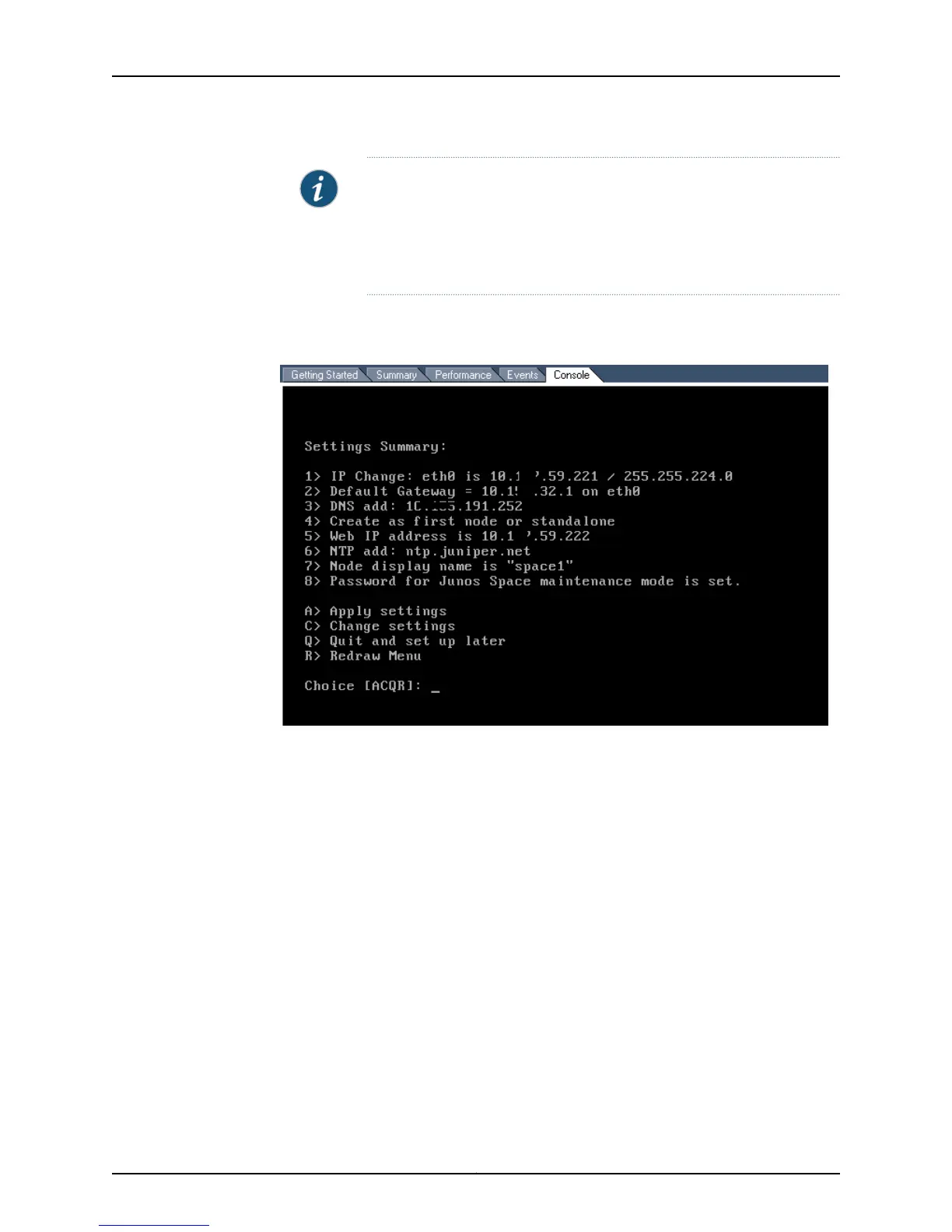
The Settings Summary is displayed, as shown in the following example.
18. Confirm that the information in the Settings Summary is correct:
•
If all summary information is correct, enter A to apply the settings.
•
If any summary information is not correct, enter C to change the settings.
When you enter C, you will be prompted to reenter all the basic configuration
information that you have configured up to this point.
When you enter A to apply the settings, the Junos Space Settings Menu is displayed,
as shown in the following example.
Junos Space Settings Menu
1> Change Password
2> Set Routing
3> Set DNS Servers
4> Change Time Options
5> Retrieve Logs
6>Expand VM Drive Size
7>Security
8> (Debug) run shell
21Copyright © 2010, Juniper Networks, Inc.
Chapter 3: Configuring a Virtual Appliance



 To Next Page