76 Mesa Rugged Notepad Owner’s Manual
Barcode Setup
When you select Barcode Setup, a window is displayed with
several tabs along the top. Select these tabs to view or edit the
conguration of the Barcode Connector utility and the barcode
hardware. A description of these tabs follows.
User Tab
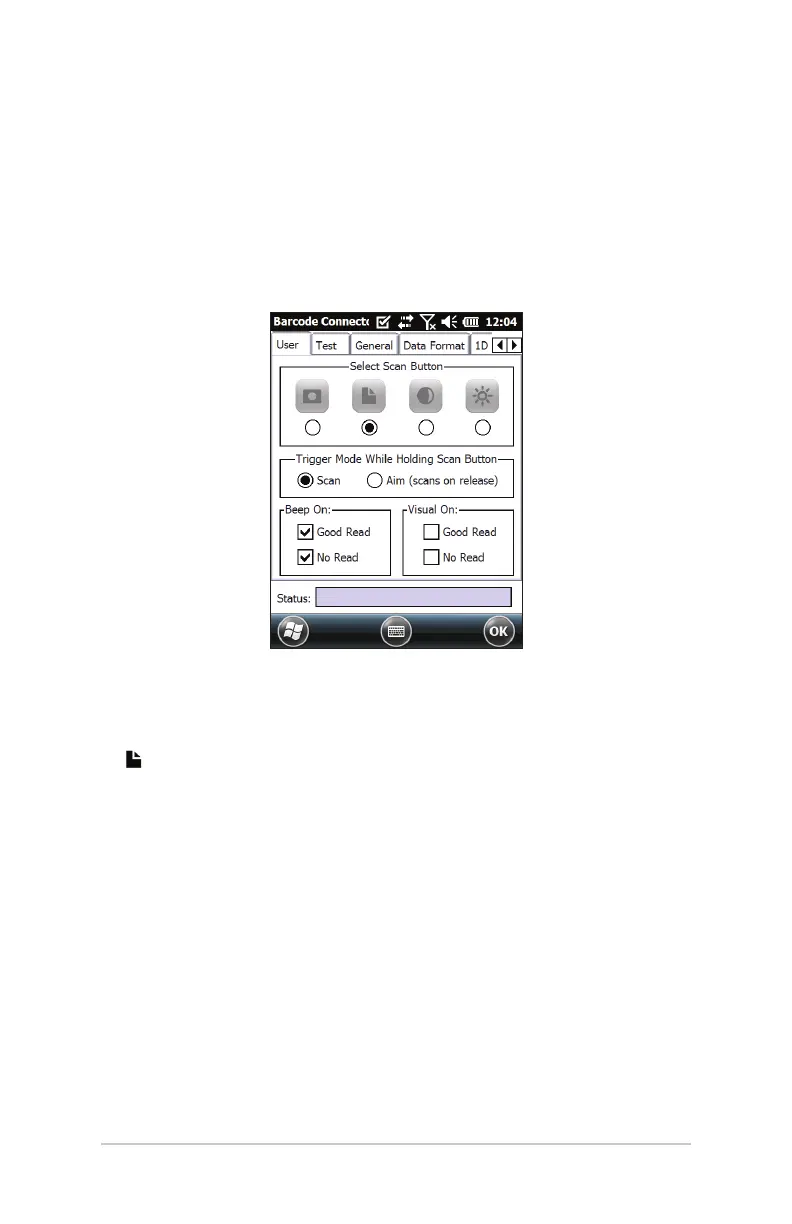
The User tab has the following functions:
Select Scan Buon – Congure which of the four top
function buons on the Mesa will be the scan buon (notes
is the default).
Trigger Mode While Holding Scan Buon – Select Scan to
start scanning the moment the buon is pressed. Select Aim
to turn on the aimer when the buon is pressed and to start
scanning when the buon is released.
Beep On and Visual On – Select options for audio and visual
indicators for Good Read and No Read.



 To Next Page