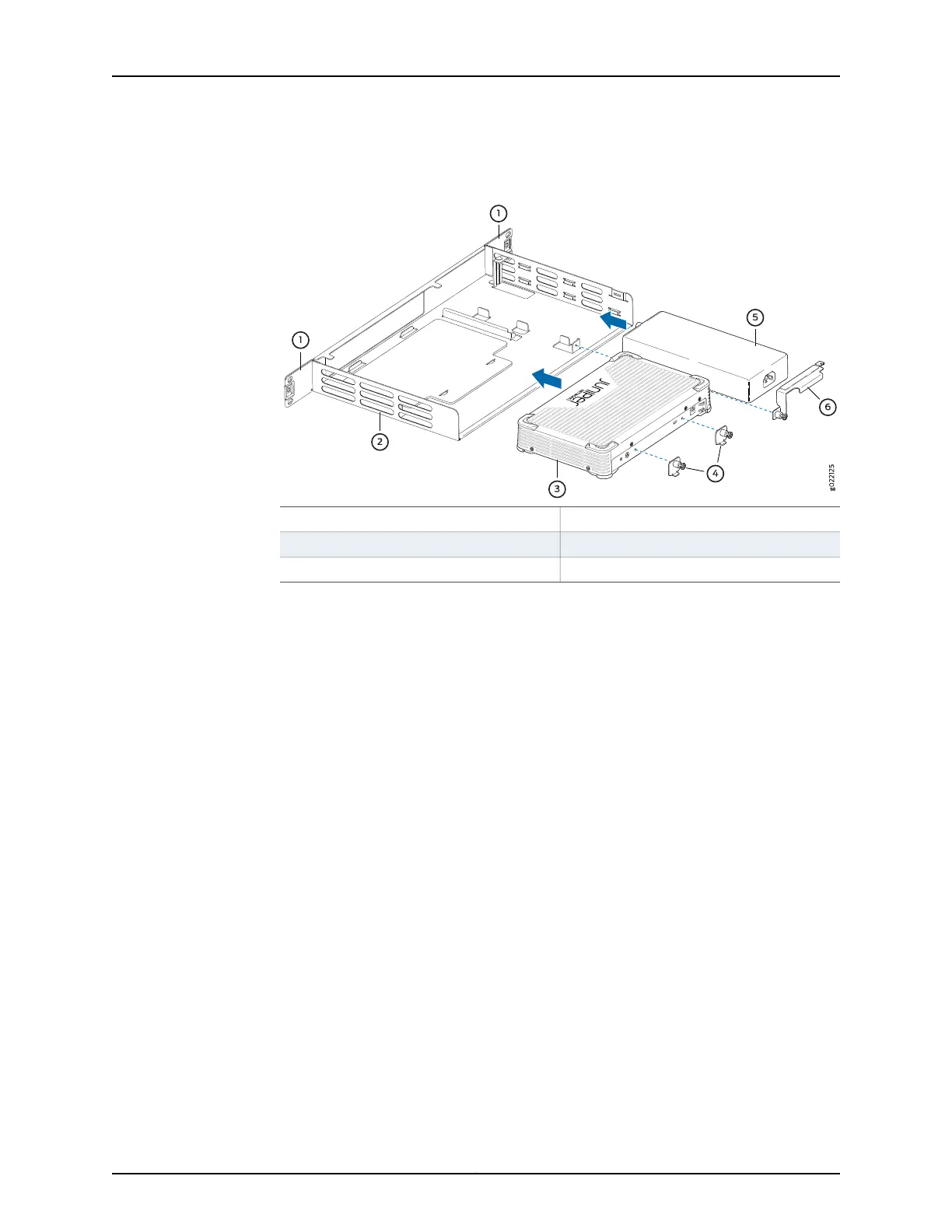
Figure4: Securing the WLC100 Wireless LAN Controllerand Power Supply
Adapter to the Rack-Mount Tray
4—1— System lock bracketsMounting brackets on the rack-mount tray
5—2— Power supply adapterRack-mount tray
6—3— Power adapter lock bracketWLC100 controller
6. Have one person grasp both sides of the rack-mount tray, lift the tray, and position it
in the rack, aligning the holes on the mounting brackets along either sides of the
rack-mount tray with the threaded holes in the rack or cabinet rail. Align the bottom
hole in either sides of the tray with a hole in each rack rail, making sure that the chassis
is level. See Figure 5 on page 33.
Copyright © 2013, Juniper Networks, Inc.32
Complete Hardware Guide for WLC100 Wireless LAN Controller



 To Next Page