4 8
G
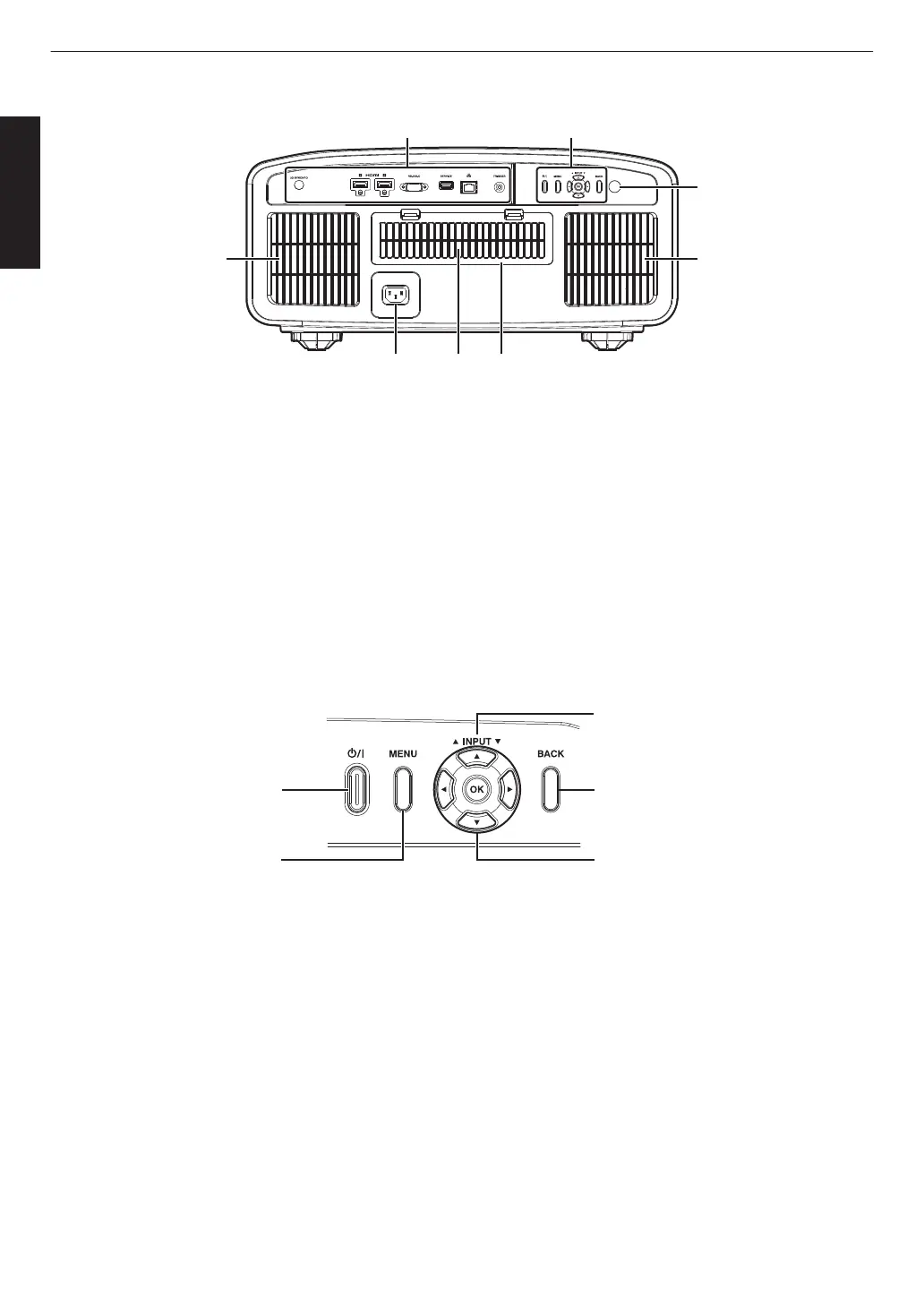
Input terminals
Please see “Main Unit - Input Terminals”P.
23 for
more details about the terminals.
H
Operation panel
For more details, please refer to the “Operation
panel” in the diagram below.
I
Remote Sensor (rear)
Please aim the remote control at this area when using
it.
* There is also a remote sensor at the front.
J
Power input terminal
Connect the supplied power cord to this terminal.
K
Air Inlets
The inlets take in air to cool down the internal
temperature.
Do
not block the inlet. Do not blow hot air on the inlet.
Doing so may cause the unit to malfunction.
L
Filter Cover
To perform maintenance of the filter, remove this
cover. (P. 94)
Operation panel
[MENU]: Displays the menu
[BACK]: Returns to the previous menu
[JKH I] keys: Selects an item
[OK]: Confirms a selection
[J INPUT K]: Switches the input
A: Turns “on”/“off” the
power
22
Getting Started



 To Next Page
 Loading...







