Restablecer el reloj
Ajuste el reloj con “AJUS.RELOJ” del menú.
Nota :
Para seleccionar/mover el cursor hacia arriba/izquierda o hacia abajo/
derecha, presione el botón UP/< o DOWN/>.
.
1
Presione MENU.
.
2
Seleccione “AJUS.RELOJ” y presione OK.
.
0
Presione UP/< o DOWN/> para mover el cursor.
0
Para cancelar y volver a la pantalla anterior, presione MENU.
3
Seleccione “CONF. RELOJ” y presione OK.
.
0
Presione UP/< o DOWN/> para mover el cursor.
0
Para cancelar y volver a la pantalla anterior, presione MENU.
4
Ajuste la fecha y la hora.
.
JAN 20111 10 00
HORAFECHA
CONF. RELOJ
0
Presione UP/< o DOWN/> para establecer el valor de ajuste y
presione OK para confirmarlo. El cursor se mueve al siguiente ítem.
0
Repita este paso para ingresar el año, mes, día, hora y minuto.
0
Para cancelar y volver a la pantalla anterior, presione MENU.
5
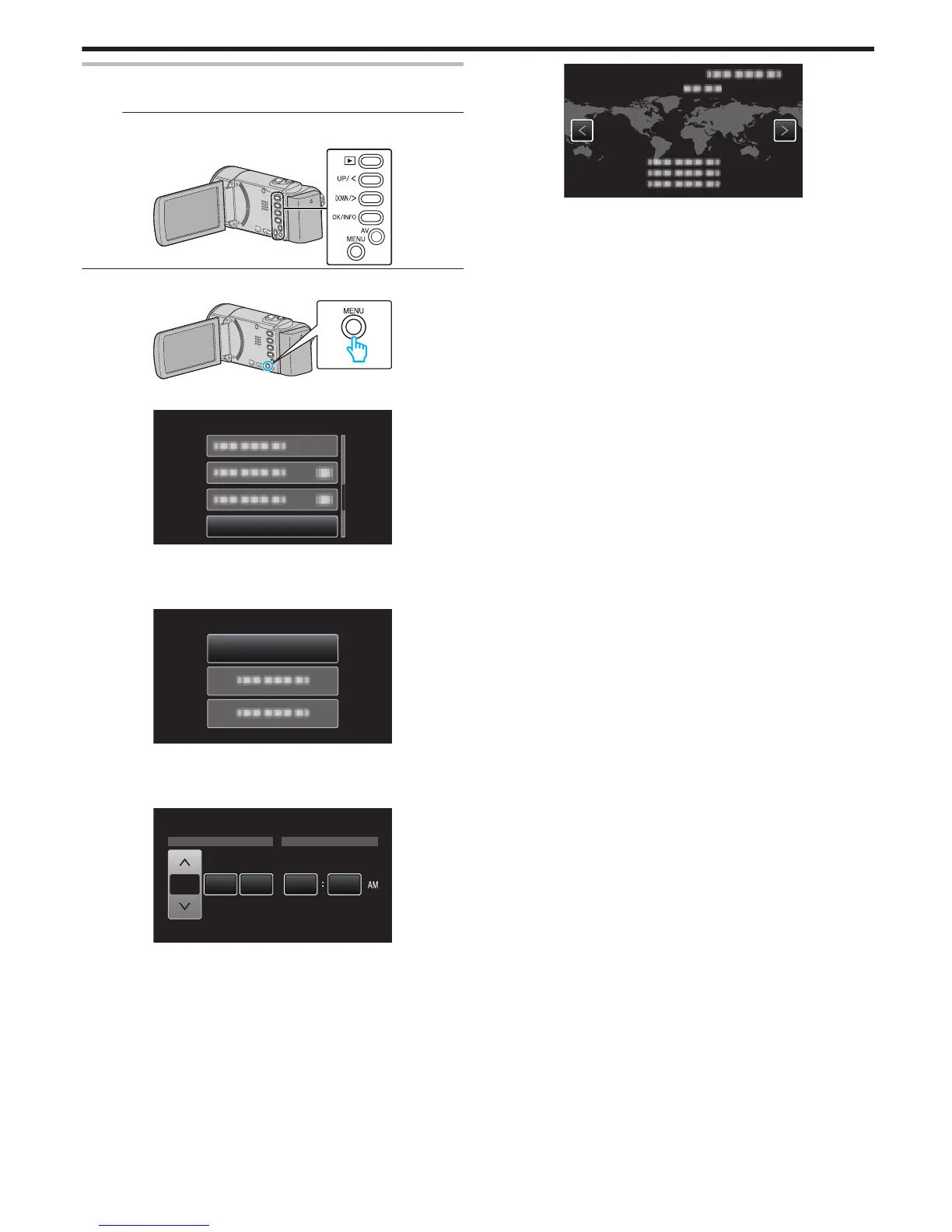
Presione
UP/< o DOWN/> para seleccionar la región donde usted vive
y presione OK.
.
0
Se mostrará el nombre de la ciudad y la diferencia horaria.
0
Para cancelar y volver a la pantalla anterior, presione MENU.
Introducción
17


 To Next Page
 Loading...