Masterpage:Right-FullCol
EN 43
Filename [HM-100U_Eng_05Index.fm]
A Access Main Menu screen
Press [MENU].
B Access Guide Channel Set screen
C Input guide channel number
In that case, it is possible to change the channel
by 10 channels by pressing and holding [D E]
in steps
C and D.
D Input receiving channel number
E Return to normal screen
Press [MENU].
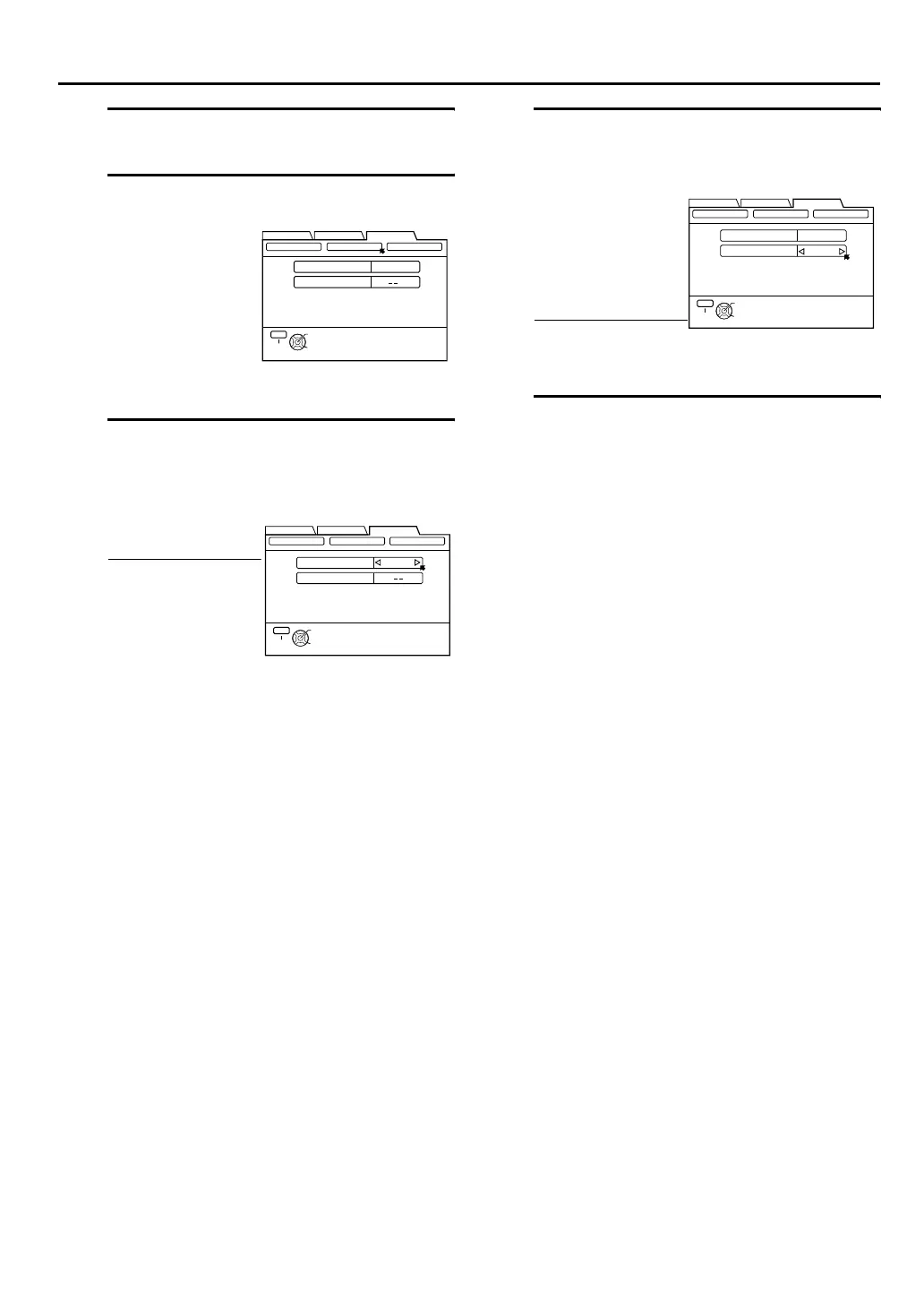
A Press [D E] to
move the arrow
to “INITIAL SET
UP”, then press
[G] or [OK].
B Press [D E] to
move the arrow
to “GUIDE
CHANNEL”, then
press [G] or [OK].
Press [D E] to input
the VCR Plus+ guide
channel number as
shown in the TV
listing.
•If you receive your
channels with a
cable box and if
you have properly
set your Controller,
“CABLE CH”
appears in place of
“VCR CH”. If not,
refer to pages 22 -
24 and re-perform
the procedure.
THEN PRESS [OK]
CLOCK SET
GUIDE CH
6
VCR CH
GUIDE CHANNEL OTHER
SELECT WITH ARROW KEYS
SELECT
OK
EXIT
MENU
FUNCTION SET UP
INITIAL SET UPTUNER SET UP
THEN PRESS [OK]
CLOCK SET
GUIDE CH
6
VCR CH
GUIDE CHANNEL OTHER
SELECT WITH ARROW KEYS
SELECT
OK
EXIT
MENU
FUNCTION SET UP
INITIAL SET UPTUNER SET UP
(Eg.) When inputting the guide
channel number for number 6
WNJU(Ind.)
Press [FG] to move
the arrow to “VCR
CH”, then press [D
E] to input the
number of the
channel on which the
guide channel’s
broadcasts are
received.
• Repeat steps C and
D for each
instance.
(Eg.) If WNJU(Ind.) is received
on channel 47
THEN PRESS [OK]
CLOCK SET
GUIDE CH
6
VCR CH
47
GUIDE CHANNEL OTHER
SELECT WITH ARROW KEYS
SELECT
OK
EXIT
MENU
FUNCTION SET UP
INITIAL SET UPTUNER SET UP
HM-DH100U_Eng.book Page 43 Thursday, August 5, 2004 1:54 PM



 To Next Page
 Loading...