ENGLISH
11OPERATIONS
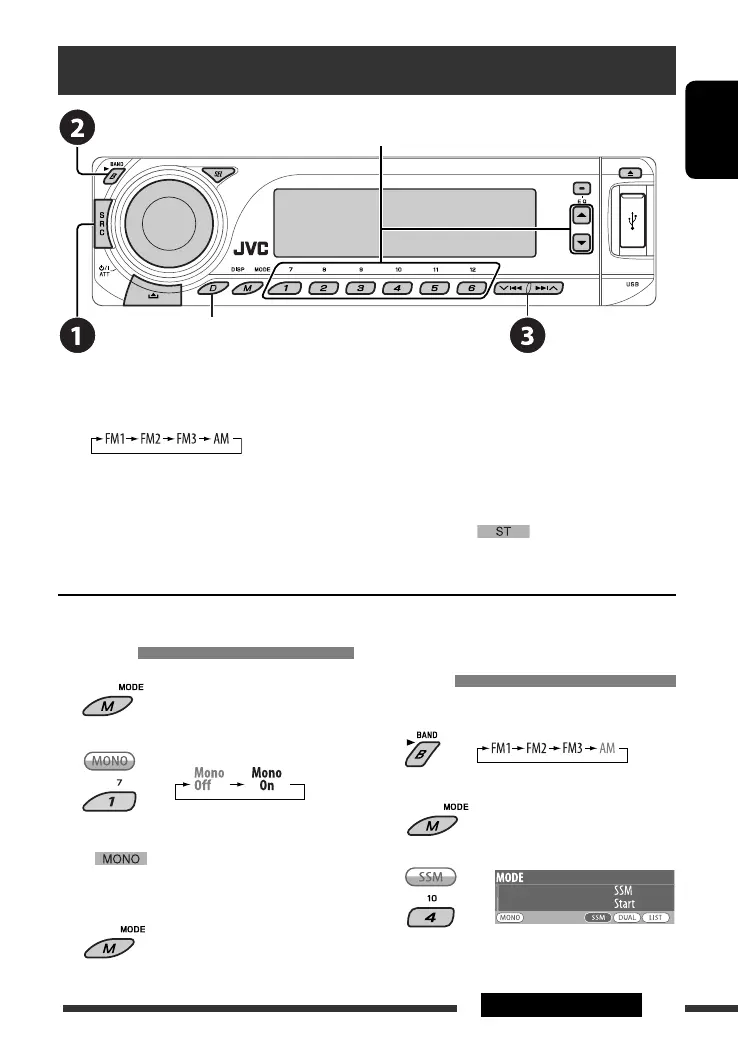
Listening to the radio
Change the display information* and pattern
~ Select “TUNER.”
Ÿ Select the bands.
! Search for a station to listen—Auto Search.
Manual Search: Hold either one of the buttons until “Manual Search” appears on the display, then press it
repeatedly.
• When receiving an FM stereo broadcast with sufficient signal strength, lights up on the display.
* If no title is assigned to a station, “No Name” appears. To assign a title to a station, see page 42.
Select preset station.
FM station automatic presetting —
SSM (Strong-station Sequential
Memory)
You can preset up to six stations for each band.
1
2
3
When an FM stereo broadcast is hard
to receive
1
2
Reception improves, but stereo effect will be lost.
• lights up on the display.
3 Exit from the setting.
Continued on the next page
EN08-15_DV8306_001A_2.indd 11EN08-15_DV8306_001A_2.indd 11 4/10/07 2:23:19 PM4/10/07 2:23:19 PM



 To Next Page