ENGLISH
35SETTINGS
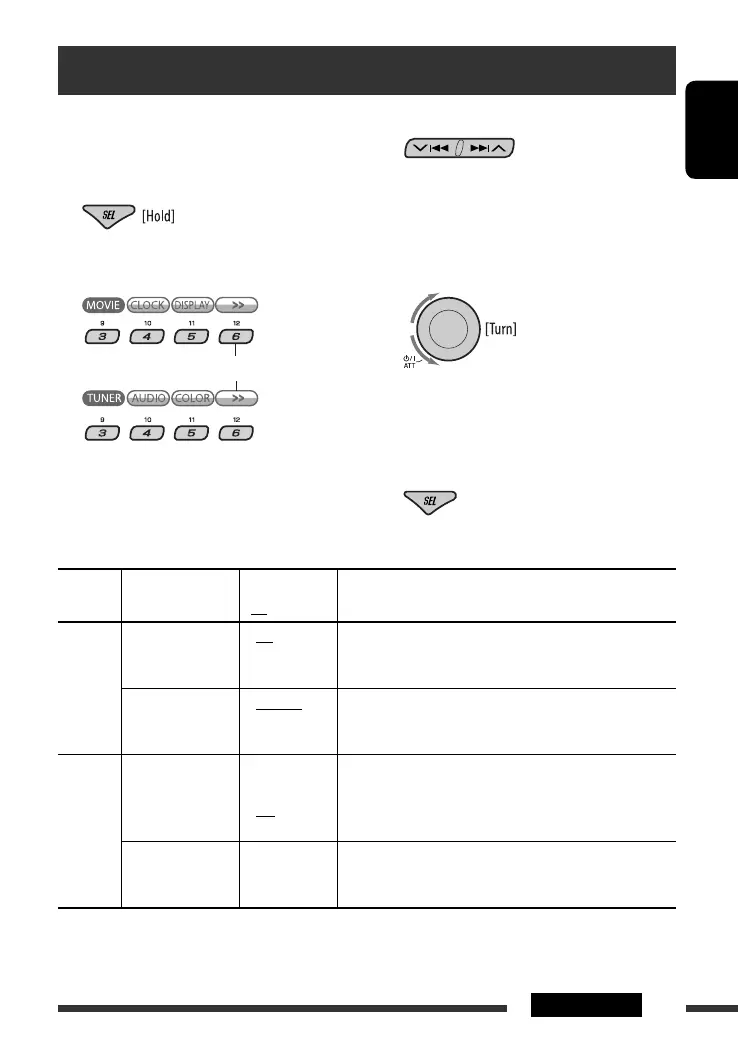
3 Select a PSM item.
By pressing either one of the buttons repeatedly,
you can also move to the item of the other
categories.
4 Select or adjust the selected PSM item.
5 Repeat steps 2 to 4 to adjust other PSM
items if necessary.
6 Exit from the setting.
Continued on the next page
You can change PSM (Preferred Setting Mode) items
listed in the table below and on pages 36 and 37.
1 Enter the PSM settings.
2 Select a PSM category.
General settings — PSM
To display the rest
Category Indication Item
( : Initial)
Setting, [reference page]
MOVIE
Demo
Display
demonstration
• On
• Off
: Display demonstration will be activated automatically if no
operation is done for about 20 seconds, [7].
: Cancels.
LevelMeter
Audio level meter
• Meter 1
• Meter 2
• Meter 3
: Select the different level meter patterns.
• Press D DISP to show the selected level meter.
CLOCK
Clock Disp *
1
Clock display
• On
• Off
: Clock time is shown on the display at all times when the
power is turned off.
: Cancels; pressing D DISP will show the clock time for about
5 seconds when the power is turned off, [7].
Clock Hr
Hour adjustment
1 – 12AM/
1 – 12PM
(0 – 23)
: Initial: 1 (1:00AM), [7].
EN32-37_DV8306_001A_f.indd 35EN32-37_DV8306_001A_f.indd 35 4/19/07 5:06:26 PM4/19/07 5:06:26 PM



 To Next Page