ENGLISH
29EXTERNAL DEVICES
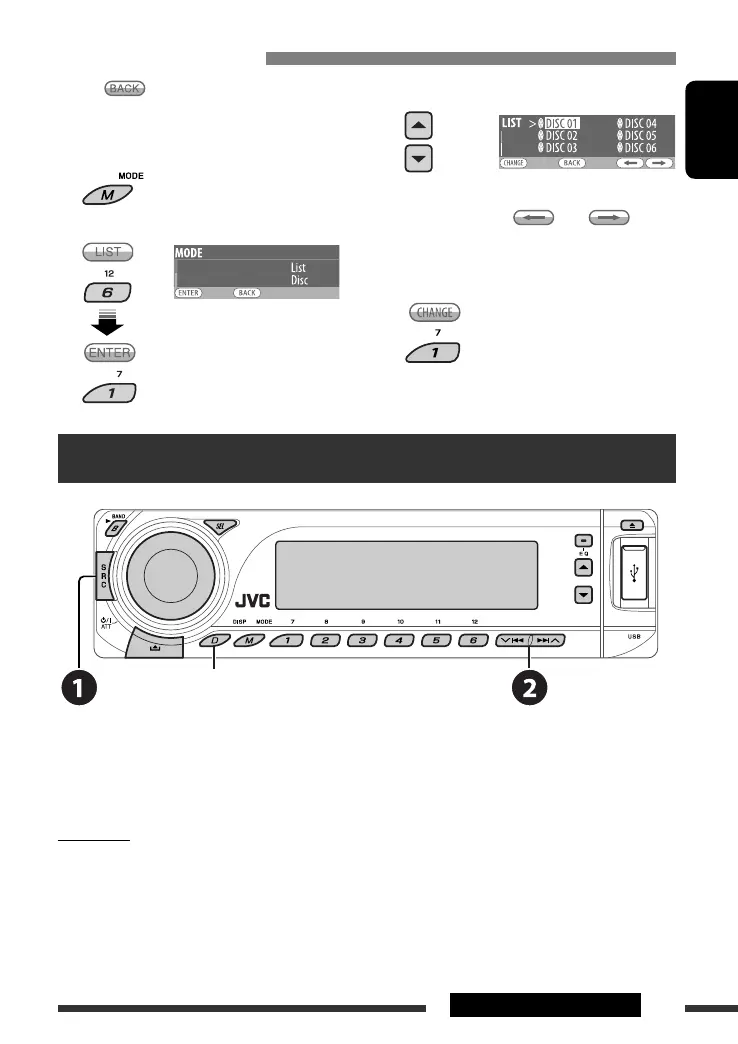
• When appears on the display, you can move
back to the previous display by pressing number
button 3.
1
2 Select “LIST.”
3 Select a disc.
• You can move to the other lists by pressing
number button 5 (
) or 6 ( )
repeatedly.
4 Change to the selected disc.
• The list disappears and playback starts.
Listening to the iPod / D. player
Change the display information and pattern
Before operating, connect either one of the following (separately purchased) to the CD changer jack on the rear of
the unit. See also page 31.
• Interface adapter for iPod—KS-PD100 for controlling an iPod.
• D. player interface adapter—KS-PD500 for controlling a D. player.
Preparation
Make sure “Changer” is selected for the external input setting, see page 37.
~ Select “iPod” or “D. PLAYER.”
Ÿ Select a song to start playing.
Selecting a disc on the list
EN24-31_DV8306_001A_2.indd 29EN24-31_DV8306_001A_2.indd 29 4/10/07 2:24:09 PM4/10/07 2:24:09 PM



 To Next Page