ENGLISH
13OPERATIONS
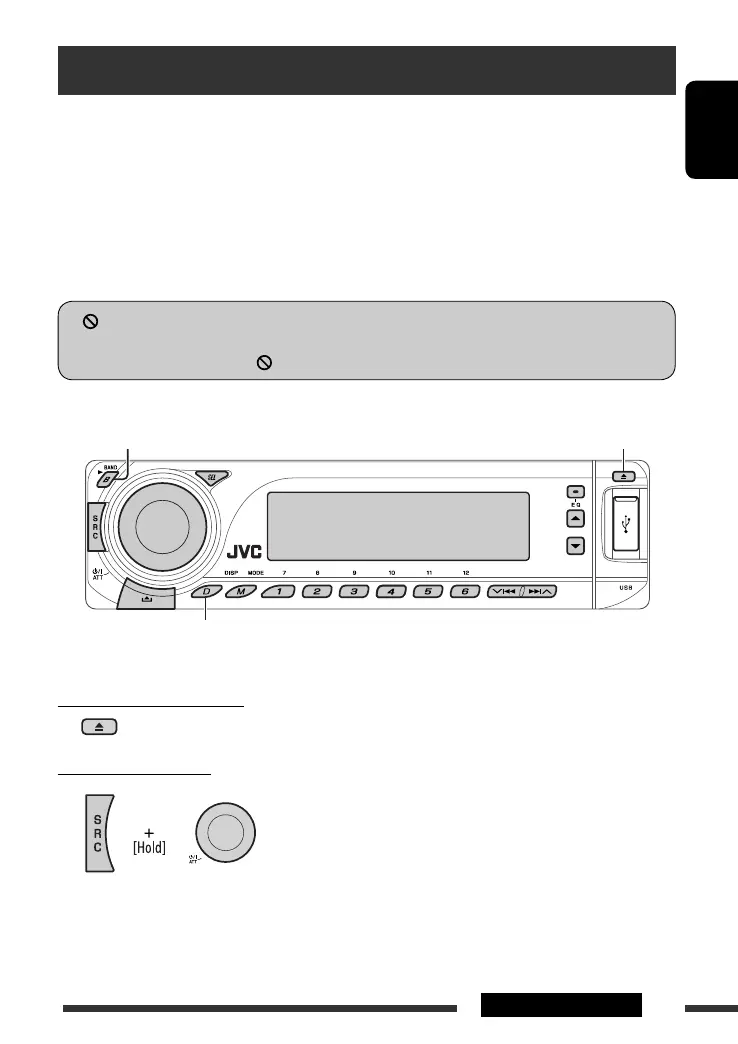
To stop play and eject the disc
• Press SRC to listen to another playback source.
Prohibiting disc ejection
To cancel the prohibition, repeat the same procedure.
Disc operations
Before performing any operations...
Turn on the monitor to watch the playback picture. If you turn on the monitor, you can also control the playback by
referring to the monitor screen. (See pages 20 – 24.)
The disc type is automatically detected, and playback starts automatically (for DVD: automatic start depends on its
internal program).
If the current disc does not have a disc menu, all tracks will be played repeatedly until you change the source or eject
the disc.
• See pages 39 – 41 for more settings.
If “
” appears on the monitor when pressing a button, the unit cannot accept the operation you have tried to
do.
• In some cases, without showing “ ,” operations will not be accepted.
Open the control panel and insert the disc.
Playback starts automatically.
Start playback if necessary.
Change the display information* and pattern
* You can change the display indication
language while playing a CD
Text, MP3, WMA, or WAV file. See
“Language” on page 36 for setting.
EN08-15_DV8306_001A_2.indd 13EN08-15_DV8306_001A_2.indd 13 4/10/07 2:23:20 PM4/10/07 2:23:20 PM



 To Next Page