ENGLISH
31EXTERNAL DEVICES
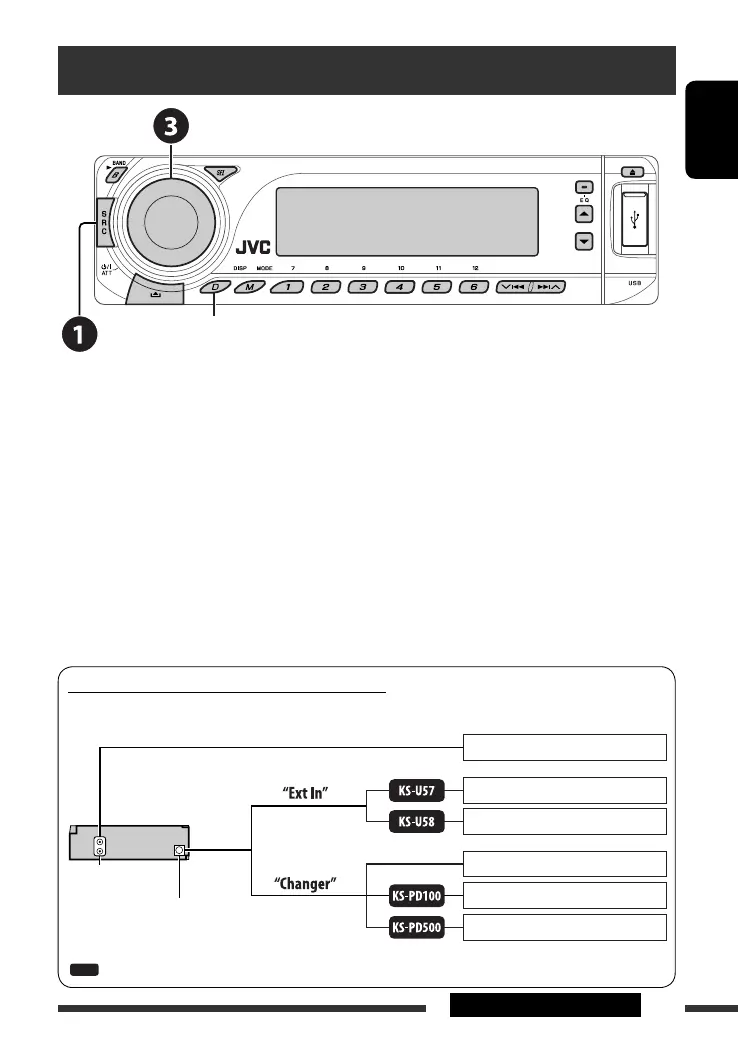
Listening to the other external components
You can connect an external component to:
• CD changer jack on the rear of this unit using the following adapters (separately purchased):
– Line Input Adapter, KS-U57
– AUX Input Adapter, KS-U58
Make sure “Ext In” is selected for the external input setting, see page 37.
• LINE IN terminals on the rear of this unit.
~ Select “EXT IN” or “LINE IN.”
Ÿ Turn on the connected component and start playing the source.
! Adjust the volume.
⁄ Adjust the sound as you want (see pages 32 – 34).
Change the display information and pattern
Concept diagram of the external device connection
For connection, see Installation/Connection manual (separate volume).
JVC CD changer, [27]
Apple iPod, [29]
JVC D. player, [29]
Unit
CD changer jack
(see page 37 of the
”Ext Input” setting)
(see page 37 of the
”Ext Input” setting)
MD player, etc., [31]
: Adapter (separately purchased)
MD player, etc., [31]
MD player, etc., [31]
LINE IN terminals
EN24-31_DV8306_001A_f.indd 31EN24-31_DV8306_001A_f.indd 31 4/24/07 1:02:31 PM4/24/07 1:02:31 PM



 To Next Page