ENGLISH
34
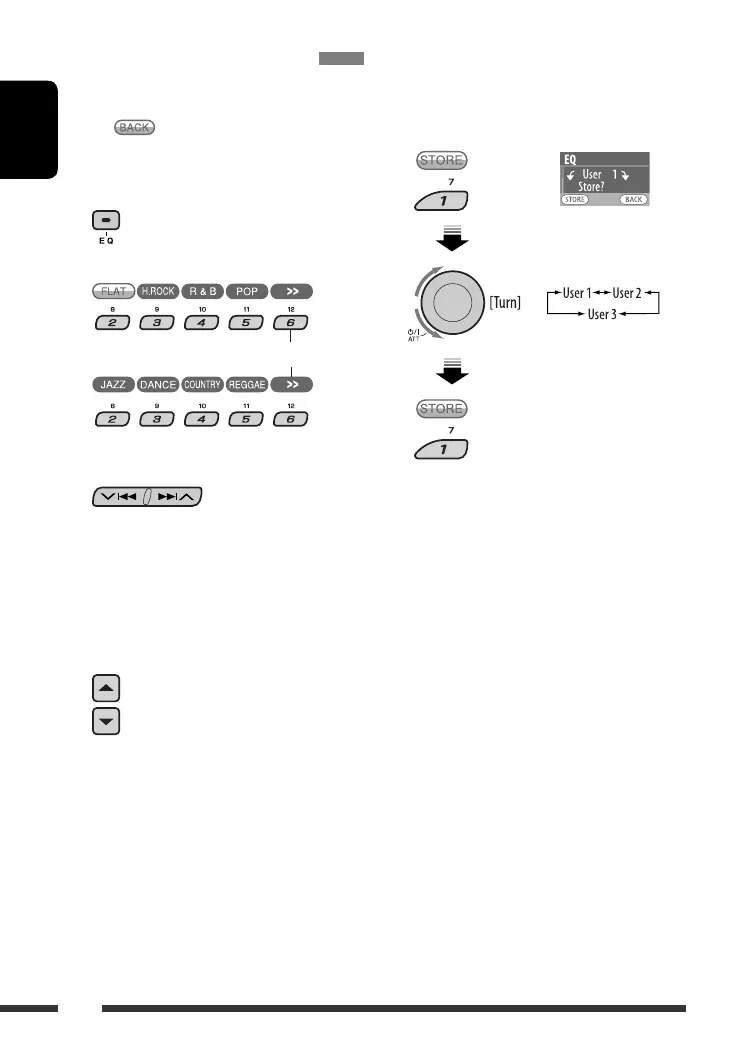
Storing your own sound modes
You can adjust the sound modes and store your own
adjustments in memory.
• When appears on the display, you can move
back to the previous display by pressing number
button 3.
1
2 Select a sound mode.
3 Select a frequency band.
60 Hz O 150 Hz O 400 Hz O 1 kHz O
2.5 kHz O 6.3 kHz O 15 kHz O (back to the
beginning)
4 Adjust the enhanced level for the
selected frequency band.
5 Repeat steps 3 and 4 to adjust the other
frequency bands.
6 Store the adjustments.
To display the rest
–05 to +05
EN32-37_DV8306_001A_f.indd 34EN32-37_DV8306_001A_f.indd 34 4/27/07 5:18:38 PM4/27/07 5:18:38 PM



 To Next Page