ENGLISH
3
WARNINGS:
To prevent accidents and damage
• DO NOT install any unit in locations where;
– it may obstruct the steering wheel and
gearshift lever operations.
– it may obstruct the operation of safety
devices such as air bags.
– it may obstruct visibility.
• DO NOT operate the unit while driving.
• If you need to operate the unit while
driving, be sure to look around carefully.
• The driver must not watch the monitor
while driving.
If the parking brake is not engaged,
“DRIVER MUST NOT WATCH THE MONITOR
WHILE DRIVING.” appears on the monitor,
and no playback picture will be shown.
– This warning appears only when the
parking brake wire is connected to the
parking brake system built into the car
(refer to the Installation/Connection
Manual).
Indication language:
In this manual, English indications are used for
the purpose of explanation. You can select
the indication language on the monitor in the
“LANGUAGE” settings (see page 40).
• You can also select the indication language on
the display while playing a CD Text, MP3, WMA,
or WAV file. See “Language” on page 36 for
setting.
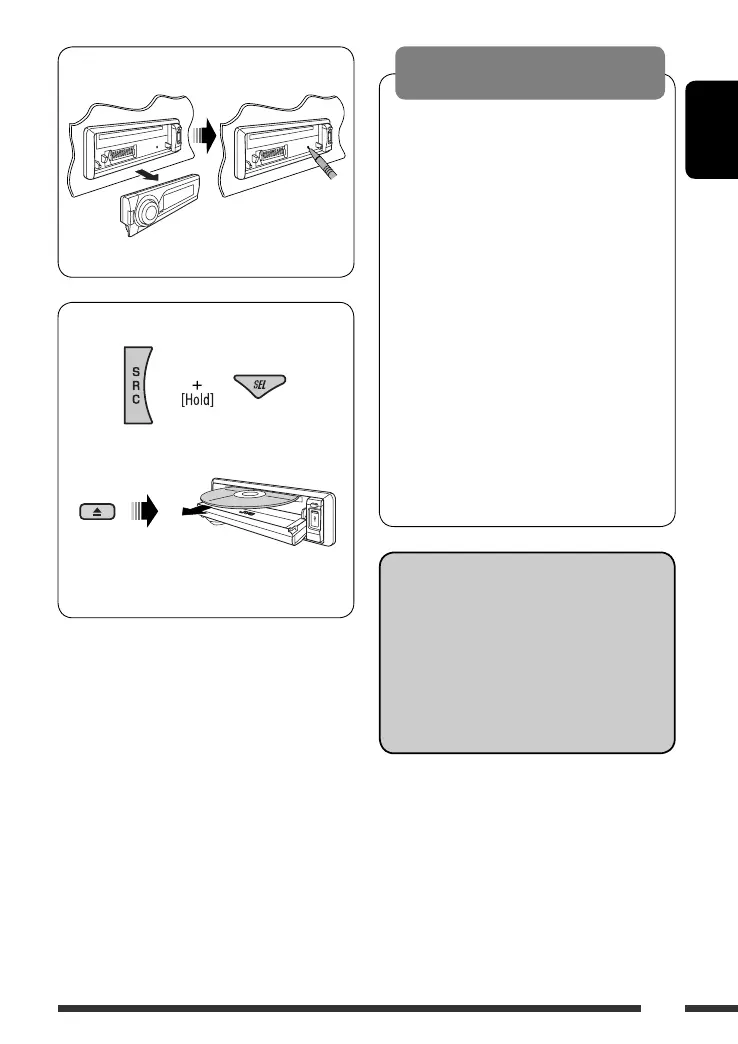
How to reset your unit
• Your preset adjustments will also be erased.
How to forcibly eject a disc
“Please Eject” appears on the display.
• Be careful not to drop the disc when it ejects.
• If this does not work, reset your unit.
EN02-07_DV8306_001A_2.indd 3EN02-07_DV8306_001A_2.indd 3 4/10/07 2:22:53 PM4/10/07 2:22:53 PM



 To Next Page