ENGLISH
40
Menu Item Setting
LANGUAGE
MENU
LANGUAGE
Select the initial disc menu language. Refer also to “Language codes” on page 48.
AUDIO
LANGUAGE
Select the initial audio language. Refer also to “Language codes” on page 48.
SUBTITLE Select the initial subtitle language or remove the subtitle (OFF). Refer also to
“Language codes” on page 48.
ON SCREEN
LANGUAGE
Select the language for the on screen display.
PICTURE
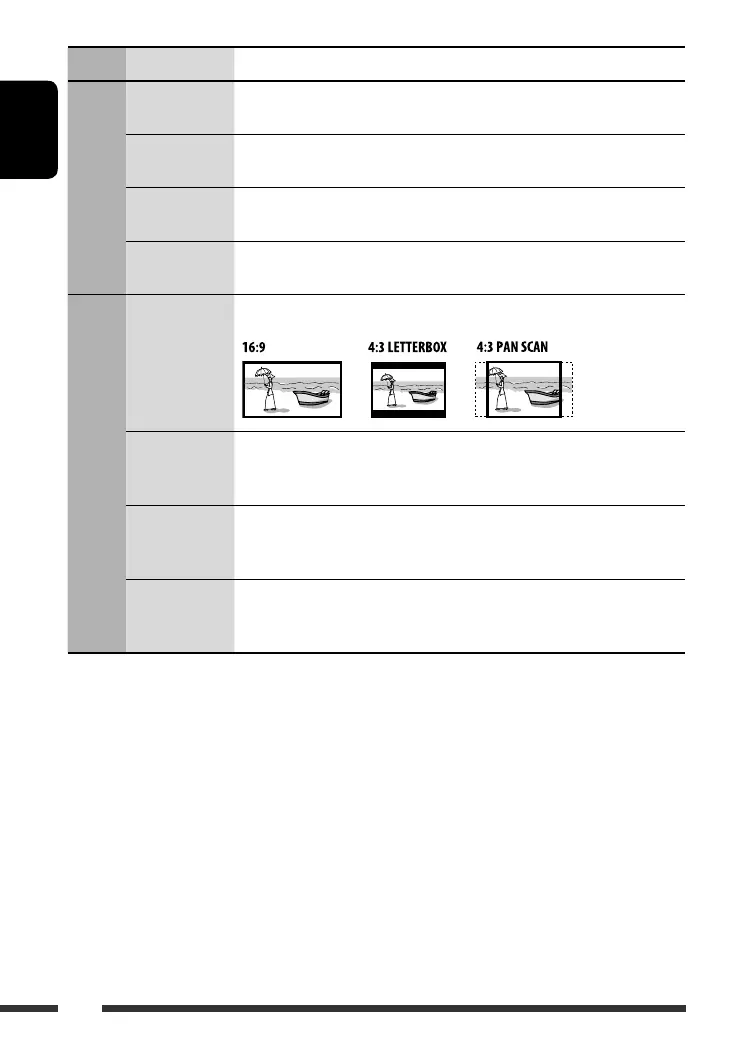
MONITOR TYPE Select the monitor type for watching a wide screen picture on your monitor.
OSD POSITION Select the on-screen bar position on the monitor.
• 1 : Higher position
• 2 : Lower position (Guidance below the disc setup menu will disappear.)
FILE TYPE (DISC) Select the file type to play.
• AUDIO : Play MP3/WMA/WAV files.
• VIDEO : Play DivX/MPEG Video files.
FILE TYPE (USB) Select the file type to play.
• AUDIO : Play MP3/WMA/WAV files.
• VIDEO : Play DivX/MPEG Video files.
EN38-43_DV8306_001A_2.indd 40EN38-43_DV8306_001A_2.indd 40 4/10/07 2:24:56 PM4/10/07 2:24:56 PM



 To Next Page