ENGLISH
51REFERENCES
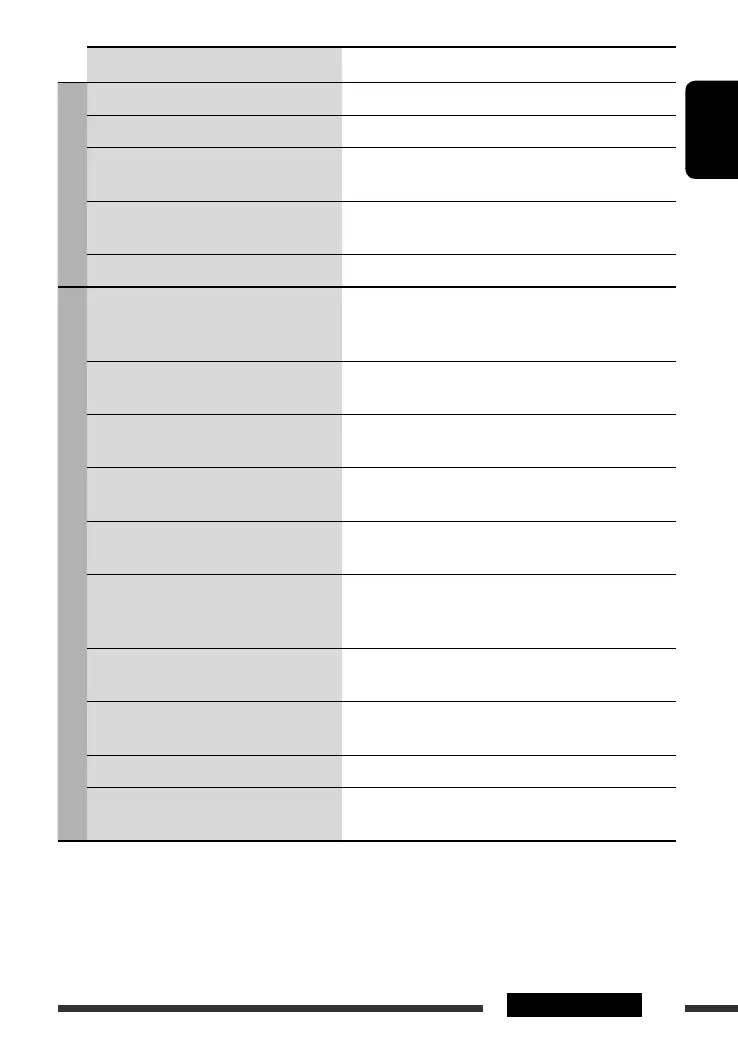
Symptom Remedy/Cause
CD changer
• “No Disc” appears on the display. Insert a disc into the magazine.
• “No Magazine” appears on the display. Insert the magazine.
• “Reset 08” appears on the display. Connect this unit and the CD changer correctly and press the
reset button of the CD changer.
• “Reset 01” – “Reset 07” appears on the
display.
Press the reset button of the CD changer.
• The CD changer does not work at all. Reset the unit (see page 3).
iPod/D. player
• The iPod or D. player does not turn on or
does not work.
• Check the connecting cable and its connection.
• Update the firmware version.
• Charge the battery.
• The sound is distorted. Deactivate the equalizer either on this unit or the iPod/
D. player.
• “Disconnect” appears on the display. • Check the connecting cable and its connection.
• Charge the battery.
• Playback stops. The headphones are disconnected during playback. Restart
the playback operation (see page 29).
• No sound can be heard when connecting an
iPod nano.
• Disconnect the headphones from the iPod nano.
• Update the firmware version of the iPod nano.
• No sound can be heard.
• “Error 01” appears on the display when
connecting a D. player.
Disconnect the adapter from the D. player. Then, connect it
again.
• “No File” or “No Track” appears on the
display.
No tracks are stored. Import tracks to the iPod or D. player.
• “Reset 01” – “Reset 07” appears on the
display.
Disconnect the adapter from both this unit and iPod/
D. player. Then, connect it again.
• “Reset 08” appears on the display. Check the connection between the adapter and this unit.
• The iPod’s or D. player’s controls do not
work after disconnecting from this unit.
Reset the iPod or D. player.
EN44-53_DV8306_001A_2.indd 51EN44-53_DV8306_001A_2.indd 51 4/10/07 2:25:20 PM4/10/07 2:25:20 PM


 To Next Page