EasyManua.ls Logo

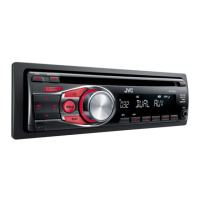
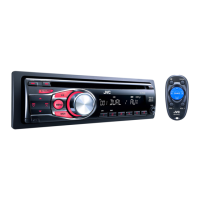
JVC KD-R321 - User Manual

JVC KD-R321
17 pages
Print Icon
To Next Page IconTo Next Page
Loading...
ENGLISH
FRANÇAIS
GET0678-003A
[E/EU]
EN, FR
0910DTSMDTJEIN© 2010 Victor Company of Japan, Limited
KD-R322/KD-R321
CD RECEIVER / RÉCEPTEUR CD
For canceling the display demonstration, see page 4. / Pour annuler la démonstration des
affichages, référez-vous à la page 4.
INSTRUCTIONS
MANUEL D’INSTRUCTIONS
For installation and connections, refer to the separate manual.
Pour l’installation et les raccordements, se référer au manuel séparé.
Dear Customer,
This apparatus is in conformance with the valid
European directives and standards regarding
electromagnetic compatibility and electrical safety.
European representative of Victor Company of
Japan, Limited is:
JVC Technical Services Europe GmbH
Postfach 10 05 04
61145 Friedberg
Germany
Cher(e) client(e),
Cet appareil est conforme aux directives et
normes européennes en vigueur concernant la
compatibilité électromagnétique et à la sécurité
électrique.
Représentant européen de la société Victor
Company of Japan, Limited:
JVC Technical Services Europe GmbH
Postfach 10 05 04
61145 Friedberg
Allemagne
Having TROUBLE with operation?
Please reset your unit
Refer to page of How to reset your unit
Vous avez des PROBLÈMES de fonctionnement?
Réinitialisez votre appareil
Référez-vous à la page intitulée Comment réinitialiser votre appareil
CoverRear_KD-R322_R321[E]_3.indd 1-2 8/3/10 10:49:25 AM

Other manuals for JVC KD-R321

Questions and Answers

  • A
    Annette GibsonAug 27, 2025
    What to do if JVC Car Receiver disc sound is interrupted?
    • R
      Robert SharpAug 27, 2025
      If the disc sound is sometimes interrupted on your JVC Car Receiver, consider the following: 1. Stop playback while driving on rough roads. 2. Try changing the disc. 3. Check the cords and connections.
  • M
    Micheal DoyleAug 28, 2025
    Why is sound interrupted on my JVC Car Receiver auxiliary input?
    • L
      lsmithAug 28, 2025
      If the sound is sometimes interrupted while listening to an external component connected to the auxiliary input jack of your JVC Car Receiver, ensure that you are using the recommended stereo mini plug for the connection.
  • C
    Charles BeckerAug 29, 2025
    What does 'PLEASE' and 'EJECT' mean on my JVC Car Receiver display?
    • J
      Jean RobinsonAug 29, 2025
      If “PLEASE” and “EJECT“ appear alternately on the display of your JVC Car Receiver, press 0, then insert a disc correctly.
  • J
    Jeffrey SanchezAug 29, 2025
    Why is there static noise while listening to the radio on my JVC Car Stereo System?
    • R
      reyesbrendaAug 29, 2025
      If you are experiencing static noise while listening to the radio, make sure that the aerial is firmly connected.
  • J
    jimenezchristopherAug 30, 2025
    What to do if disc sound is sometimes interrupted in JVC Car Stereo System?
    • D
      Danielle GibsonAug 30, 2025
      If the disc sound is sometimes interrupted in your JVC Car Stereo System, consider the following: * Stop playback while driving on rough roads. * Try changing the disc. * Check the cords and connections.
  • D
    david06Aug 30, 2025
    What does 'NO DISC' mean on my JVC Car Stereo System?
    • M
      Melissa JohnstonAug 31, 2025
      If “NO DISC” appears on the display of your JVC Car Stereo System, it means you need to insert a playable disc into the loading slot.
  • M
    Melissa JordanAug 25, 2025
    Why is there no sound from my JVC Car Stereo System speakers?
    • M
      matthewbennettAug 25, 2025
      If you can't hear any sound from the speakers, try these steps: First, adjust the volume to a suitable level. Second, ensure that the unit is not muted or paused. Finally, check the cords and connections to make sure they are properly connected.
  • S
    Sheryl WelchSep 1, 2025
    What does 'PLEASE' and 'EJECT' alternately mean on my JVC Car Stereo System?
    • F
      Francisco BowmanSep 1, 2025
      If “PLEASE” and “EJECT“ appear alternately on the display of your JVC Car Stereo System, press the 0 button, then insert the disc correctly.
  • B
    Beth ParkerSep 1, 2025
    What does 'IN DISC' mean on my JVC Car Stereo System?
    • L
      Lori OrtizSep 1, 2025
      If “IN DISC” appears on the display of your JVC Car Stereo System, it indicates that the disc cannot be ejected properly. Make sure nothing is blocking the loading slot.
  • M
    Mark PerrySep 2, 2025
    Why can't my JVC Car Stereo System play back a disc?
    • J
      jeffreyhillSep 2, 2025
      If your JVC Car Stereo System cannot play back a disc, make sure to use a disc with MP3/WMA tracks recorded in a format compliant with ISO 9660 Level 1, Level 2, Romeo, or Joliet. Also, add the extension code or to the file names.

Summary

Important Laser Product Information

Class 1 Laser Product Identification

Identifies the unit as a Class 1 laser product.

Laser Safety Precautions

Warns against opening the unit and viewing laser radiation directly.

Caution Label Reproduction

Shows the placement and content of the external caution label.

Disposal of Old Equipment and Batteries

European Union Disposal Guidelines

Explains the correct procedure for disposing of the product and batteries in the EU.

Control Panel Operations

Attaching and Detaching the Control Panel

Instructions for removing and installing the detachable control panel.

Resetting the Unit

How to reset the unit, which also erases preset adjustments.

Forcibly Ejecting a Disc

Procedure to eject a disc if it doesn't eject normally.

About Discs

Disc Handling Precautions

Guidelines for handling discs to ensure proper playback and prevent damage.

Canceling Display Demonstration

Setting the Clock

Basic Operations

Button and Control Functions

Explains the functions of various buttons and the control dial for basic operation.

Listening to the Radio

Improving FM Reception

Tips to enhance the quality of FM stereo reception.

Manual Station Presetting

How to manually store favorite radio stations.

Selecting Preset Stations

How to recall stored radio stations using preset buttons.

Displaying Radio Information

How to change displayed information for non-RDS stations.

FM Radio Data System Features

PTY Search for Favourite Programmes

How to search for stations broadcasting specific programme types (PTY codes).

TA Standby Reception

How to activate reception for Traffic Announcement (TA) signals.

NEWS Standby Reception

How to activate reception for news programmes automatically.

Network-Tracking Reception

Automatically tunes to stronger signals of the same network programme.

Programme Search

Automatically selects a better frequency for preset stations if signal is weak.

Changing Display Information

How to cycle through display information like station name, PTY, clock.

Listening to a Disc

Disc Playback Control

How to stop playback and eject a disc.

Selecting Tracks and Folders

Navigating through tracks and folders on a disc.

Changing Display Information (Disc)

How to cycle through disc playback information.

Selecting Playback Modes

Options for repeat and random playback settings.

Connecting External Components

Auxiliary Input Jack Connections

Summary of connecting portable audio players and Bluetooth devices via front/rear jacks.

Listening to External Components

Steps to select and play audio from connected external devices.

Selecting Sound Modes

Storing Custom Sound Modes

How to save personalized EQ and tone settings as a custom mode.

Menu Operations

Troubleshooting

General Troubleshooting Issues

Solutions for common problems like no sound, unit not working, or input selection issues.

Radio (FM;AM) Troubleshooting

Solutions for radio reception issues like static or inability to select stations.

Disc Playback Troubleshooting

Solutions for disc errors, unplayable discs, and playback interruptions.

MP3;WMA Playback Issues

Solutions for problems with MP3/WMA files, playback order, and character display.

Using Bluetooth Devices

Bluetooth Device Preparation

Steps to register (pair) a Bluetooth device with the adapter.

Bluetooth Mobile Phone Operations

How to receive, make, and manage calls using the Bluetooth phone.

Bluetooth Audio Playback

How to play audio from a connected Bluetooth device.

Specifications

Audio Amplifier Specifications

Technical details for the audio amplifier section.

Tuner Section Specifications

Technical details for the radio tuner section.

CD Player Specifications

Technical details for the CD player section.

General Specifications

Power requirements, operating temperature, dimensions, and mass.

Maintenance

Cleaning the Unit

Instructions for cleaning the exterior of the unit.

Cleaning Connectors

Instructions for cleaning the unit and panel connectors.

JVC KD-R321 Specifications

General IconGeneral
MP3 playbackYes
Audio formats supportedMP3, WMA
Preset stations quantity24
Output power200 W
Ready for iPod-
Audio output channels4.0 channels
Maximum power per channel50 W
I/O ports2 AUX In

Related product manuals