11
Parts identification
Parts identification
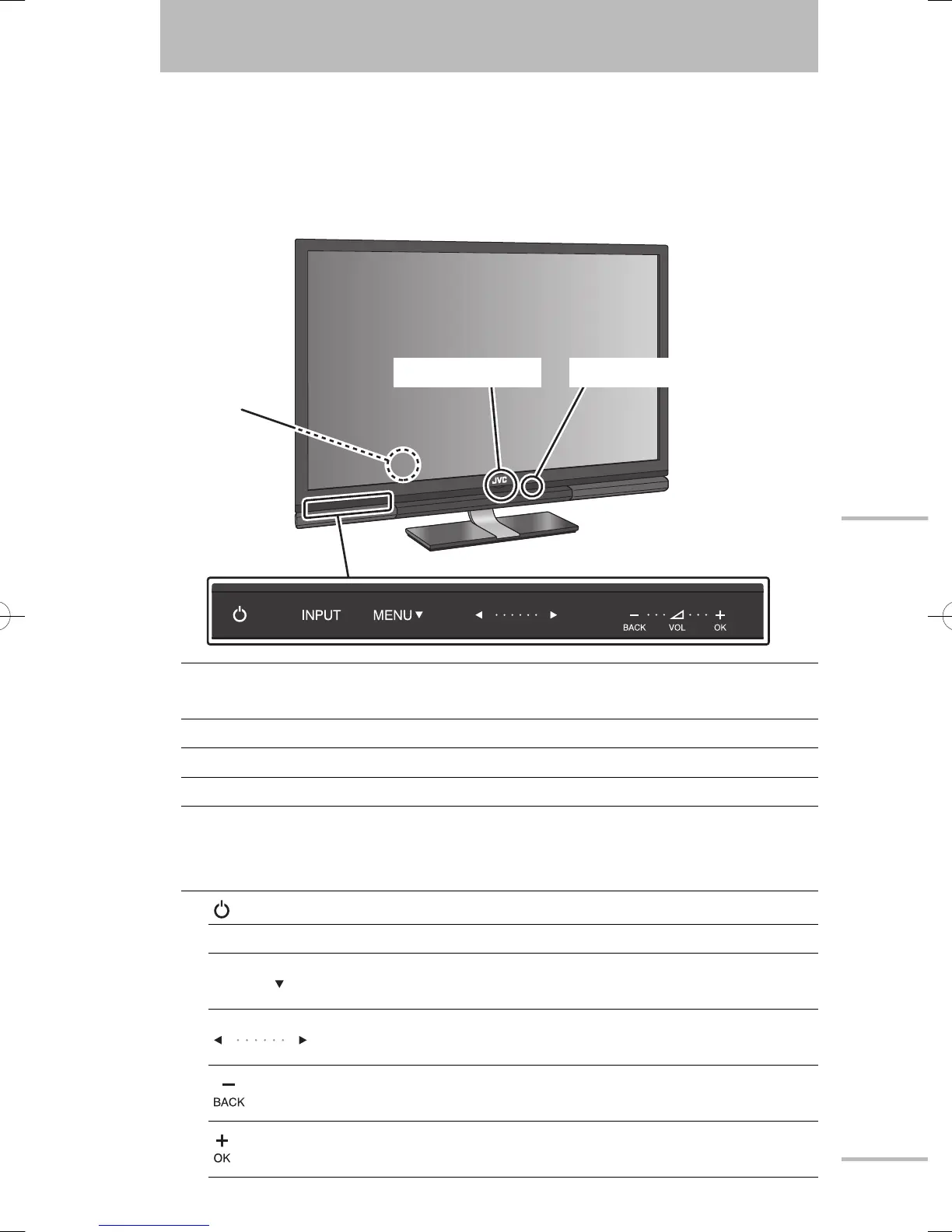
Main unit
Power switch
(on the rear)
Turns on or off the main power supply.
Power indicator Lights while the monitor is on.
Remote sensor Aim the remote control here.
Touch sensor panel
Touch on the function name to operate the function. You hear a beep
sound when the button is touched.
Turns the monitor on/off (on standby).
INPUT Switches the input.
MENU
Opens the setting menu. Functions as the down cursor
key in the menu operations.
Functions as the left cursor key and the right cursor key
in the menu operations.
Turns down the volume. Functions as the BACK key in
the menu operations.
Turns up the volume. Functions as the OK key in the
menu operations.
Power indicator
Touch sensor panel
Power switch (on
the rear)
Remote sensor
WX70instasia.indb11WX70instasia.indb11 09.3.33:23:55PM09.3.33:23:55PM



 To Next Page
 Loading...











