06
To adjust the vertical position of monitor
The monitor is height-adjustable in 3 positions, by 5.5 cm (2 1/4’’) at the
maximum. Adjust the vertical position of the monitor when you need to
place a device under the monitor.
1 Detach the monitor from the stand.
1-1 Spread a soft cloth on a flat table or floor to place the removed
monitor on.
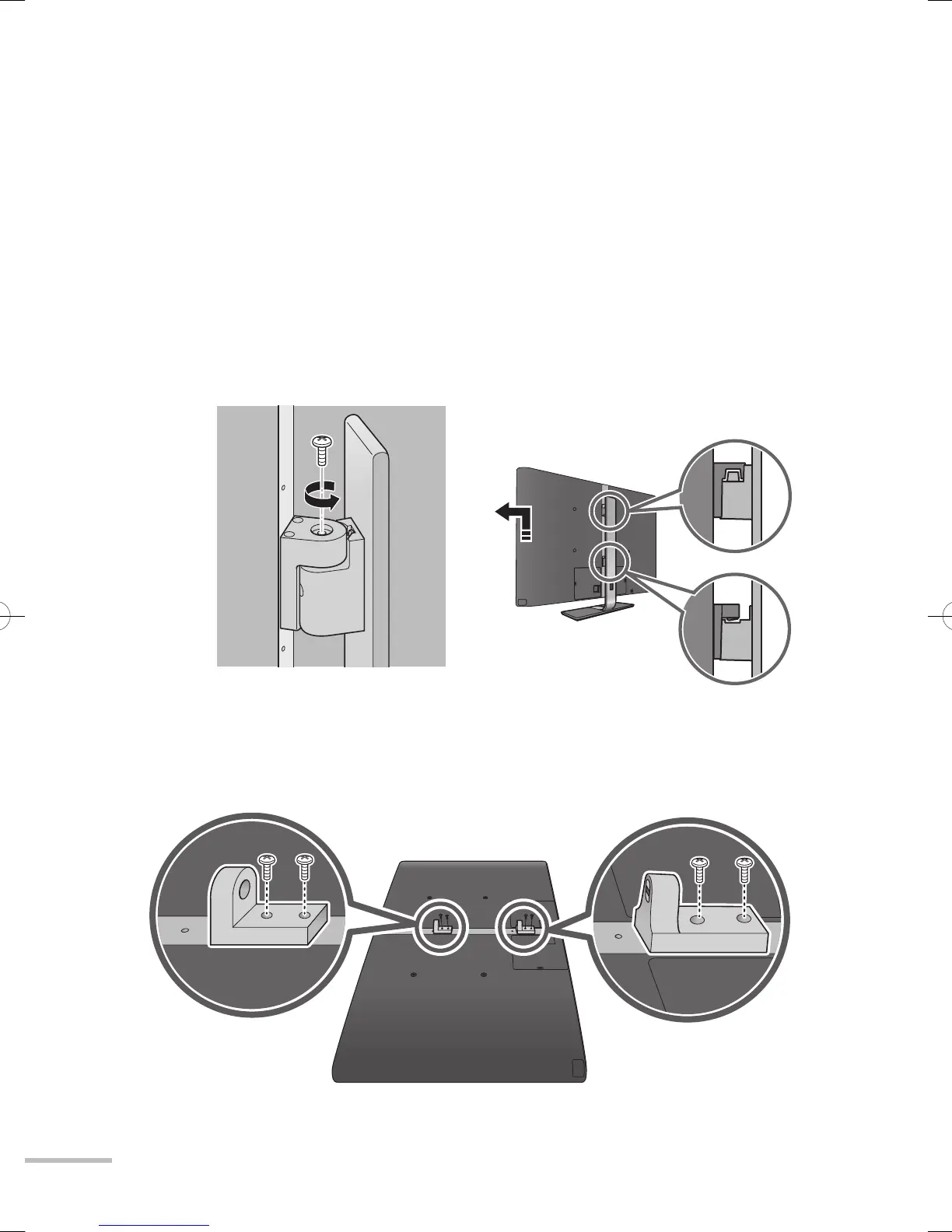
2 Change the position of the hooks.
2-1 Detach the two hooks from the monitor.
1-2 Remove the screw connecting
the monitor and the stand.
1-3 Detach the monitor from the
stand.
● The monitor should be carried by
two or more people.
Hook (upper) Hook (lower)
WX70instus.indb06WX70instus.indb06 09.3.65:14:32PM09.3.65:14:32PM



 To Next Page
 Loading...











