(No.MB191)1-17
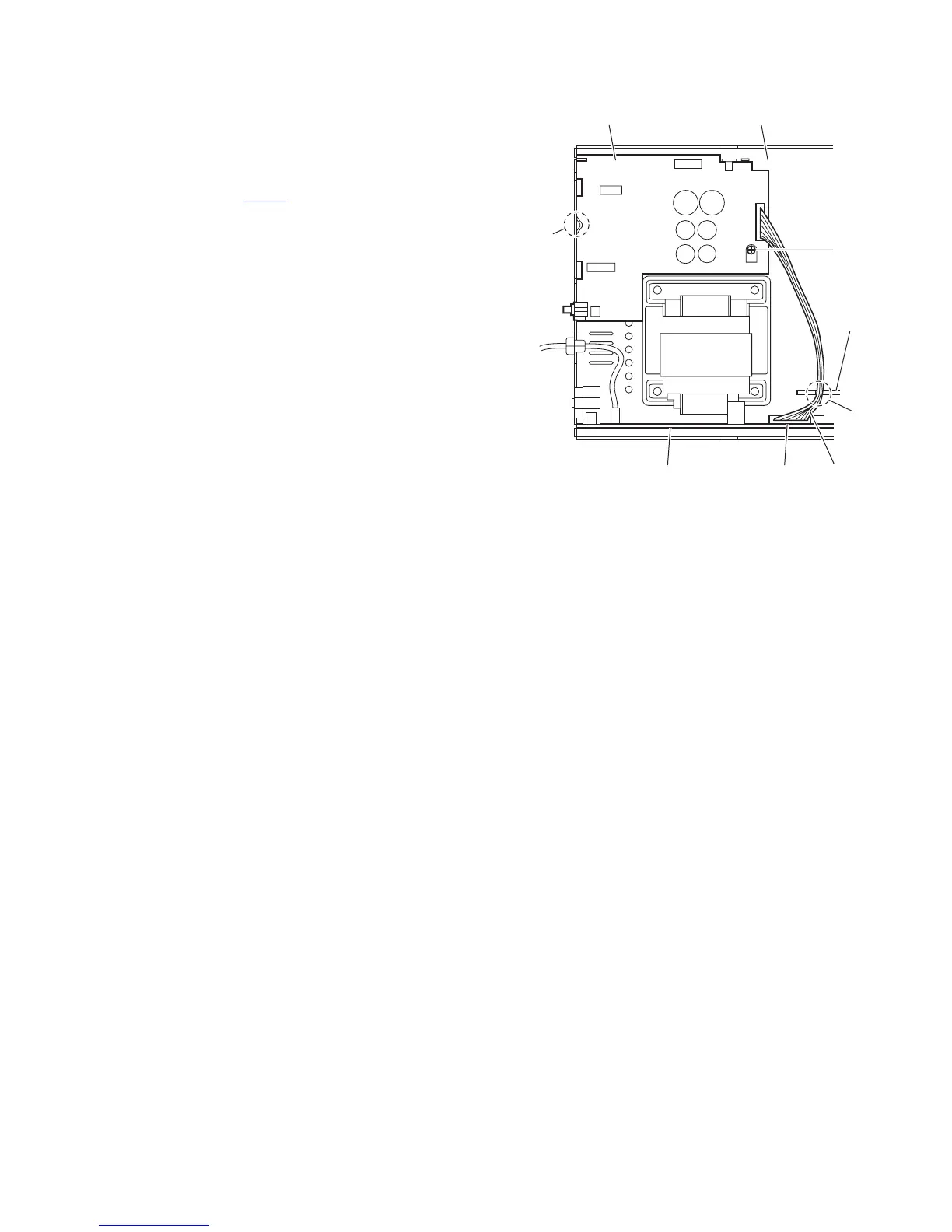
3.1.13 Removing the primary board
(See Fig.22)
• Prior to performing the following procedure, remove the metal
cover, tuner, video board, rear panel, main board, center chas-
sis assembly, speaker terminal board and regulator & sur-
round amplifier board and main & subwoofer amplifier board.
(1) From the top side of the main body, disconnect the wire
from the connector CN119
on the transformer board.
Reference:
Pass the wire through the slot n of the holder board be-
fore connecting the wire to the connector.
(2) Remove the screw T attaching the primary board on the
bottom chassis.
(3) Remove the section p of the primary board and take out the
primary board from the main body.
Fig.22
Primary board Bottom chassis
Holde
board
CN119 Wire
T
p
n
Transformer board



 To Next Page