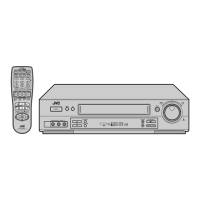
Filename [VS30U_3-EN.fm]
Masterpage:Left
66
EN
Page 66 February 23, 2002 6:02 pm
REMOTE CONTROL FUNCTIONS
Remote A/B Code Switching
This Remote is capable of transmitting two control codes; one set
to respond to A code control signals and another set to respond
to B code control signals. This Remote control is preset to send A
code signals because your VCR is initially set to respond to A
code signals. You can easily modify your VCR and the Remote to
respond to B code signals. When using two JVC VCRs, set two
VCRs and their Remotes to different codes, so that you can
operate these VCRs separately.
A
Set the remote control code for Remote.
A
Press and hold
A/B
.
B
Press the
number key
“
2
”.
C
Press
STOP
(
8
), and release
A/B
.
● The Remote now can transmit B code control signals.
B
Check the remote control code for VCR.
Press and hold
PLAY
(
4
) on the VCR for more than
5 seconds while the VCR is turned off. The code currently
set appears on the display panel.
C
Change the code for VCR.
Press any key on the Remote. The VCR now responds to
B code control signals.
● To set the Remote and the VCR back to A code control signals,
repeat the same procedure as shown above except pressing
the
number key
“
1
” in step
B
of
1
.
To control two VCRs with the same Remote
You can control two JVC VCRs by switching the remote control
code for the Remote between A and B (
墌
step
1
), keeping two
VCRs to different control codes.
● To change only the remote control code for the Remote, DO
NOT perform steps
2
and
3
.
123
456
7
89
0
2
4
1
3
T W
DV S-VHS
1
32
VS30U_3-EN.fm Page 66 Saturday, February 23, 2002 6:02 PM



 To Next Page
 Loading...