Filename [VS30U_3-EN.fm]
Masterpage:Left
56
EN
Page 56 January 31, 2002 3:40 pm
EDITING (cont.)
Edit From A
Camcorder
You can use a camcorder as the source player and your
VCR as the recording deck.
You can perform digital dubbing if you connect a device
such as a camcorder which has a DV IN/OUT connector.
Because the signals are digital, there is no loss of video or
audio quality as a result of editing.
A
Make connections.
A
If the camcorder has no S-VIDEO output connector ...
... connect the camcorder’s AUDIO OUT and VIDEO
OUT connectors to the VCR’s front panel AUDIO and
VIDEO input connectors.
B
If the camcorder has an S-VIDEO output connector ...
... connect the camcorder’s AUDIO OUT and
S-VIDEO OUT connectors to the VCR’s front panel
AUDIO and S-VIDEO input connectors.
C
If the camcorder has a DV IN/OUT connector ...
... connect the camcorder’s DV IN/OUT connector to
the VCR’s DV IN/OUT connector.
● When using a monaural camcorder, connect its AUDIO OUT
connector to the AUDIO L input connector on your VCR.
● When a Master Edit Control-equipped JVC camcorder is used,
the camcorder is capable of controlling the VCR. Refer to the
camcorder’s instruction manual for operating procedure.
B
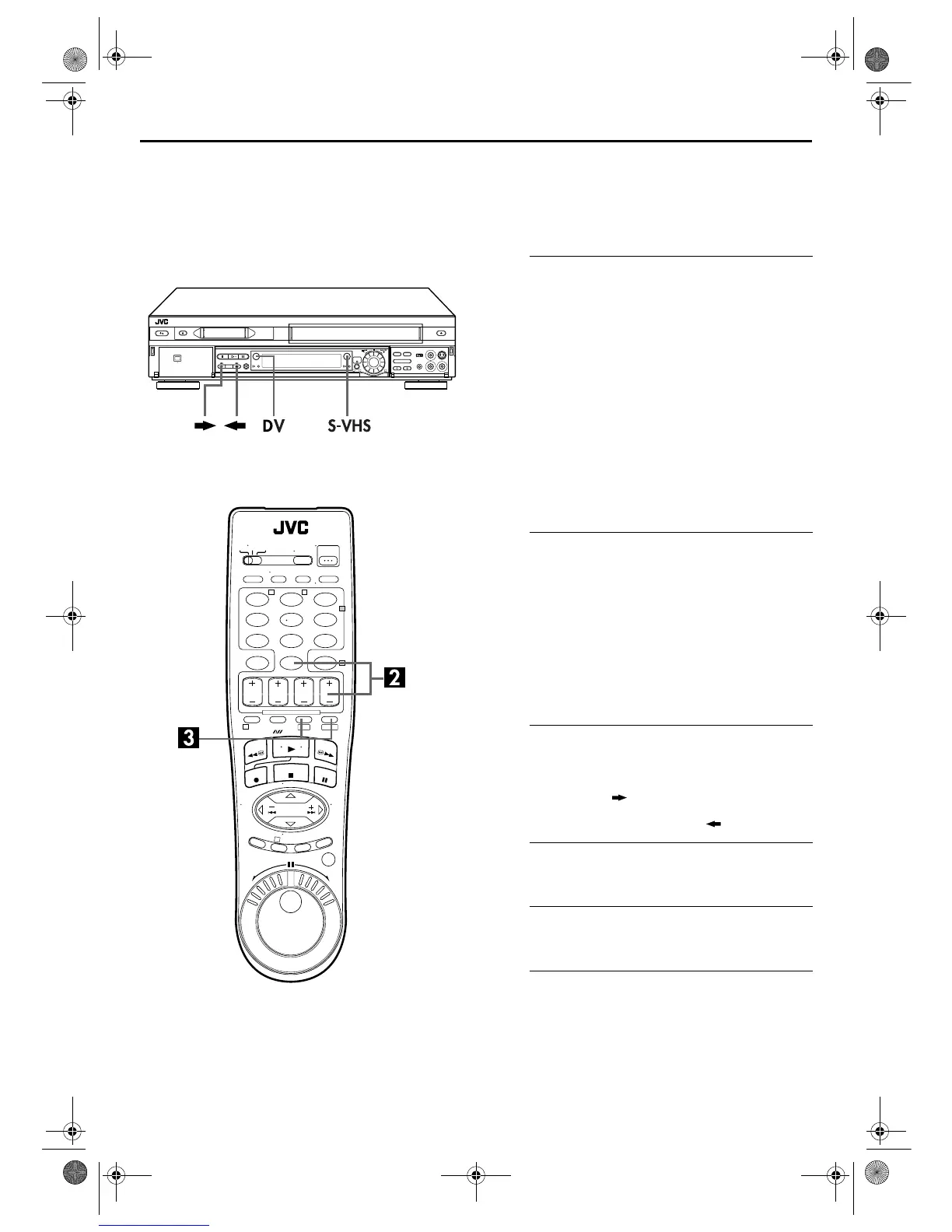
Set the VCR’s input mode.
Press
AUX
(
number key
“
0
”) and/or
CH +/–
to select
“F-1”.
F-1:when connecting the camcorder to the audio/video
input connectors or DV IN/OUT connector on the front
panel.
● When using S VIDEO connector, set “FRONT AUX INPUT” to
“S-VIDEO”. (
墌
pg. 73)
● When using VIDEO connector, set “FRONT AUX INPUT” to
“VIDEO”. (
墌
pg. 73)
C
Select the recording deck.
Press
S-VHS
or
DV
.
● To edit from a camcorder to the VHS deck through the DV IN/
OUT connector, press .
● To edit from a camcorder to the DV deck through the S-VIDEO
(VIDEO)/AUDIO input connectors, press .
D
Set the edit mode. (VHS deck only)
See “PICTURE CONTROL” on page 73.
E
Start the camcorder.
Engage the Play mode of the camcorder.
F
Start the VCR.
Engage the Record mode of the VCR.
1
32
123
456
7
89
0
2
4
1
3
T W
DV S-VHS
VS30U_3-EN.fm Page 56 Thursday, January 31, 2002 3:40 PM



 To Next Page
 Loading...