Section 7
Set-up
22
7
SECTION 7 - SET-UP
Before use, see chapter “Section 9 - Settings”.
Gas Supply
1. The G210 is not supplied sterile and should be cleaned before use. Make sure the
gas input ports at the back of the incubator are also cleaned. See “Section 12 -
Maintenance” on page 43.
2. Install the Origio Gas Line Filter, see “Replacing the Origio Gas Line Filter” on page 49.
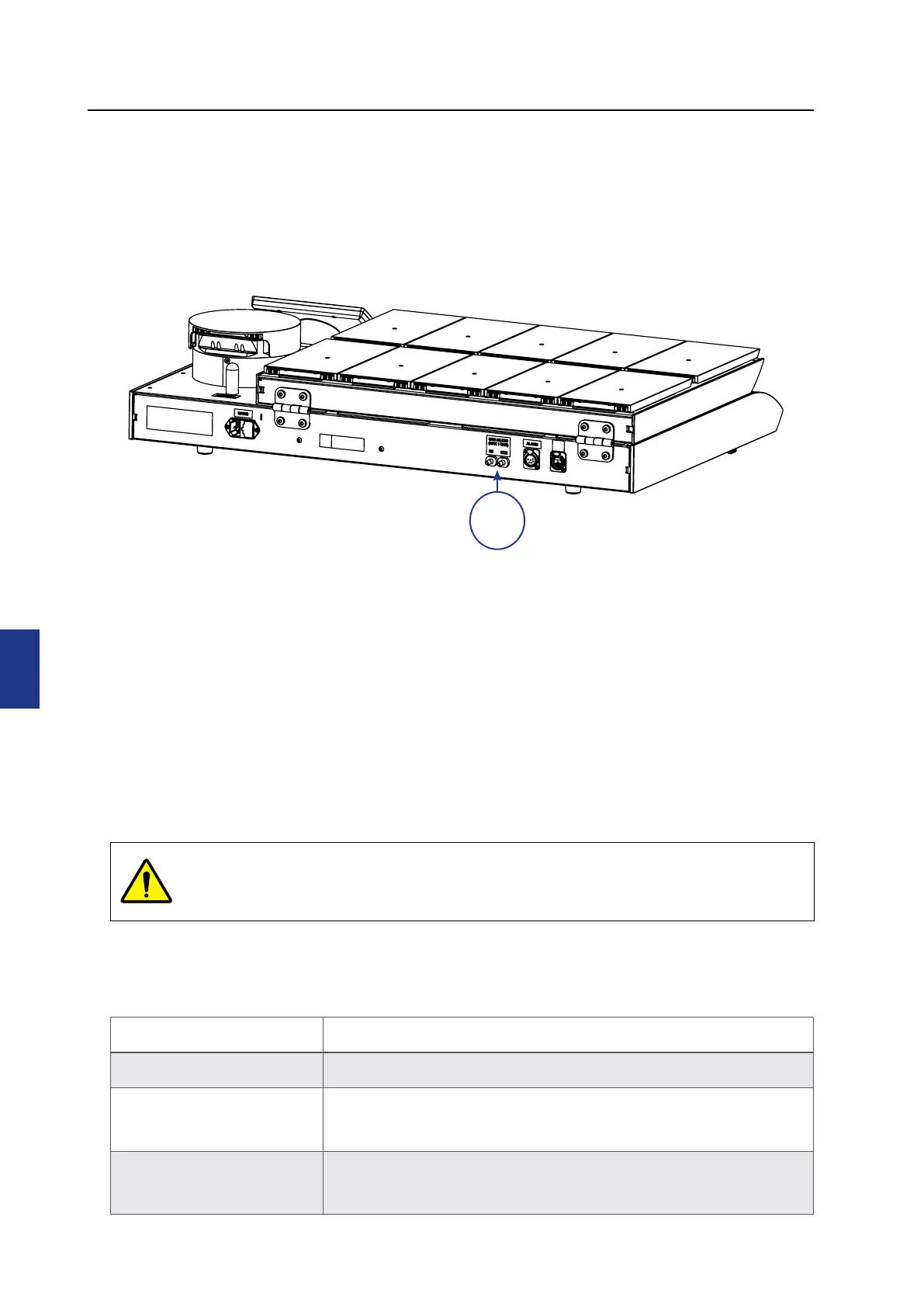
3. Connect the gas supply via the gas connectors (1) at the back of the unit.
4. Turn on the incubator.
5. Ensure the incubation temperature & gas concentrations are as required (within Setpoint
menu). Also confirm gas control settings ( Settings menu, then press Settings under the
System heading). Allow 30 minutes for temperature and gas concentrations to stabilise.
(see “Changing the Temperature Setpoint” on page 27).
Factory Settings
The G210 is supplied with the following factory settings.
Criteria Setting
Temperature 37.0° C
Gas concentration
CO
2
: 5.0%
O
2
: 5.0 %
Gas flow*
CO
2
: 1.4 l/h*
N
2
:7 l/h*
Typical values when G210 is stable and CO
2
and O
2
gas concentration setpoints are 5.0%
1
WARNING: Use only pure CO
2
and pure N
2
gas. Use of other gases could result in
serious injury. Make sure that gas supply pressures are kept between a minimum
of 0.5 bar and a maximum of 1.0 bar.


 To Next Page