Section 8
Basic Operation
26
8
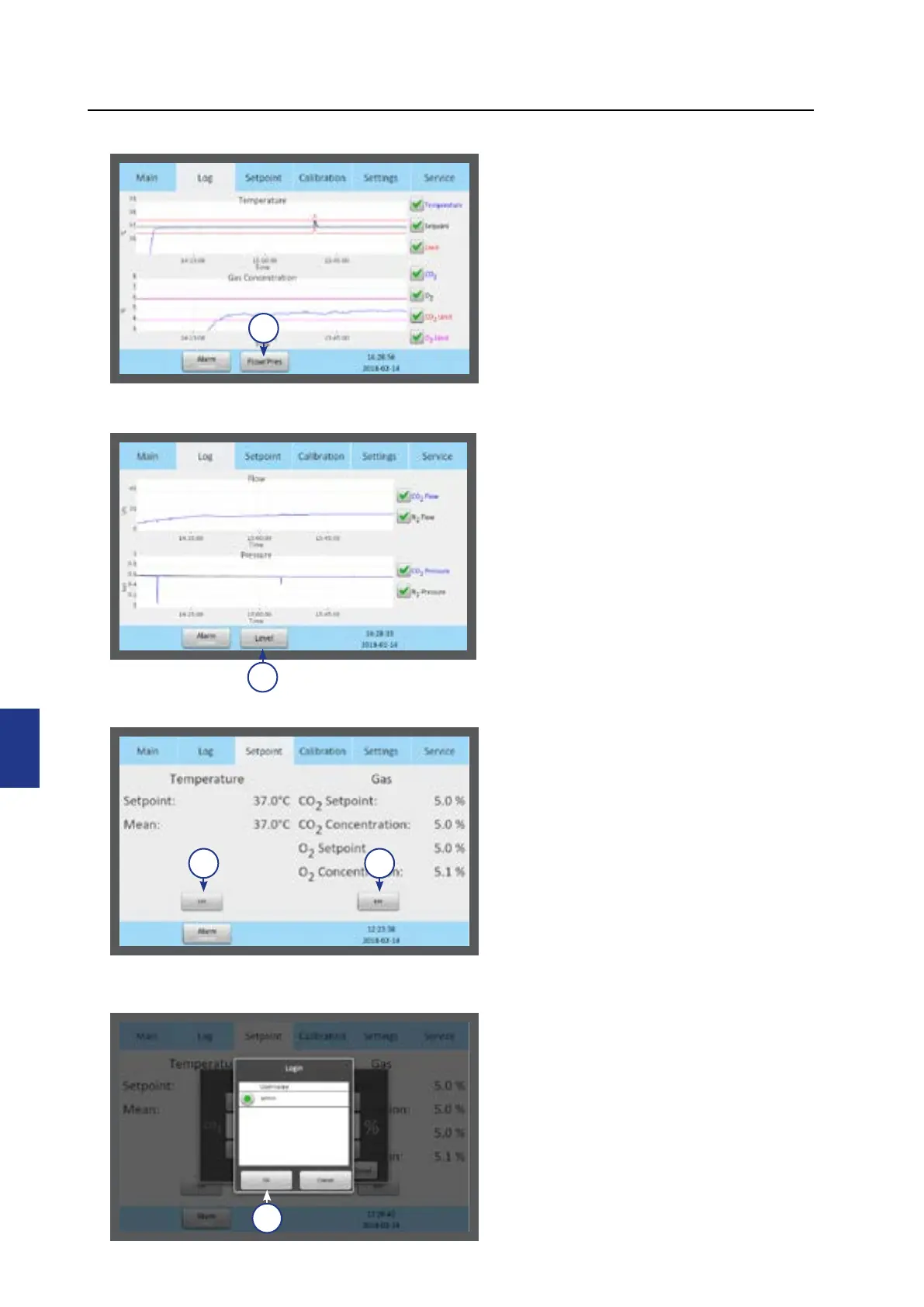
Log
1. The Log menu shows the temperature
and gas concentration over a three
hour period.
2. Press the Flow/Press button (1) to
see gas flow and pressure (see below
image) over a three hour period.
2
1
Setpoint
1. The Setpoint menu shows the
setpoints for temperature and gas
concentration. Press the Edit button
for Temperature (1) or for Gas (2).
2. Only administrators and advanced
users have access to change the
setpoints. Select a user and press OK
(3) .
1 2
3
3. Press Level button (2) to return to
temperature and gas concentration.


 To Next Page