Bladder Volume Tester User’s Manual V1.02
- 9 -
6.7 Use the touch screen
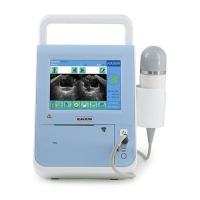
The touch screen provided with the equipment is a highly sensitive device which enables selections to
be made and recorded on screen. On-screen selections should only be made by gently using a finger or the
provided touch pen. Do not use a pencil, pen, or other sharp object to touch screen.
6.8 Ultrasonic probe check before and after operation
Before and after ultrasonic diagnosis to check if there are any exceptionally on the surface of the
probe or cable jacket, such as peeling, cracks, bulge, or if the acoustic lens is reliable, disinfected or
cleaned.
6.9 Main unit check before and after operation
6.9.1 Inspection before start-up
Check the following items before starting the machine:
1. The temperature, humidity and atmospheric pressure shall meet the requirements of operation
condition.
2. No condensation occurs.
3. No distortion, damage or contamination on system and peripheral. Clean the parts as specified in
relevant sections, if the contaminant is present.
4. Check the touch screen and enclosure to ensure they are in good working condition and free of
abnormity (such as cracks and loosened screws).
5. No damage on cables (e.g. power cable, etc.), and not loose the connection.
6. Check probe and its connections to ensure they are free of abnormity (such as scuffing, drop-off or
contamination). If the contaminant is present, clean, disinfect the contaminated objects as specified
in relevant sections.
7. No barriers around the intake of equipment.
8. See to it that probe has been cleaned, disinfected; else dispose it as specified in relevant sections.
9. Examine that the foot switch functions properly is placed in a convenient location, and that the cable
is free from becoming entangled.
10. Check all the ports of the machine for possible damage or blockage.
11. Clean the field and environment.
6.9.2 Inspection after start-up
Check the following items after starting the machine:
1. No abnormal voice, strange smell and overheating appear.
2. Check the machine to ensure a normal start-up: The power indication light is on and startup picture is
shown on the screen. The machine will be then automatically set in B-mode.
3. Check the acoustic lens for abnormal heat when the probe is in use. This can be done by hand
touching the probe to feel the temperature of the lens.
4. Check the image to ensure trouble-free display (e.g. no excessive noise or flicker).
5. Check the instrument to ensure that the phenomenon of local high temperature will not appear.
6.10 Reset
In case of abnormal screen display or no-working for system operation, turn off the power and try to
restart the system.
Attention:
Care should be taken when using the equipment so that excessive force is not
applied to the touch screen, as it is may become permanently damaged.


 To Next Page