Bladder Volume Tester User’s Manual V1.02
- 12 -
Chapter Eight System Preset
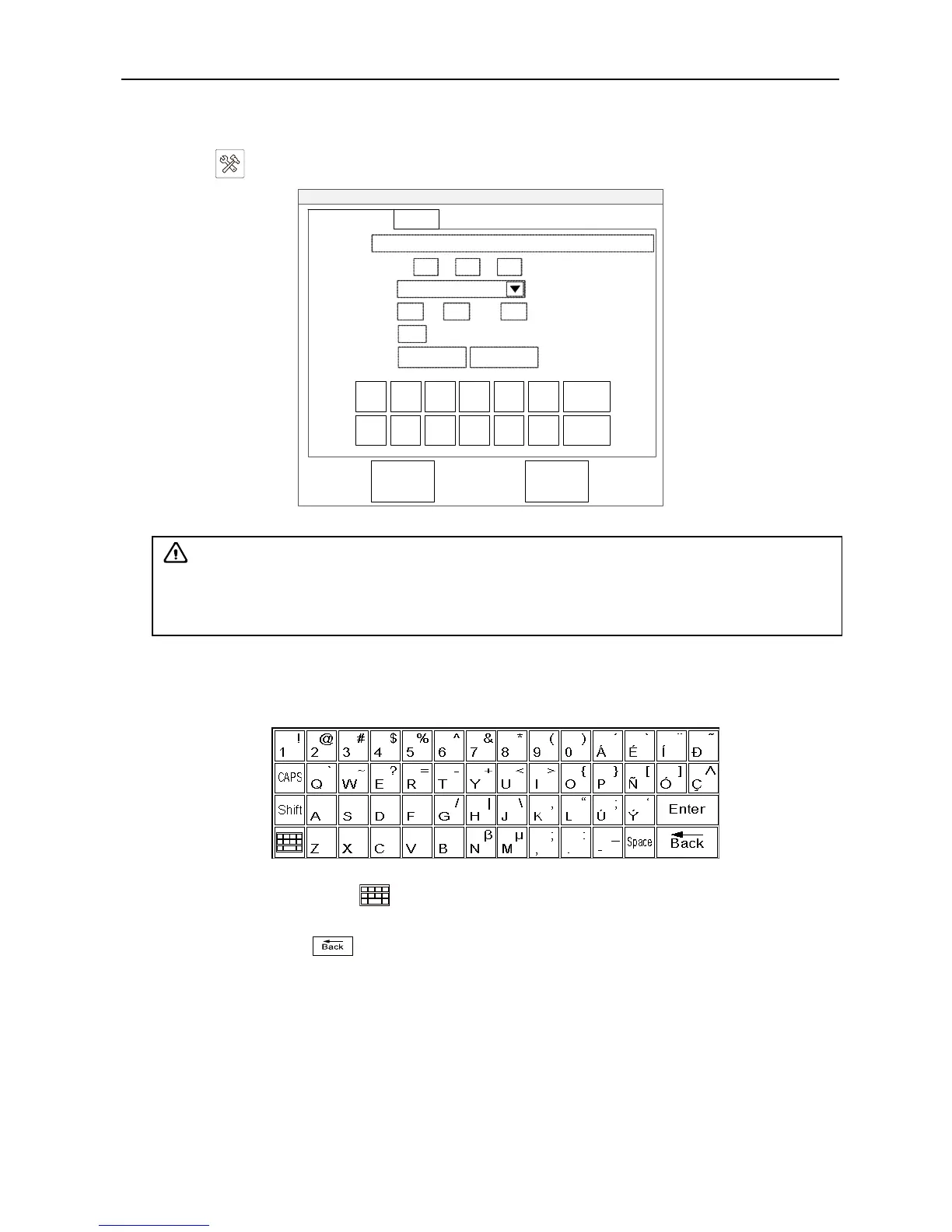
Touch『 』key, the system preset dialog box will be displayed on the screen, as below.
Min(0-100)
System
Hospital:
Date:
Format:
Time:
Screensaver:
Langue:
Basic Settings About
20 14 Y 03 M 12 D
99
10 H 28 Min 45 S
Chinese English
YYYY/MM/DD
OK Cancel
1 2 3 4 5 6
7 8 9 0 - .
Bspace
Enter
Fig. System preset dialog box
8.1 Basic settings
Set hospital name
1. Touch the “Hospital” input box, and then pop up the “Char Input” keyboard, input the hospital name;
Fig. Character input keyboard
2. If needs input Chinese, touch key to switch Chinese and English (the key is active in the Chinese
version);
3. If needs revise, touch key to delete the previous character and retype;
4. Touch the「ENTER」key on the upper right side of keyboard when finished.
Date, the Format of date and Time
1. Touch the “Date” input box to confirm the cursor position, enter the “Year, Month, Day” using the
following digital keyboard;
2. Touch the “Format” drop-down menu and choose the desired date format;
3. Touch the “Time” input box to confirm the cursor position, enter the “Hour, Minute, Second” using
the following digital keyboard;
Attention
: In the system preset interface, the contents of all input are required, if empty,
touch “OK” key does not work. All parameters are entered, touch “OK” key to save the
parameters and exit the system preset; otherwise touch “Cancel” key to exit system preset
interface without saving the parameters.


 To Next Page