
 To Next Page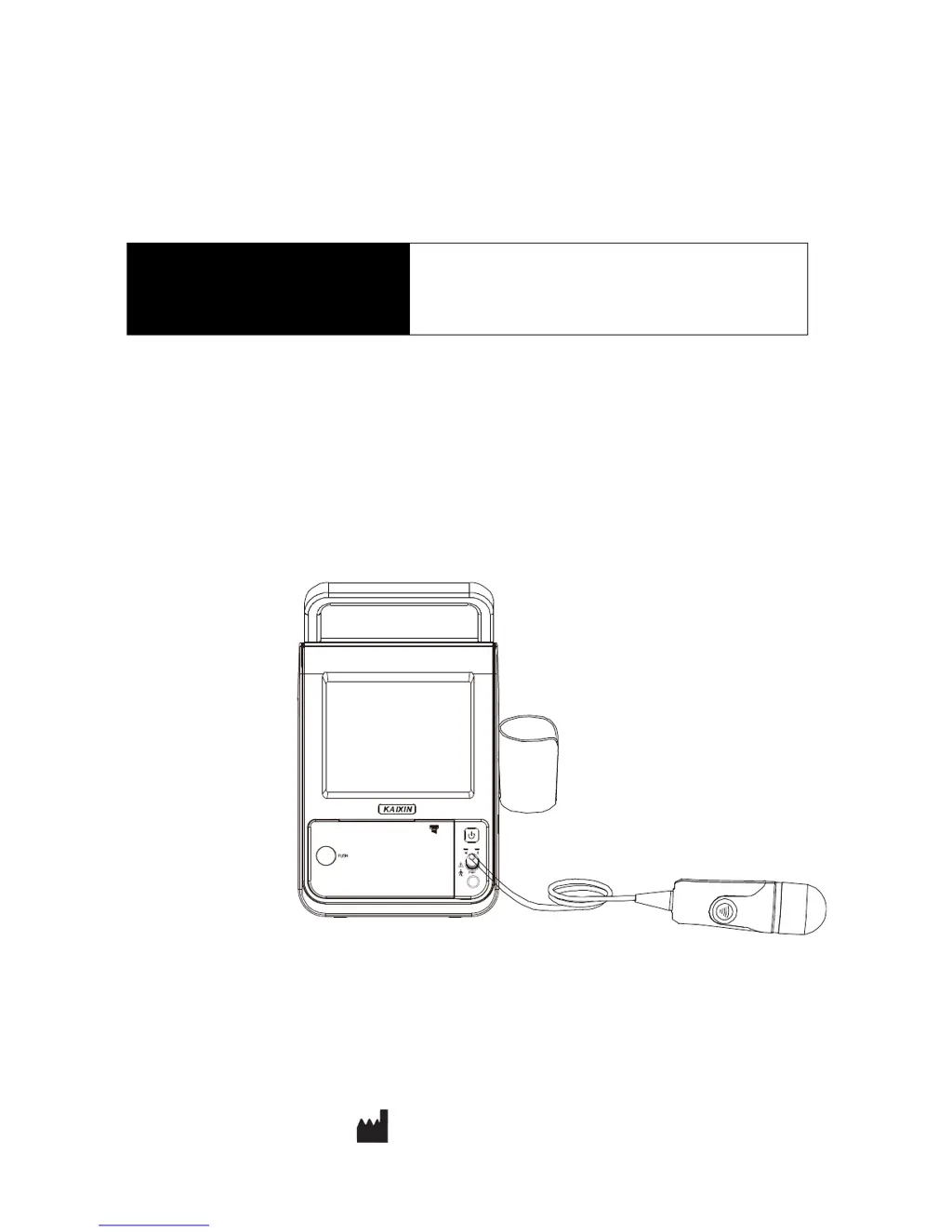
J
Jessica HerringAug 19, 2025
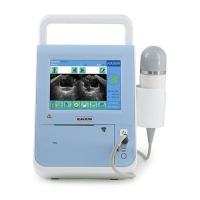
What to do if Kaixin BVT01 control panel malfunction?
- JJuan BurnsAug 19, 2025
If the control panel of your Kaixin Measuring Instruments malfunctions, shut down the system and reboot it after a few seconds.

What to do if Kaixin BVT01 control panel malfunction?
If the control panel of your Kaixin Measuring Instruments malfunctions, shut down the system and reboot it after a few seconds.
What to do if Kaixin BVT01 Measuring Instruments ultrasonic image is not displayed on the screen?
If the ultrasonic image is not displayed on the screen of your Kaixin Measuring Instruments, the probe may not be properly connected. Turn off the power and reconnect the probe.
What to do if Kaixin Measuring Instruments shows intermittent stripe, snow, or far-field interference?
If you are seeing intermittent stripes, snow, or far-field interference on the screen of your Kaixin Measuring Instruments, it may be due to spark interference. Here's what you can do: 1. Check the power supply. 2. Check the environment for interfering sources around the machine, such as electric motors, ultrasonic atomizers, automobiles, computers, or other sources of electromagnetic interference. 3. Ensure the power plug/socket of the instrument or probe connectors are properly connected.
Why does Kaixin Measuring Instruments have no ultrasonic data on the screen?
If no ultrasonic data are displayed on the screen of your Kaixin Measuring Instruments, it's possible that the probe is not properly connected. Turn off the power and reconnect the probe to resolve this issue.
How to fix Kaixin BVT01 when the power light doesn't illuminate?
If the power light does not illuminate and the screen has no display when starting your Kaixin Measuring Instruments, follow these steps: 1. Check the power supply. 2. Check the power cable and plug. 3. Check the power adapter.
What to do if Kaixin BVT01 Measuring Instruments thermal printer prints nothing?
If your Kaixin Measuring Instruments' thermal printer has started printing but nothing appears on the paper, the thermal paper may be anti-loaded. Try reloading the paper.
What to do if paper does not advance in Kaixin Measuring Instruments printer?
If the paper does not advance in the printer of your Kaixin Measuring Instruments, try reloading the paper in the printer.
What to do if there is interference on the screen of my Kaixin Test Equipment?
If you observe intermittent stripes, snow, or far-field interference on the screen of your Kaixin Test Equipment, it may be due to spark or electromagnetic interference. To resolve this: 1. Check the power supply. 2. Inspect the surrounding environment for potential interference sources such as electric motors, ultrasonic atomizers, automobiles, computers, or other devices. 3. Also, ensure that the instrument's power plug/socket or probe connectors are properly connected.
Why is no ultrasonic data displayed on the screen of my Kaixin Test Equipment?
If no ultrasonic data is displayed on the screen of your Kaixin Test Equipment, the probe might not be properly connected. Turn off the power and reconnect the probe to resolve this issue.
What to do if the ultrasonic image is not displayed on the screen of my Kaixin Test Equipment?
If the ultrasonic image is not displayed on the screen of your Kaixin Test Equipment, it is likely due to the probe not being properly connected. Please turn off the power to the equipment and then reconnect the probe securely.
Basic introduction to the Bladder Volume Tester and manufacturer information.
Details intellectual property rights, manufacturer statements, and warranty policy.
Explains warning symbols, safety symbols, and labels for hazard identification and safe use.
Introduces the BVT01 bladder volume tester and its intended use.
Lists technical data, primary functions, and performance indexes for the device and probe.
Describes the instrument's structure, components, and function key descriptions.
Details the typical and optional parts configuration of the Bladder Volume Tester.
Specifies environmental requirements, storage, and transport conditions for the instrument.
Covers safety warnings and initial steps for installing and checking the Bladder Volume Tester.
Guides on unit placement, probe bracket installation, and ultrasonic probe connection.
Details probe disconnection, foot switch, battery installation/removal, and power connection.
Explains touch screen use, pre/post-operation checks, and system reset procedures.
Describes the main interface layout, including title, image, data, and menu regions.
Details basic settings configuration, including hospital name, date, time, and language.
Covers startup, shutdown, patient data management, reading, and saving data.
Explains how to use the thermal printer and manage data files on the system.
Guides on scanning, positioning the bladder, and performing volume measurements.
Details operation steps, result confirmation, and manual contouring for accurate bladder volume assessment.
Explains sound power principles, biological effects, and safe usage guidelines for ultrasound.
Outlines user maintenance, inspection, verification, cleaning, and disinfection procedures.
Details thermal paper replacement, fuse replacement, and rechargeable battery use and maintenance.
Provides guidance on common issues, troubleshooting steps, and essential periodic safety inspections.
Describes how to verify essential performance parameters and electromagnetic compatibility compliance.
Covers guidelines for storing, transporting, and lists compliant standards for the device.
Details the device's classification regarding electric shock protection and operational safety standards.
Provides guidance on electromagnetic emissions and their compliance levels according to CISPR standards.
Offers guidance on electromagnetic immunity and recommended environments based on IEC standards.
Illustrates the system's architecture and the interaction between its main components.
Presents detailed acoustic output data as required by EN 60601-2-37 medical standard.
 General
| Brand | Kaixin |
|---|---|
| Model | BVT01 |
| Category | Measuring Instruments |
| Language | English |
