DN1769-1809
31
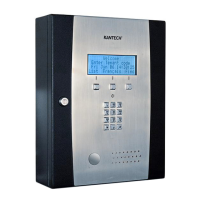
Kantech Telephone Entry System Installation Manual
Appendix A - Installation Checklist
The following checklist enumerates the steps to install the system.
Installation Steps Pages
STEP 1: Unpacking the KTES see page 20
STEP 2: Applying Sealant on the Back of the KTES see page 20
STEP 3: Mounting see page 21
STEP 4: Connecting the Door Locking Device (DC Powered) see page 22
STEP 5: Connecting the Door Lock Device with an External Power Supply see page 22
STEP 6: Hooking Up Inputs see page 22
STEP 7: Connecting an External Controller see page 23
STEP 8: Connecting a 3rd Party Controller see page 24
STEP 9: Connecting the Telephone Line see page 24
STEP 10: Connecting the Telephone Line with the Ferrite (KTES-AUS Model for Australia
and New Zealand only)
see page 24
STEP 11: Connecting the RS-485 (optional) see page 24
STEP 12: Connecting Multiple KTES on the Same Telephone Line (optional) see page 25
STEP 13: Connect the KTES to Earth Ground see page 25
STEP 14: Connect AC Power (North America only) see page 25
STEP 15: Connect DC Power (EMEA only) see page 26
STEP 16: Connecting the Backup Battery see page 26
STEP 17: Connecting the Heater Kit for Outdoor Operation (Optional) see page 26
STEP 18: Connecting the Ethernet Cable (Optional) see page 27
STEP 19: Powering Up the KTES see page 27
STEP 20: Programming the KTES see page 27


 To Next Page