SmartVision & SmartVision LITE – User Guide (Rev. 2.7) – Version 1943.4105 22
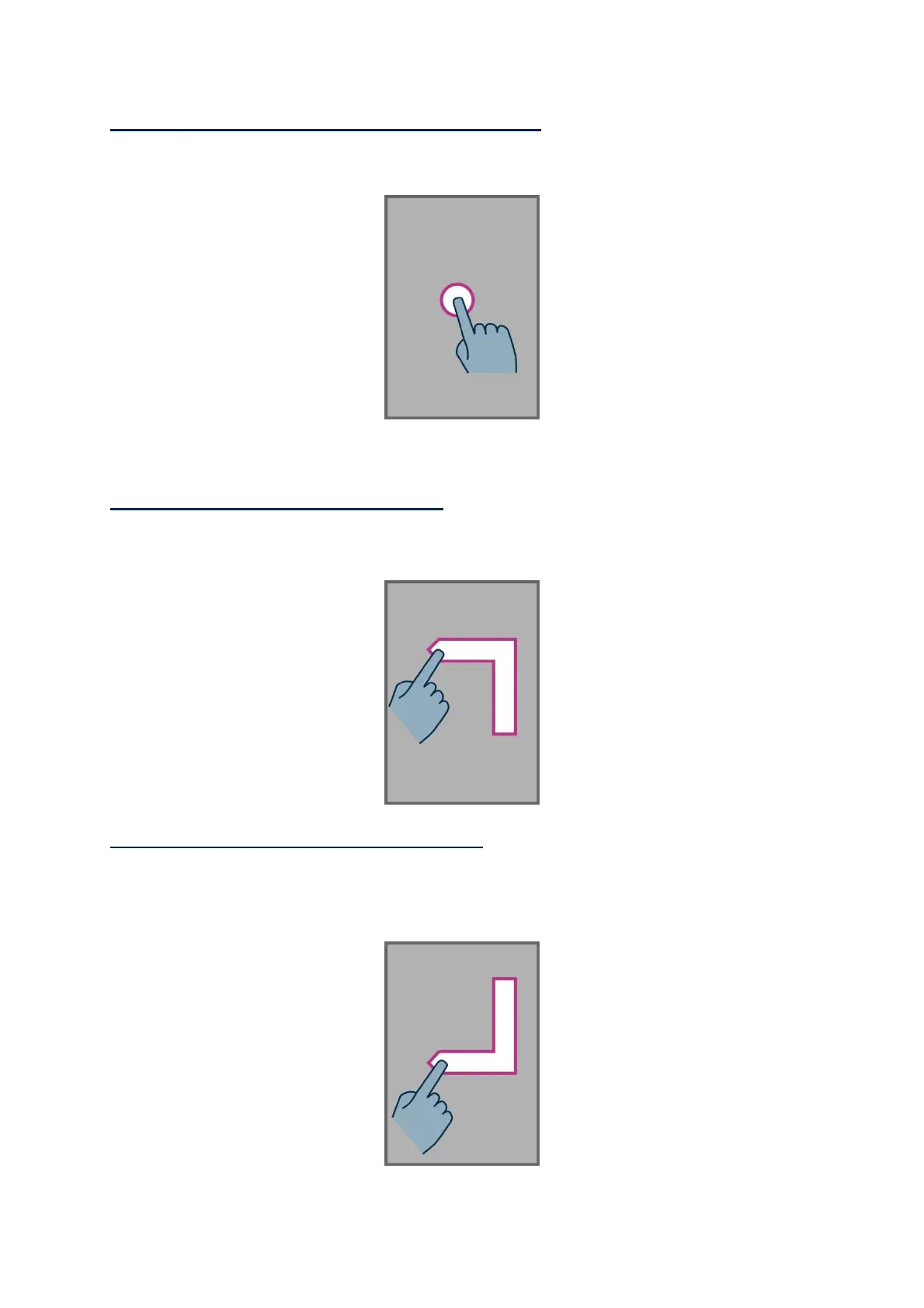
How to browse and activate items on the screen, move your finger about the
screen. The text-to-speech feature will tell you which item your finger is hovering
over.
To activate this item, press "OK" key without removing your finger from the screen.
How to get back to the Home screen, place your finger on the screen, slide it up
then left. You can also move your finger down and to the middle of the screen, the
voice over feature will indicate "Home screen". Press the "OK" key without removing
your finger from the screen.
How to move back to the previous display, place your finger on the screen, slide it
down then left without removing your finger of the screen. You can also slide your
finger down and to the right, you will hear the text-to-speech feature say "Back".
Then, press the "OK" key without removing your finger from the screen.



 To Next Page