SmartVision & SmartVision LITE – User Guide (Rev. 2.7) – Version 1943.4105 56
Connecting to Wi-Fi
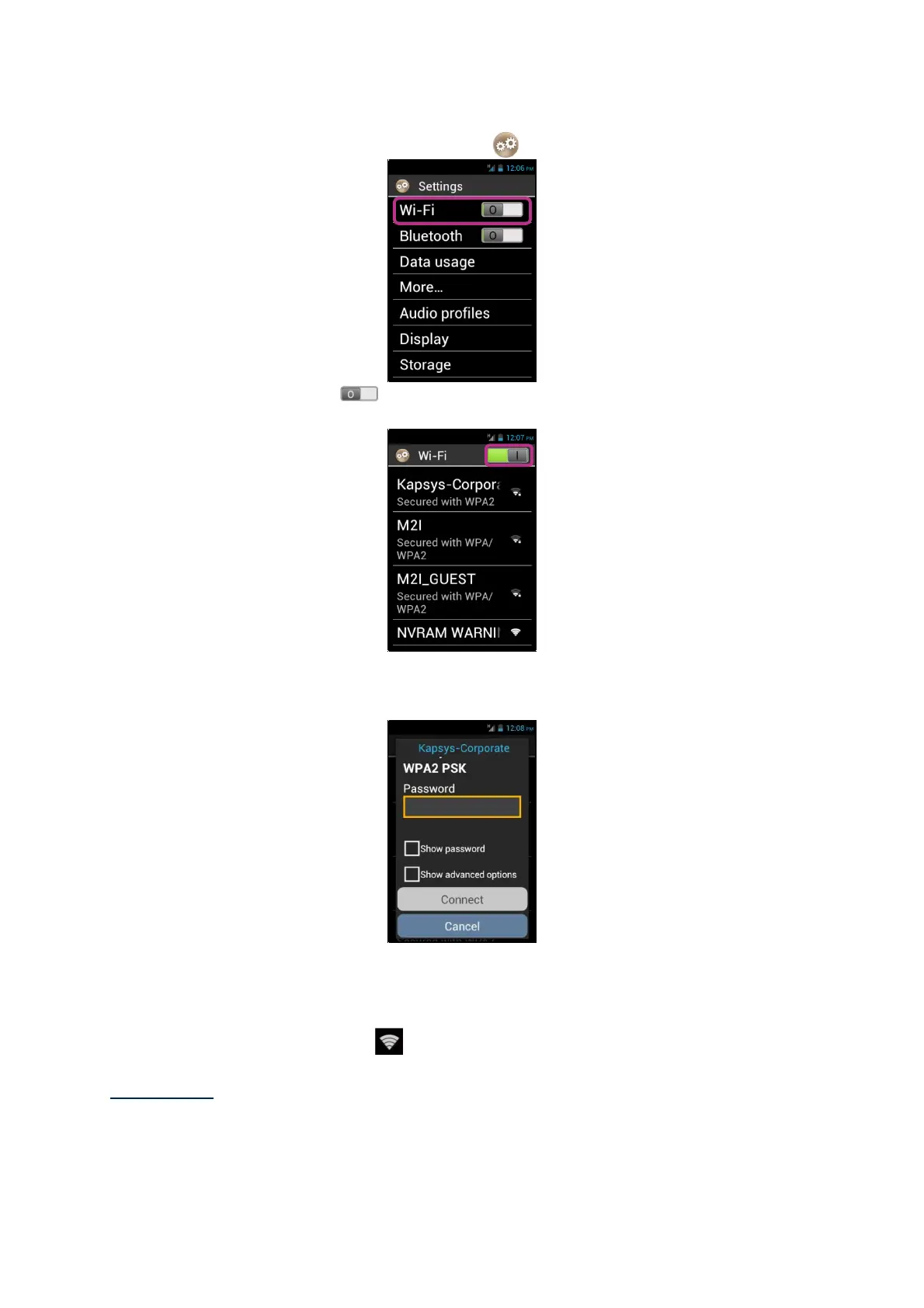
1. From the home screen, click on "Settings" icon, and on "Wi-Fi".
2. Press the ONOFF switch on the screen top right to enable Wi-Fi
connection.
The list of available Wi-Fi networks appears.
3. Choose the network you wish to connect to.
4. If you wish to connect to a secure Wi-Fi network, please enter a password.
You can tick the "Show password" box below the input field if you want to see
and vocalize the Wi-Fi password.
5. Click on "Connect", an icon will appear in the status bar indicating that the unit
is connected to the Wi-Fi network
.
Please note: password and security keys (WEP / WPA2) are supplied by your service
provider. Please refer to these details to set up your connection and bear in mind the
password may be case sensitive.



 To Next Page