SmartVision & SmartVision LITE – User Guide (Rev. 2.7) – Version 1943.4105 57
Adjusting the ringtone
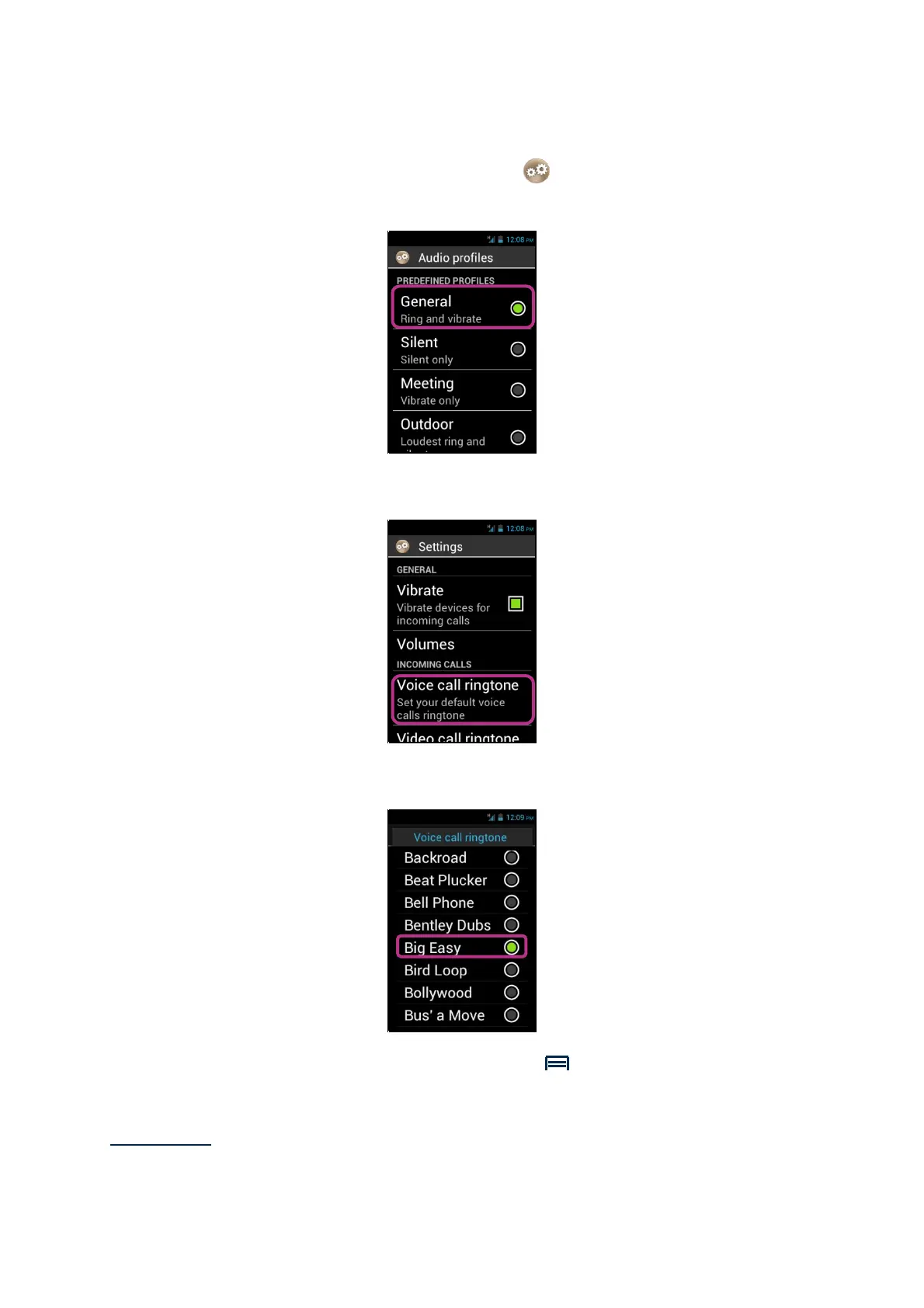
1. From the home screen, click on "Settings" icon, then on "Audio profiles".
2. Select "General".
3. Select "Voice call ringtone".
4. Select to listen to a ringtone.
5. Once your choice is made, press the "Menu" button, then click on "Apply"
to save your change.
Please note: to adjust the volume of the ringtones, use the keypad control mode:
long press on "Hash Mark"
followed by "volume up" or “Volume down"



 To Next Page