Karel MS48 Installation & Maintenance Guide
Edition 3.2
48
• P
APER ROLL
&
PRINTER RIBBON
Replacing the paper roll or the printer ribbon is very easy by way of the mobile
front cover of the cabinet.
To replace the paper roll:
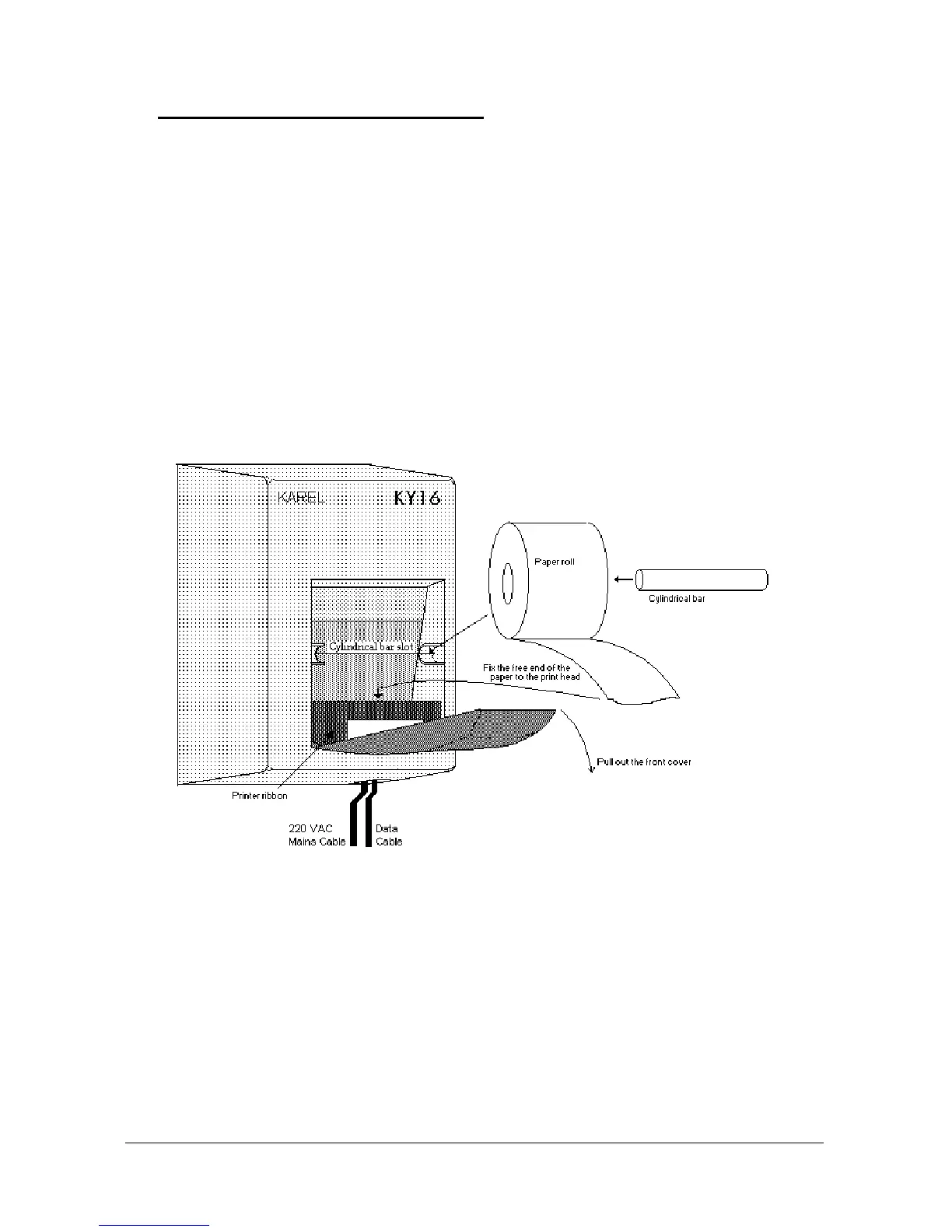
1) Pull out the black front cover from the upper side.
2) Take out the old paper roll with the cylindrical bar fixing it in the slot.
3) Place the new roll on the bar.
4) Place the bar into its slot.
5) Fix the free end of the paper to the print head.
6) Close the front cover.
Placing a new paper roll in KY16 is illustrated in the following figure.
Figure B-15
To replace the printer ribbon:
1) Pull out the black front cover from the upper side.
2) Take out the old ribbon.
3) Place the new ribbon inside the print head.
4) Close the front cover.



 To Next Page