Karel MS48 Installation & Maintenance Guide
Edition 3.2
47
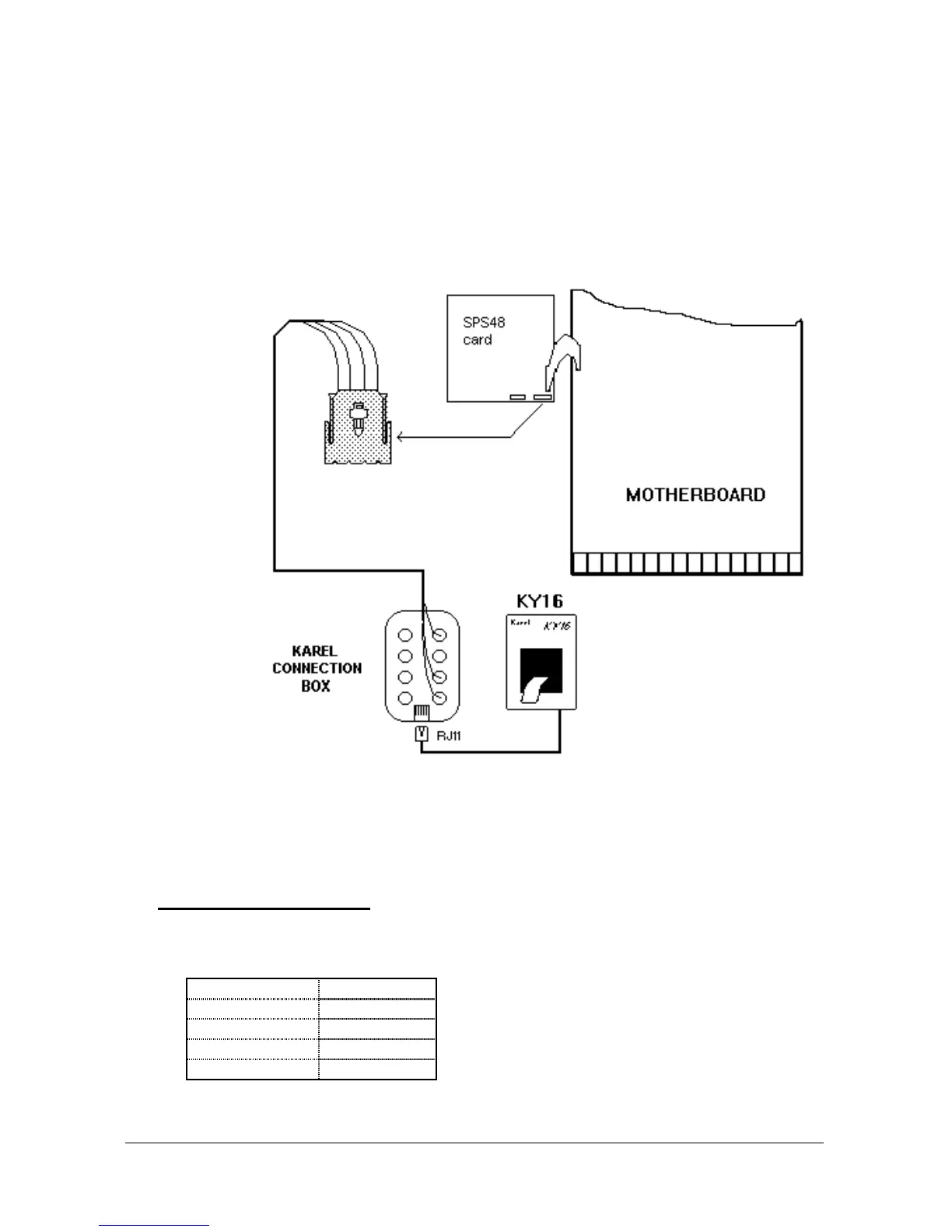
For connecting KY16 to the system:
1) The free end of the data cable should be passed through the hole on the
panel at the down left corner of the system cabinet (the panel on which the
system ON/OFF switch resides).
2) The 4-pin connector at the end of the cable should be attached to the
corresponding PRINTER connector on the SPS48 card.
The data cabling of KY16 is illustrated in the following figure.
Figure B-14
After the installation and cabling of KY16 is completed, it is also necessary to
enter the related programming code for selecting KY16 as the CRL (Call Record
Listing) media, as explained in the MS48 Programming Guide.
• D
IP
-
SWITCH SETTING
For KY16 to operate with MS48 system, the dip-switches that exist on the
printer card inside the KY16 cabinet must be set as follows:
Dip-switch Position
1 OFF
2 OFF
3 ON
4 ON



 To Next Page