15
M5101-EN Rev. B |
Since the LTR-150 will predominately be used for automatic calibration with Kaye validation equipment, the
unit will automatically boot into the Remote Control screen with the following default settings:
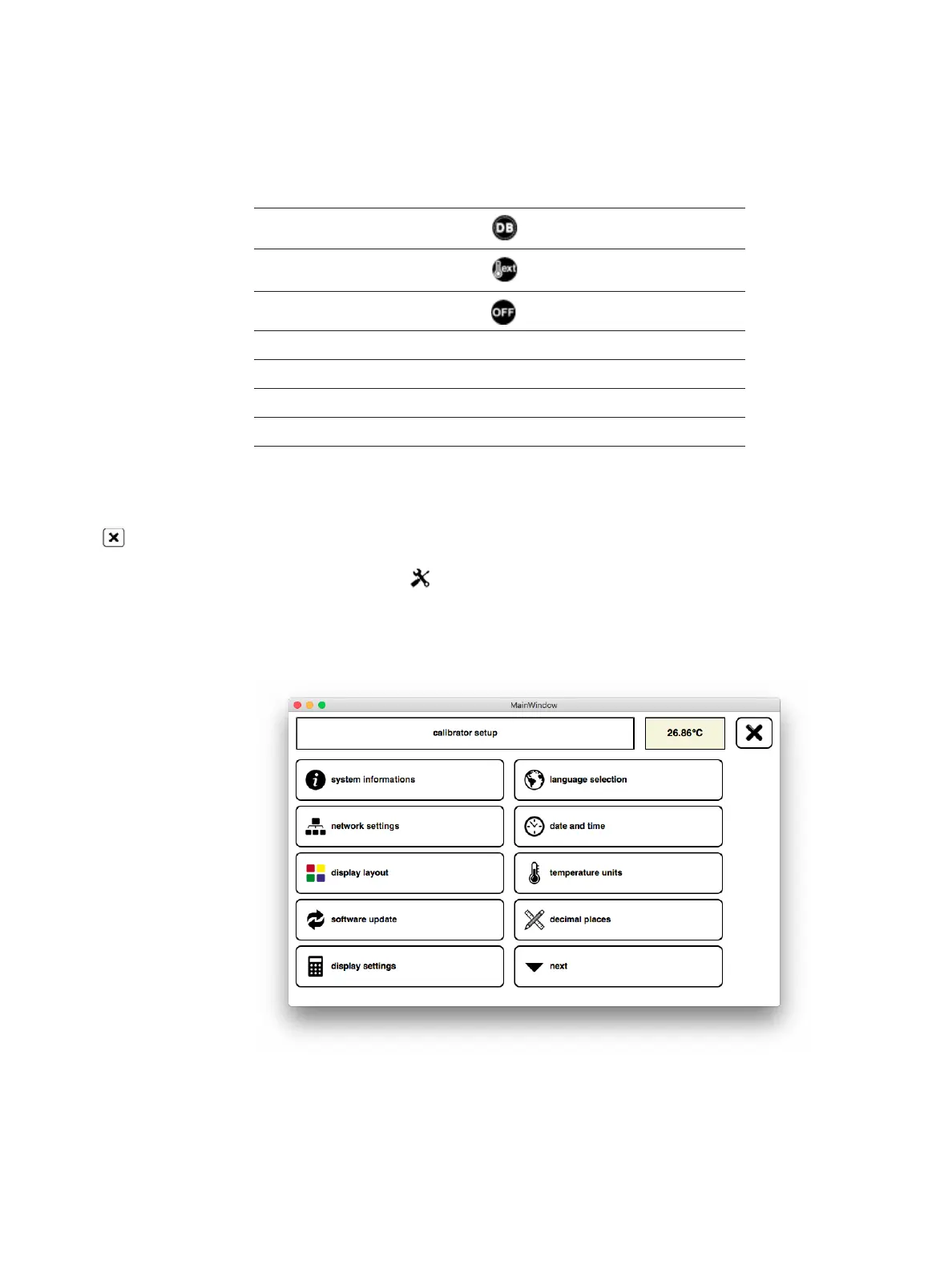
Refer to the below sections to change the default settings. To access these parameters, click on the cancel
icon in the upper right-hand corner, this will bring up a new screen with the following three options: End
Remote Control, Switch Off, and Cancel. Tap on End Remote Control, which will take you to the Standalone
home screen. Next, tap on the tools icon in the upper left hard corner to bring up the Calibrator Setup
home screen.
•
Mode: Remote Control mode
•
Function: Dry Block
•
Control Temp: External Reference Probe
•
Temp. Controller OFF
•
Language Selection: English
•
Date and Time MM.DD.YYYY and 24th
•
Temperature Units: Celsius
•
Decimal Places: 0.00
•
Cutout Temperatures: -30.0 to 150.0
Chapter 4. Getting Started


 To Next Page