33
M5101-EN Rev. B |
7.5 Test Tasks
Test tasks are containers for defined test conditions. They are helpful for recurring testing processes,
standardising test sequences, and generating measurement logs.
All the required settings and configurations for the calibration of a test specimen are compiled in a test task.
The parameters of the testing task are saved and linked to the selected functions
The operational concept of the calibrator is based on pre-installed and self-defined test tasks. They are a
central component of the function and operation of the LTR-150 in Standalone mode.
The calibrator is shipped with functions and basic testing tasks defined in the factory internally stored. These
protected test tasks cannot be deleted nor edited. They serve as templates for your own self-defined test
tasks. You can define your own test tasks for different test sequences. These test tasks are directly saved in
the calibrator for ready access and activation.
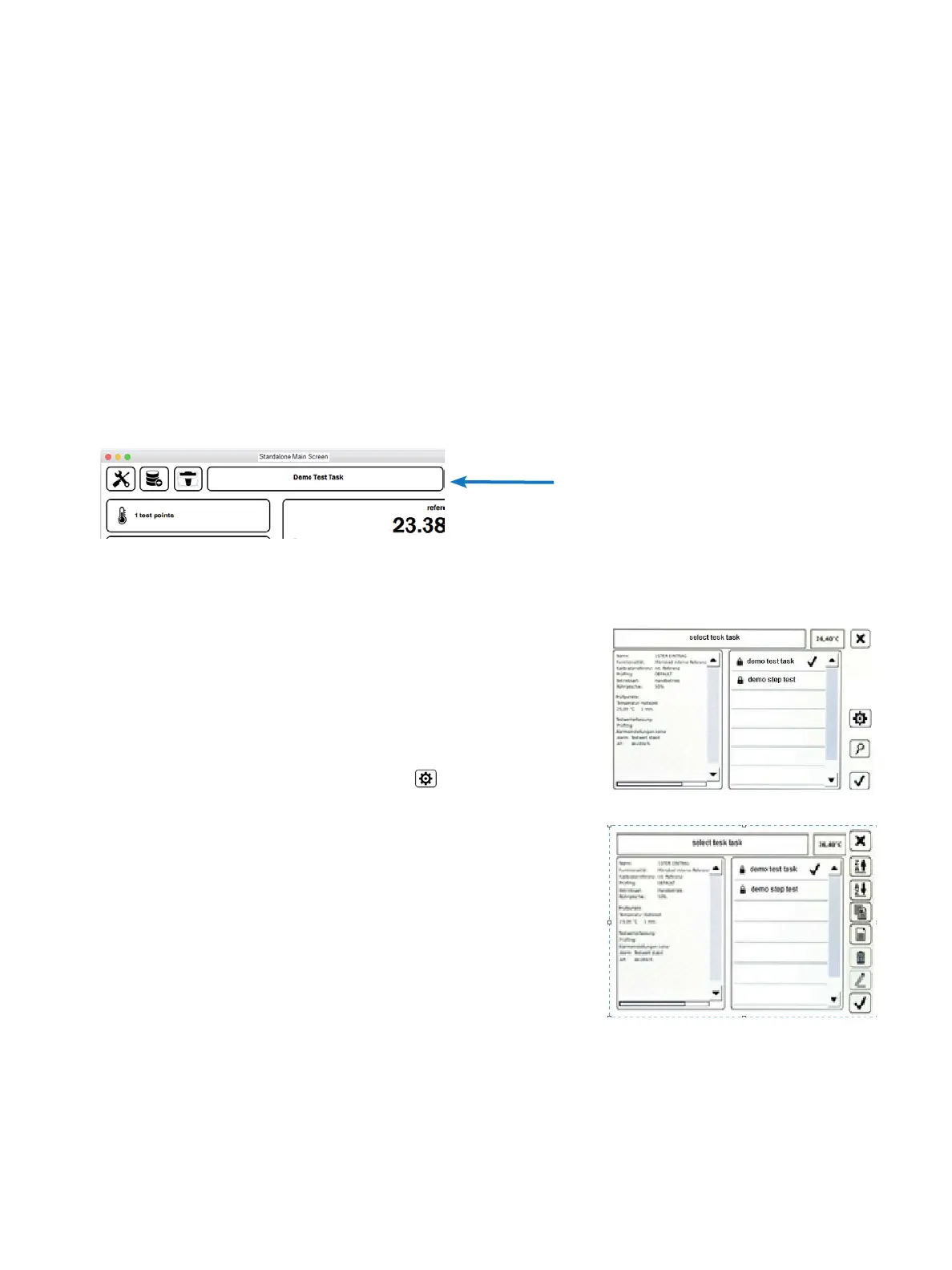
From the Standalone main screen, you will see displayed the current test.
Current Test Task
Tap on the Current Test Task window to go to “Select Test Task” screen.
Select Test Task:
Information on the selected test task is displayed in the information
box.
All the test tasks of the calibrator are displayed in the selection list.
From the toolbar, you can accept the selected test task, search for
test tasks, or switch to Manage Test Task for managing and
configuring the test tasks.
Manage Test Task:
This window differs slightly from the Select Test Task screen only by
the functional elements appearing in the toolbar.
The test tasks can be sorted, copied, deleted, configured, or new
ones created.
Chapter 7. Standalone Manual Mode


 To Next Page