34
| Kaye LTR-150 - Dry Block & Liquid Bath All-in-One Temperature Calibrator
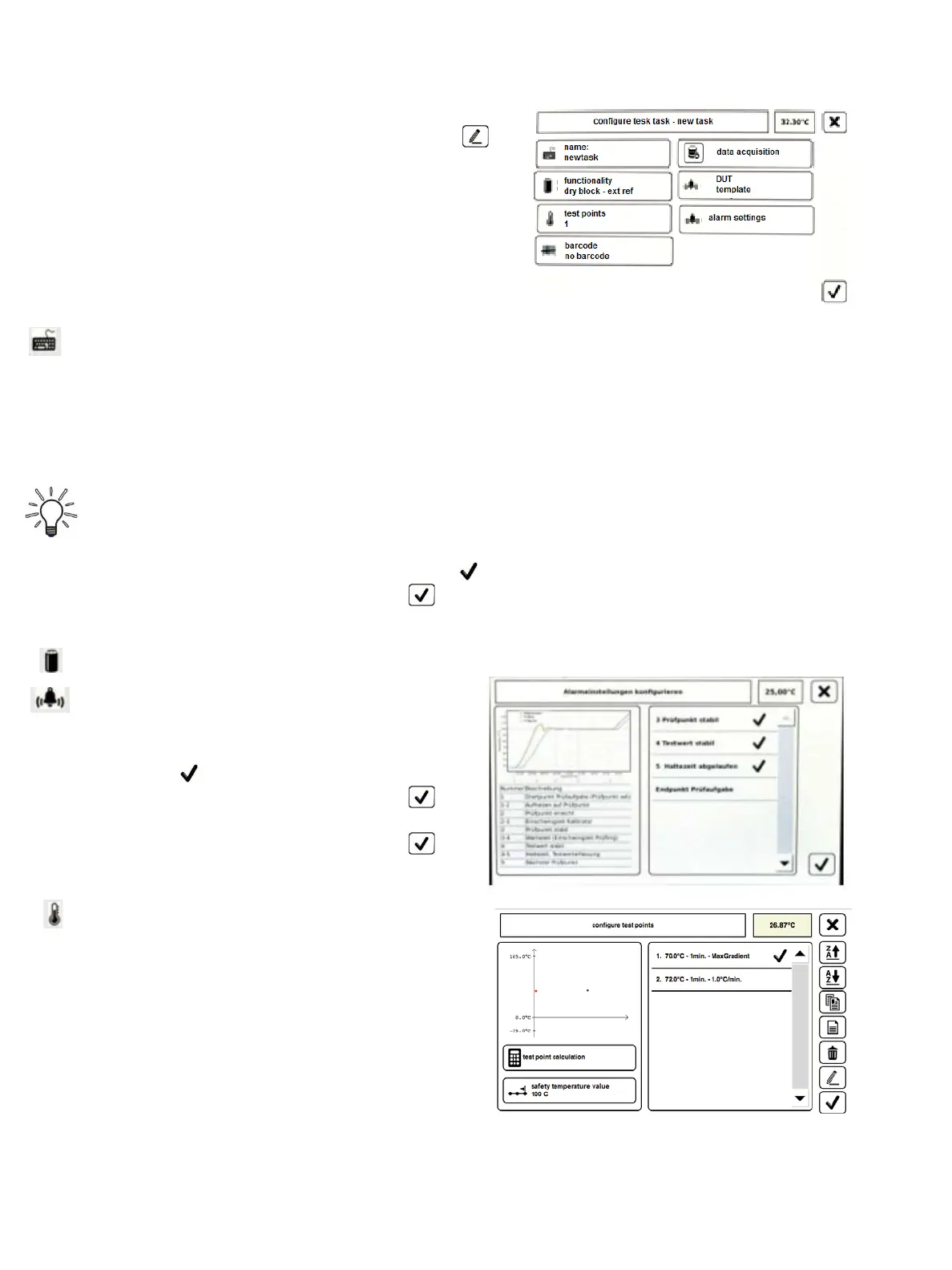
Configure Test Task:
From the Manage Test Task screen, you can use the icon
to go to Configure Test Task.
Here, you can change the parameters of the selected test
task.
Tap on the desired parameter field you wish
to change. The window of that parameter is
opened, which you can then edit. Below is a
listing of the available fields and brief function
description.
Name: Here, you can change the name of the test task through the virtual keyboard with the input line is
displayed.
Input the new name of the test task and confirm the input.
* The new name is adopted and you will be returned to the previous window.
Functionality: Here, you can link the desired function of the calibrator with the test task.
IMPORTANT!
The selected function must be suitable for the calibrator type and the measuring insert used.
Select the desired function by tapping on in the selection list.
Confirm the selection by using the icon.
* The new function is adopted and you will be returned to the previous window.
Data Acquisition: Here, you can enable data acquisition and give the file a name or it can be disabled.
Alarm Settings: Here you can select from a variety of
choices should you want an audible alarm to sound
when conditions are met.
Select the desired alarm setting by tapping
on in the selection list.
Confirm the selection by using the
icon.
Confirm the selection by using the
icon.
Test Points: The parameters of the test points are set
here. You can set the parameters of one or more test
point(s).
The information box has several parameter fields for
setting the test points.
All the test points are displayed in the selection list.
The test points can be moved, copied, created, deleted
or changed from the toolbar.
Chapter 7. Standalone Manual Mode


 To Next Page