26
| Kaye LTR-150 - Dry Block & Liquid Bath All-in-One Temperature Calibrator
Chapter 6. Automatic Calibration Mode
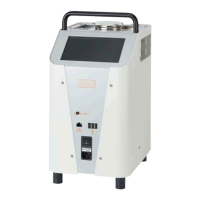
The LTR-150 was designed to interface with all Kaye Validation products (IRTD, Validator AVS, Validator
2000, ValProbe, and RF ValProbe) to support automatic calibration of validation sensors and loggers. The
unit is backward compatible with all versions of Kaye validation software which means that no software
upgrades are required to use the LTR-150.
During the automatic calibration process the appropriate Kaye software will automatically step the LTR-150
thru the programmed set points defined in the Kaye software. The Kaye software will automatically determine
stability, deviation of the sensors, and load the calculated offsets to the Kaye hardware. Calibration/
Verification reports will be generated by the applicable Kaye software.
See the appropriate Kaye Software manual for detail instruction on how to setup the automatic calibration
software
An IRTD Temperature standard is required for automatic calibration of all Kaye software.
Prior to performing calibration and/or calibration verification, Kaye recommends the following best practices
to maximize accuracy and system performance:
• Place the thermal validation system along with the LTR-150 in a location with stable ambient
conditions and away from any local heat or cold sources, such as close proximity to a sterilizer,
supply air duct, or door opening to a cold storage unit.
• Power on the Kaye validation system and allow it to acclimate in its testing environment for
approximately 20 minutes prior to initiating calibration or calibration verification process.
6.1 Starting Automatic Calibration
Ensure the appropriate inserts (dry block, micro bath tub, or surface) are inserted in the well and
that the Calibration Function (see Section 5.2 Setting Calibration Function) has been set via
the touchscreen.
Connect the IRTD to the appropriate Kaye validation hardware and place into the insert utilizing
the IRTD slots. Verify with Kaye validation software that on the calibration Hardware screen that
the IRTD is displayed as being connected
Connect the supplied External Reference Probe to the front panel of the LTR-150 and place in
the insert using the appropriate slot.
For (DB) dry block insert, place the thermocouples into the wells utilizing the well sleeves.
Ensure that each thermocouple tip is touching the bottom of the well by gently pushing down
until the sensor can go no further without bending.
For the (TI) micro bath tub insert, place desired number of sensors either in the tub or thru
the work cover and into the silicon oil. Ensure the measuring element is fully immersed in the
silicone oil and work cover is installed.
For the (SU) surface temperature insert place sensor on top surface of insert.
Connect the USB end of the supplied USB to Serial cable to one of the three (3) USB slots in
the front panel of the LTR-150. Connect the serial end of the supplied cable to the existing bath
cable supplied with your Kaye Validation system, and then to the Kaye Validation system.
Chapter 6. Automatic Calibration Mode


 To Next Page