27
M5101-EN Rev. B |
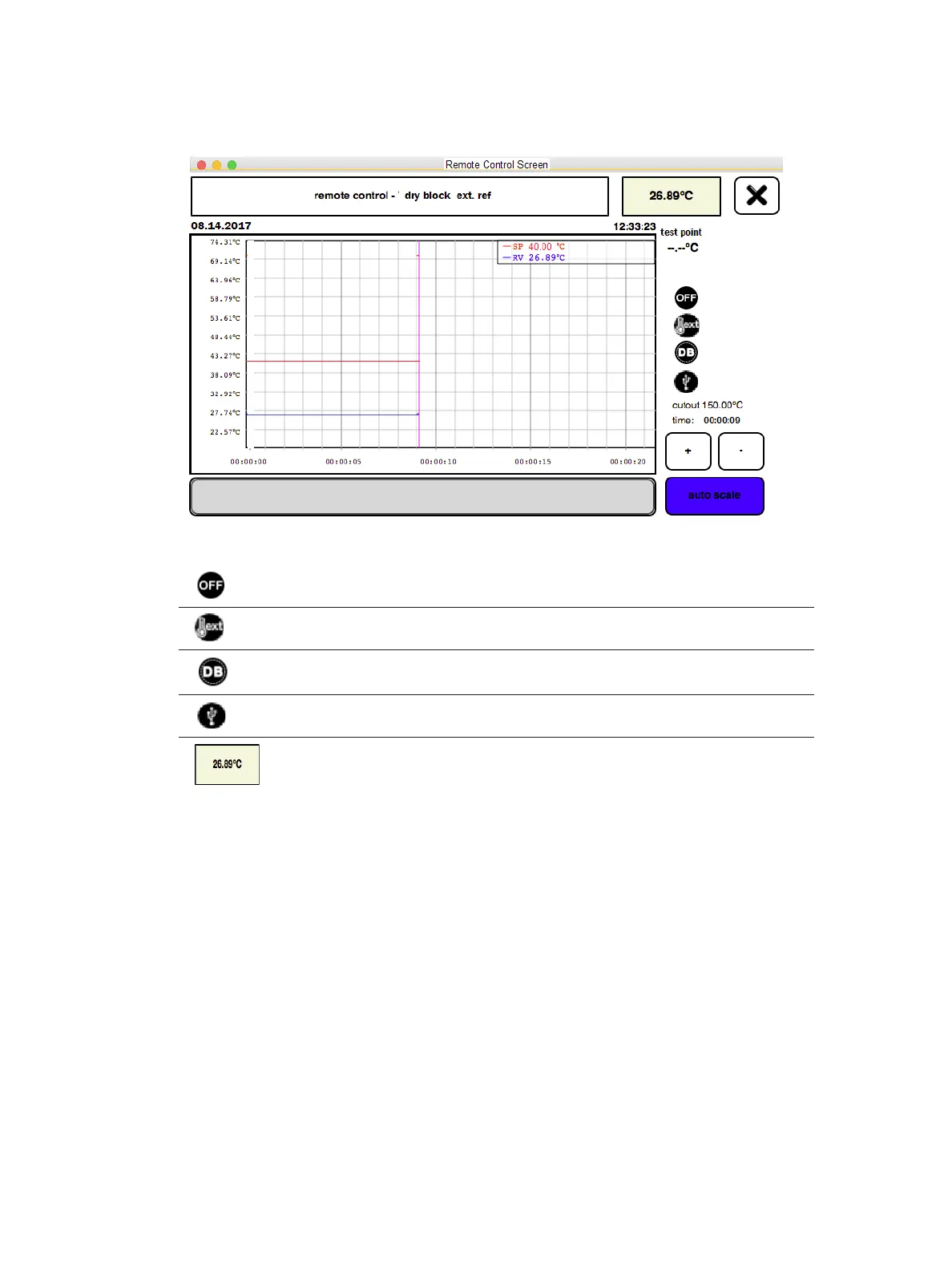
Controller is OFF (Heat, Cool). Test Point is left blank
External Reference (error message will display if not connected)
Appropriate Function is configured (dry block, tub insert, surface)
USB to Serial cable connected to LTR-150
External Reference Control Probe Temperature is displayed.
Power up the LTR-150. The LTR-150 will boot up into Remote Control mode.
Verifythefollowingaredisplayed;
Verify with Kaye validation software that on the calibration hardware screen that the LTR-150 is
displayed as being connected
Start the Kaye calibration or calibration verification process from the Kaye validation software.
The LTR-150 will now be controlled by the Kaye validation software. The LTR-150 will be
automatically programmed via the Kaye validation software with all appropriate set points.
Chapter 6. Automatic Calibration Mode


 To Next Page