25
M5101-EN Rev. B |
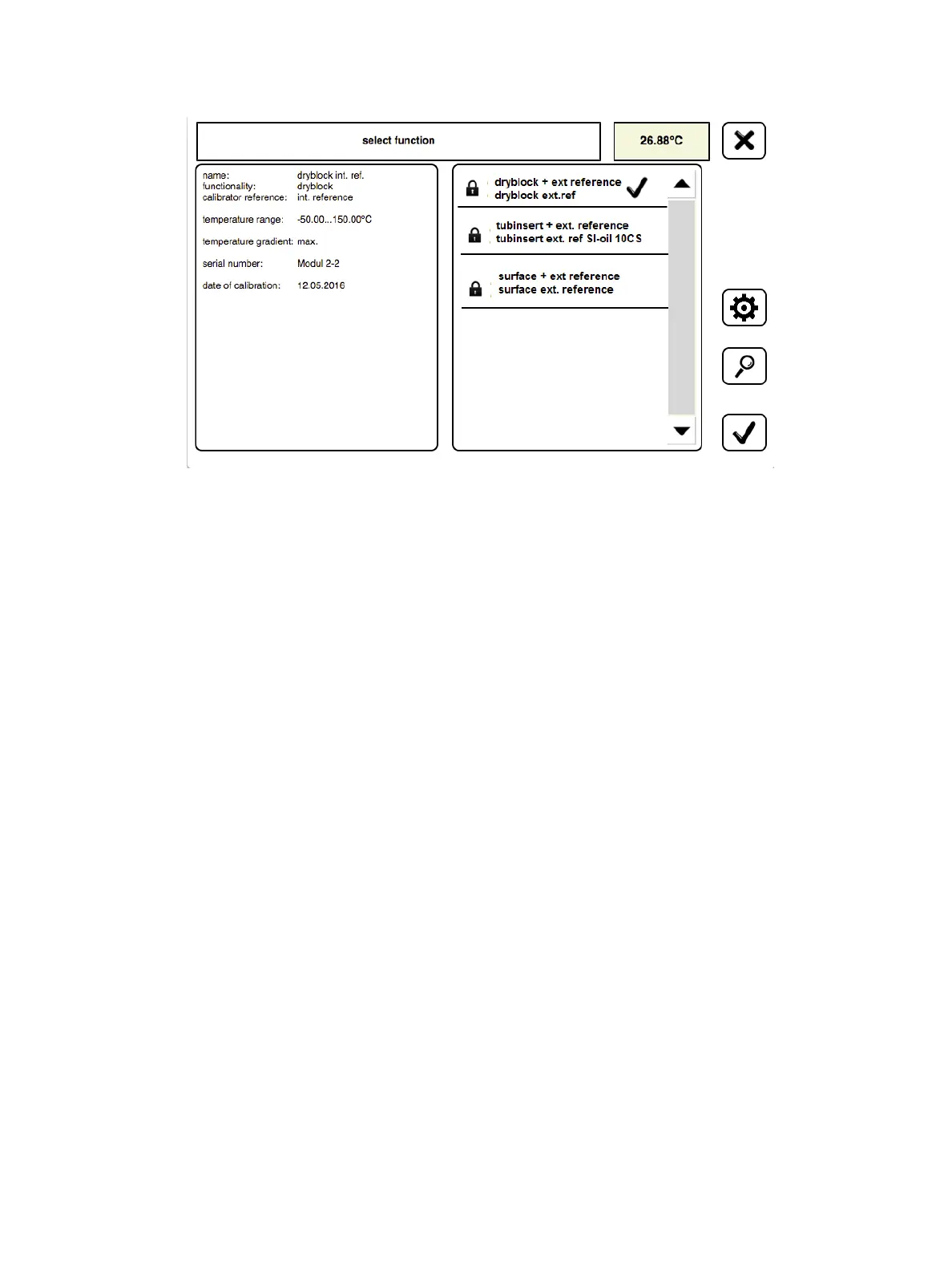
From the Select Function screen, tap on the desired function on the right (ex.,
dryblock ext reference, tub insert ext reference, or surface ext reference), which will then
be identified by a check mark.
Confirm selection by tapping the check mark icon in the bottom right hand corner to save the
change and return you to the Standalone Main screen.
Information on the selected function will be displayed on the information box on the left.
With the desired insert installed and the associated function defined the LTR-150 is now ready for calibration.
Chapter 5. Preparing for Calibration


 To Next Page