User Controls Overview 4
Man-1452EN Rev.02
Sigma ZXT User Manual
14
Section 4
User Controls Overview
The following Section provides an overview of Panel controls according to user Access Level.
User Controls - Access Level 1
Access Level 1 allows any user basic Control Panel functionality, including the ability to initiate manual release of
the extinguishant system.
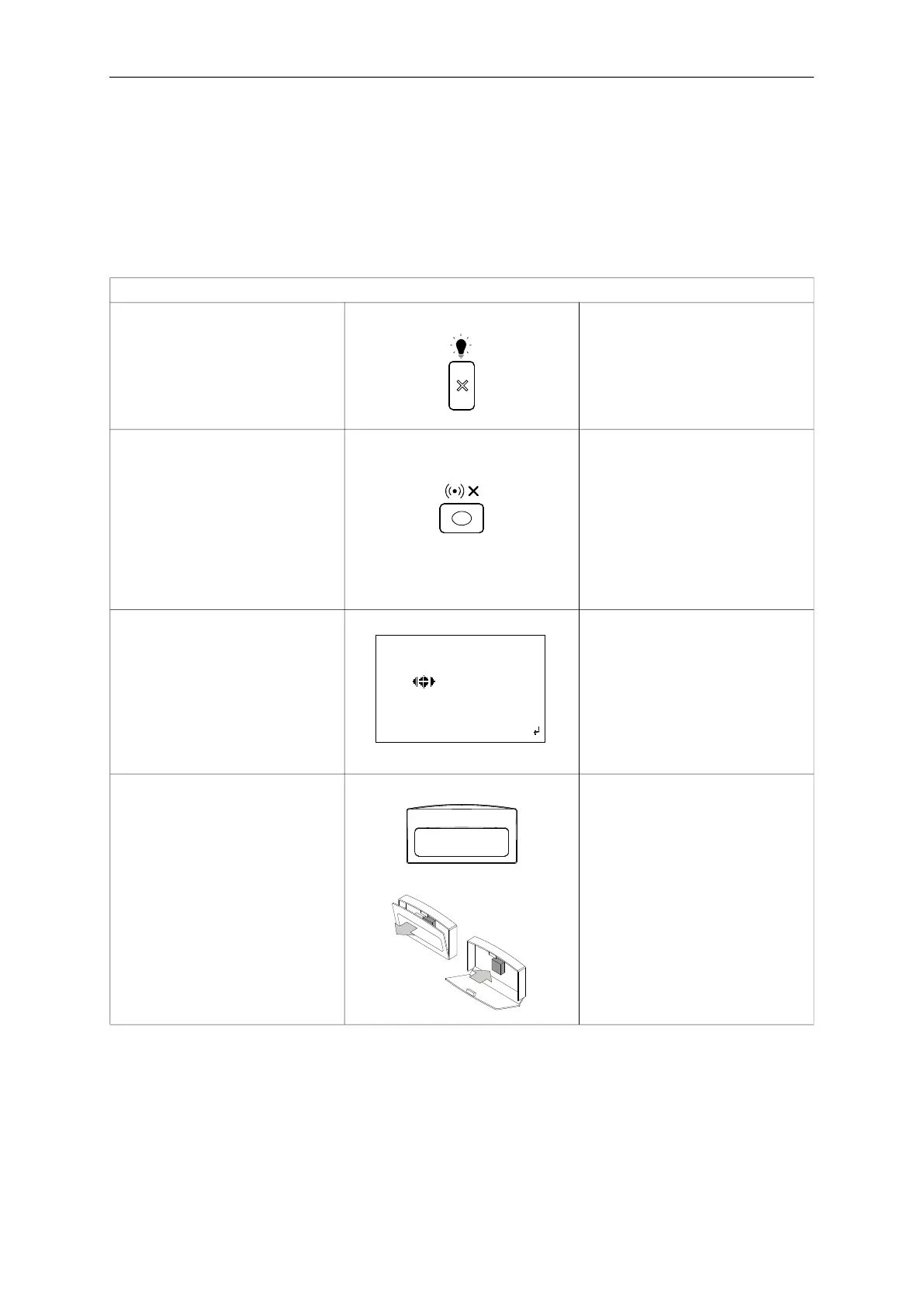
User Controls - Access Level 1
Lamp Test Press and hold lamp test button for at
least 3 sec, hold button until all LEDs
are checked and LCD scrolls through
one full colour sequence (Red, Green,
Blue). Release lamp test button to stop
the test.
Silence Buzzer Dependent on panel configuration
Silence buzzer button may be available
at level 1.
Press the silence buzzer button to stop
the local panel buzzer sounding.
Silence buzzer LED will illuminate on
panel.
Buzzer will resound for any new events
that occur.
Access User Menu via Passcode Press the enter key to see the pass-
code entry screen.
Enter the 4 digit code using the cursor
keys (Up = 1, Right = 2, Down = 3, Left
= 4)
Note:Default passcode is 2222 it is rec-
ommended tochange this to restrict
access to approved personnel only.
Manual Release Manual Release function manually acti-
vates the gas release sequence, it
requires a dual action to prevent acci-
dental operation.
Pull down yellow “Manual Extinguish-
ant Release” flap to expose red push-
button
Press red push-button, 2
nd
stage extin-
guishant release sequence will begin.
Countdown to release will be shown on
display.
****passcode entry****
*****
42
1
3
xback login
Extinguishant Release
Pull Down - Push Button
Manual



 To Next Page