EasyManua.ls Logo

Kenwood CS-5200 Series - Page 42

Kenwood CS-5200 Series
57 pages
To Next Page IconTo Next Page
To Previous Page IconTo Previous Page
Loading...
5)
If
there
is
only
one
signal
to be
measured,
apply
it
to
CHI,
and use
the
CH2
^
POSITION
control
so
that
CH2
displays
the
ground
potential.
If
the V.
MODE
control
Is
set
to ALT or
CHOP,
you
will
be
certain
of
the
ground
potential
throughout
the
procedure.
However,
make
certain
that
the
ground
potentials
of
both
channels
are
always
the
same.
-
Cursor
measurement
[CS-5230,
5260,
5270]
(1)
Carry
out
steps
1 and 2
for
measuring
with
the
scale
on
the
CRT.
(2)
Press
the CURSOR
MODE
switch
to
select
the
voltage
measurement
mode.
Align
the
ARE
F
cursor
to
the
ground
potential.
(3)
Set the
AC-GND-DC
control
to
DC.
Adjust
the
A
cursor
to
the
point
to be
measured.
Read
the
measurement.
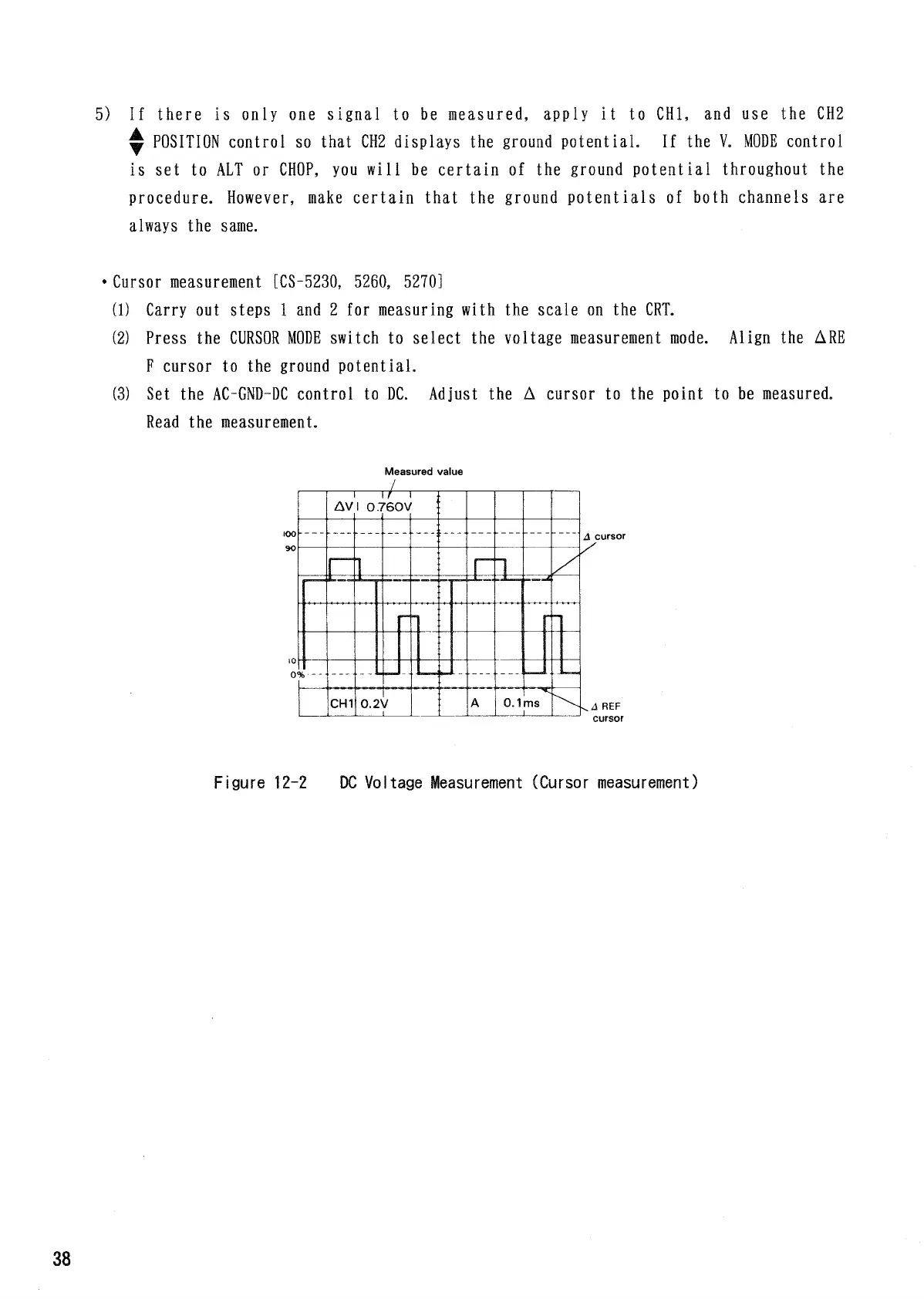
Measured
value
cursor
REF
cursor
Figure
12-2
DC
Voltage
Measurement
(Cursor
measurement)

Related product manuals