<Demonstration>
• ON (Initial): Activates the display demonstration.
• OFF: Deactivates the display demonstration.
<Scroll>
• ON (Initial): Scrolls the displayed information
repeatedly.
• Once: Scrolls the displayed information once.
• OFF: Cancels.
Touching [ < ] scrolls the text regardless of this setting.
<Home Customize>
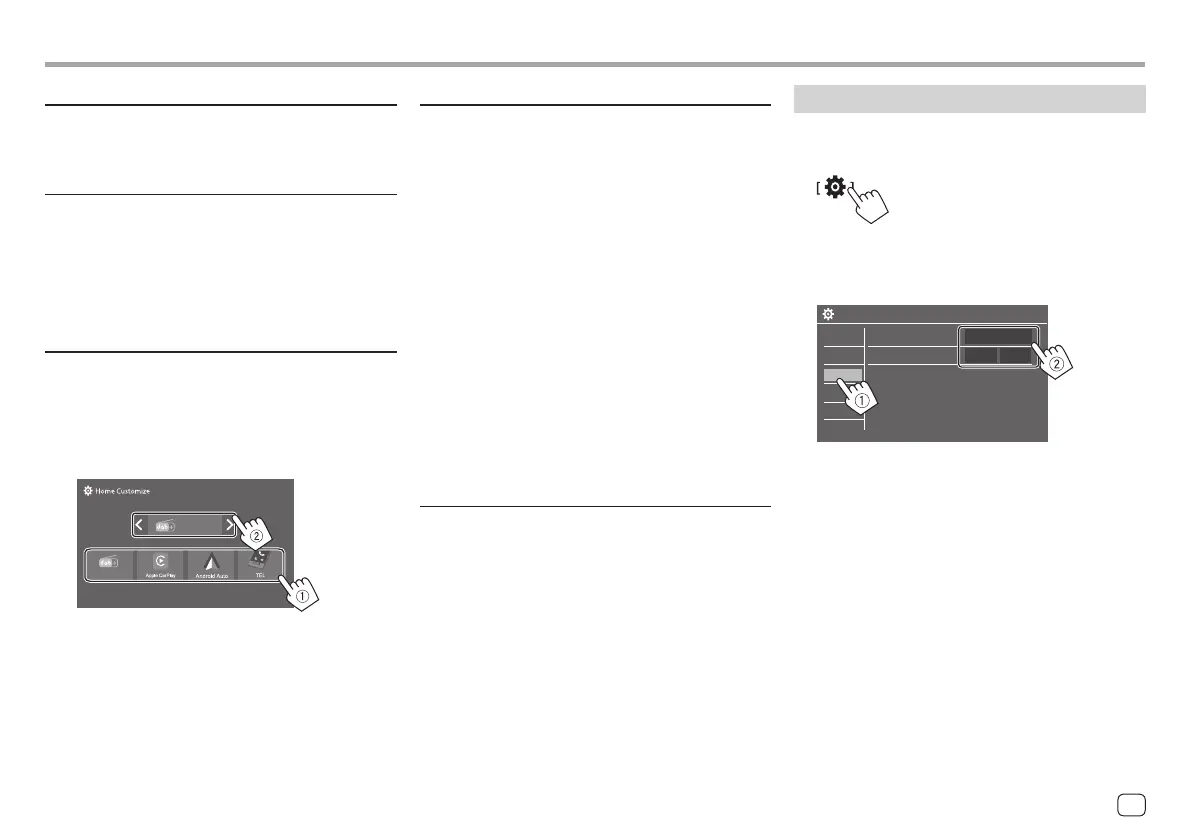
Changes the playback sources to display on the Home
screen (page 3).
1 Select the source to replace (1), and then
select a new source (
2) to display on the
Home screen.
Digital Radio
Digital Radio
2 Repeat step 1 to replace the other
playback sources.
SettingsSettings
<Screen Adjustment>
Adjust the following items related to the screen.
Select [DIM ON] (dimmer on) or [DIM OFF] (dimmer
off), then change the following settings:
<Contrast>
Adjusts the contrast.
• –10 to +10 (Initial: 0 for both dimmer on and off)
<Bright>
Adjusts brightness.
• –15 to +15 (Initial: 0 for dimmer on, and +15 for
dimmer off)
<Colour>
Adjusts the colour.
• –10 to +10 (Initial: 0 for both dimmer on and off)
<Tint>
Adjusts the tint.
• –10 to +10 (Initial: 0 for both dimmer on and off)
<Viewing Angle>
Select the viewing angle in relation to the monitor to
make the image on the screen easier to see.
• Under 0° (Initial)/5°/10°/15°/20°
Input settings
1 Display the <Input> screen.
On the source/option selection screen (page 12):
Then, on the <SET-UP> screen, touch as follows:
[Input] (1) → [Enter] for the item you adjust or
the appropriate setting for the item (2).
SET-UP
Rear Camera
Enter
AV Input
Camera
AV-IN
System
Key
Audio
Display
Input
2 Adjust the item if more steps are required.
See the respective explanation that follows.
41
ENGLISH
00DMX7722DABSE.indb4100DMX7722DABSE.indb41 2022/10/1716:202022/10/1716:20








 To Next Page