Data Size: B6L (182 mm x 128 mm)
Book Size: B6L (182 mm x 128 mm)
3
BASICS
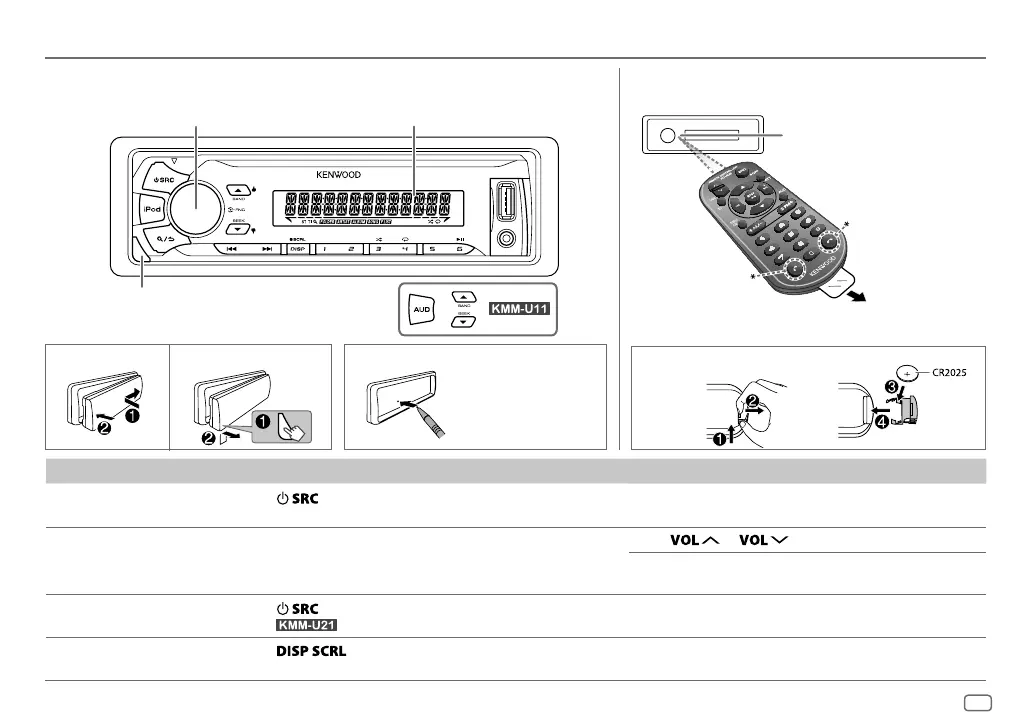
To On the faceplate On the remote control
Turn on the power
Press
.
• Press and hold to turn off the power.
Press and hold SRC to turn off the power.
( Pressing SRC does not turn on the power. )
Adjust the volume Turn the volume knob. Press
or .
Press ATT during playback to attenuate the sound.
• Press again to cancel.
Select a source
Press
repeatedly.
• For
: Press iPod to select iPod source directly.
Press SRC repeatedly.
Change the display
information
Press
repeatedly.
• Press and hold to scroll the current display information.
( not available )
Faceplate
How to resetAttach Detach
Remote control (RC-406)
ENGLISH
Pull out the
insulation sheet
when using for the
first time.
Your preset
adjustments will
also be erased.
How to replace the battery
Remote sensor (Do not
expose to bright sunlight.)
Volume knob
(turn/press)
Detach button
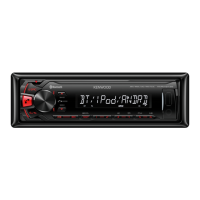
Display window
*
Not used
JS_KWD_KMM_U21_MN_EN_1.indd 3JS_KWD_KMM_U21_MN_EN_1.indd 3 31/7/2014 2:49:01 PM31/7/2014 2:49:01 PM


 To Next Page