ENGLISH
5
Data Size: B6L (182 mm x 128 mm)
Book Size: B6L (182 mm x 128 mm)
GETTING STARTED RADIO
Supported band: FM1/ FM2/ FM3/ AM/ SW1/ SW2
Search for a station
1
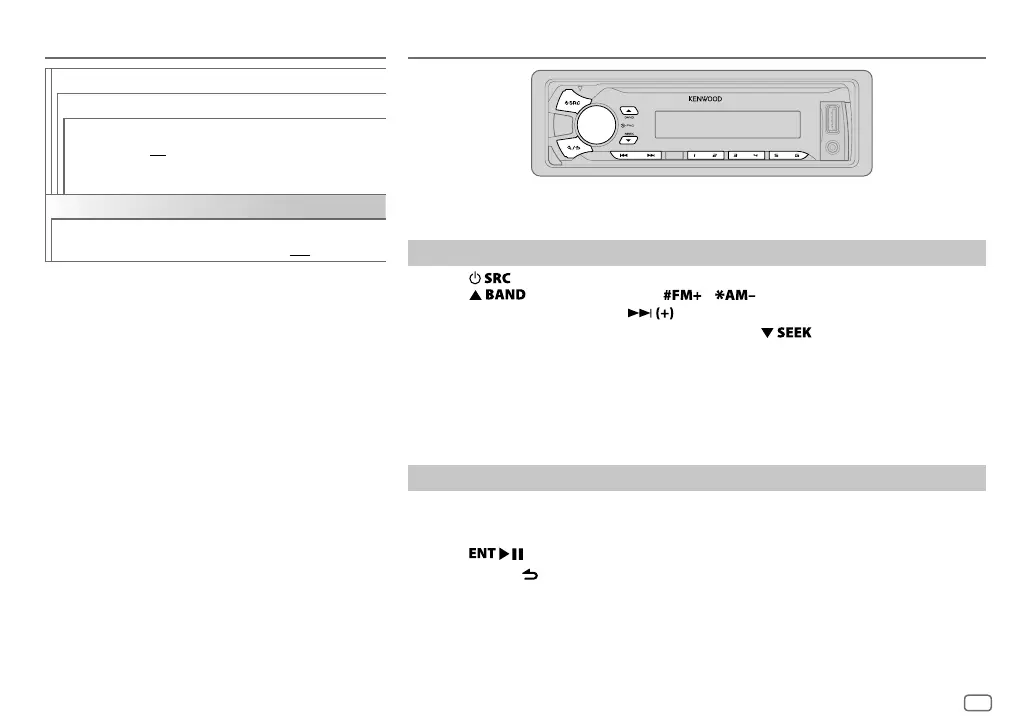
Press repeatedly to select TUNER.
2 Press repeatedly (or press / on RC-406) to select the band.
3 Press S/T (or press S/ on RC-406) to search for a station.
• To change the searching method for S/T: Press repeatedly.
AUTO1 : Automatically search for a station.
AUTO2 : Search for a preset station.
MANUAL : Manually search for a station.
• To store a station: Press and hold one of the number buttons (1to6).
• To select a stored station: Press one of the number buttons (1to6) (or press one of the
number buttons (1to6) on RC-406).
Direct Access Tuning (using RC-406)
1
Press DIRECT to enter Direct Access Tuning.
“– – – • –” (for FM), “– – – –” (for AM/ SW1) or “– – – – –” (for SW2) appears on the display.
2 Press the number buttons to enter a frequency.
3 Press to search for a station.
• To cancel, press or DIRECT.
• If no operation is done for 10seconds after step
2, Direct Access Tuning is automatically
canceled.
F/W UPDATE
UPDATE SYSTEM
F/W UP xx.xx
YES
:Starts upgrading the firmware.;
NO
:Cancels (upgrading is not activated).
For details on how to update the firmware, see:
www.kenwood.com/cs/ce/
CLOCK
CLOCK DISPLAY
ON
:The clock time is shown on the display even
when the unit is turned off.;
OFF
:Cancels.
JS_KWD_KMM_U21_MN_EN_1.indd 5JS_KWD_KMM_U21_MN_EN_1.indd 5 31/7/2014 2:49:02 PM31/7/2014 2:49:02 PM


 To Next Page