Start tolerance check
Determine the average piece weight (see chap. 8.1) or enter manually (see
chap. 8. 2).
Place the load, wait until the acoustic signal sounds, depending on the settings
in the menu „F10“ (see chap. 11.2, only for non-verified models).
For all limit values enter „0“ and confirm using the TARE button.
10.2 Tolerance check for target weight
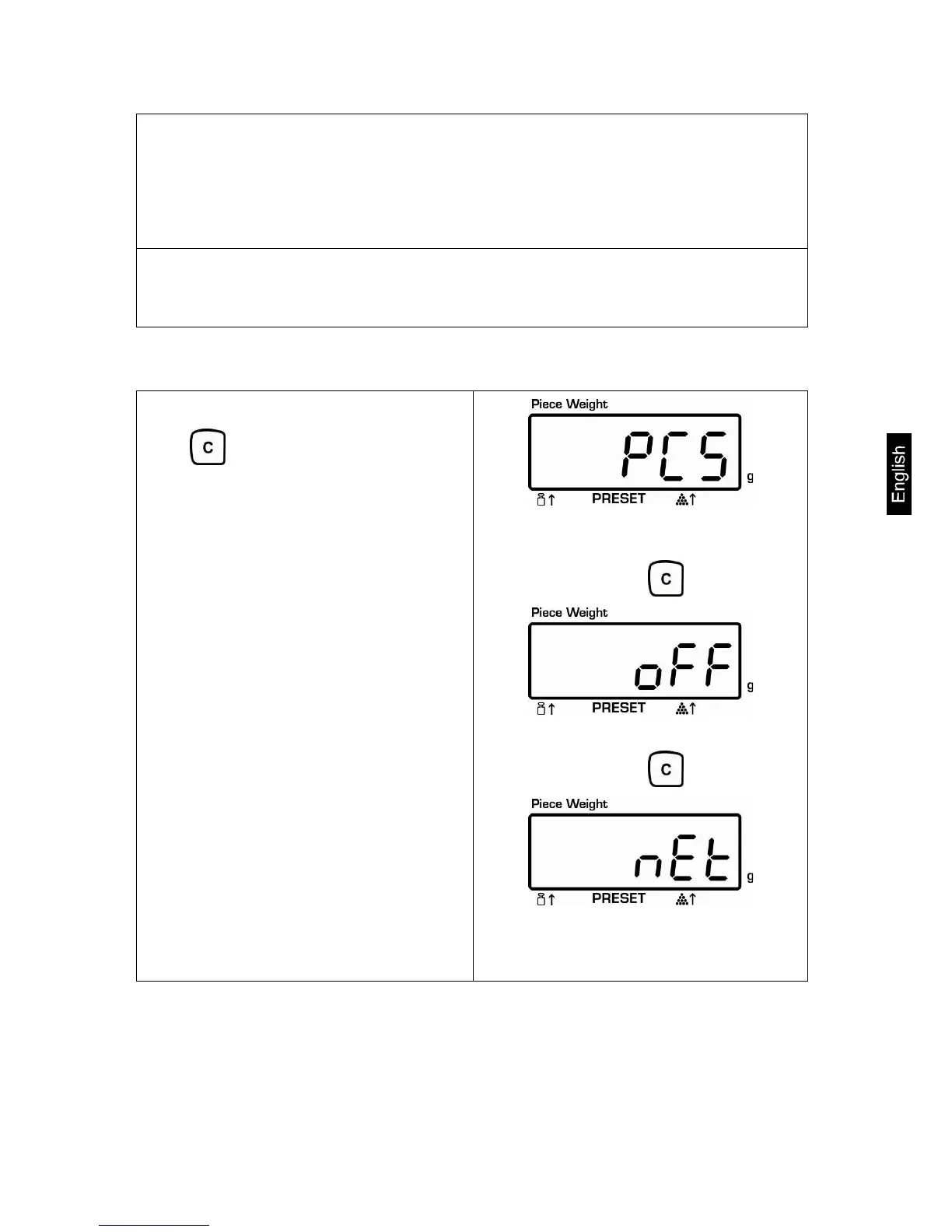
Select target weight mode:
Keep pressed, the set mode will
appear
Check psc - Tolerance check for target item
number
Press
Check off – Tolerance check switched off
Press
Check net -: Tolerance check for target
weight
CPB-N / CPB-DM-BA-e-1424 41


 To Next Page