EasyManua.ls Logo

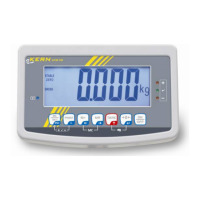
KERN KFB-TM - User Manual

KERN KFB-TM
72 pages
Print Icon
To Next Page IconTo Next Page
Loading...
KERN & Sohn GmbH
Ziegelei 1
D-72336 Balingen
E-Mail: info@kern-sohn.com
Phone: +49-[0]7433- 9933-0
Fax: +49-[0]7433-9933-149
Internet: www.kern-sohn.com
Operating and Installation Instructions
Display devices
KERN KFB/KFN-TM
Version 2.4
04/2016
GB
KFB/KFN-TM-BA_IA-e-1624

Table of Contents

Other manuals for KERN KFB-TM

Questions and Answers

  • F
    fjonesAug 3, 2025
    What to do if my KERN Monitor has no power?
    • M
      Mr. Raymond HartmanAug 3, 2025
      If your KERN Monitor is not powering on, there are several things you can check: * Inspect the power switch connector. * Check the battery; recharge or replace it if necessary. * Examine the DU4 circuit if the voltage is greater than 6V. * Inspect the M/B DU3 circuit. * Check the ST circuit. * Verify that the M/B DU3 pin 8 has a high level. * Check ST. * Inspect the M/B DU1 circuit. * Replace the power switch or connector.
  • C
    carterjustinAug 12, 2025
    How to check power issues in KERN Monitor?
    • G
      gellisAug 12, 2025
      To troubleshoot power issues in your KERN Monitor, you can start by checking the power switch connector and the battery. If the voltage is greater than 6V, examine the DU4 circuit. Also, inspect the M/B DU3 and DU1 circuits, as well as the ST circuit. Ensure that the M/B DU3 pin 8 has a high level. If necessary, replace the power switch or connector, or recharge/replace the battery.
  • A
    Angelica ZavalaAug 25, 2025
    Why KERN Monitor is not turning on?
    • T
      Tracy WilsonAug 25, 2025
      There are several potential reasons why your KERN Monitor might not be turning on. It could be due to a faulty power switch connector, a depleted battery, or issues within the internal circuitry. Specifically, if the voltage exceeds 6V, the DU4 circuit should be inspected. Additionally, problems in the M/B DU3 and DU1 circuits, as well as the ST circuit, could prevent the monitor from powering on. Ensuring a high level at the M/B DU3 pin 8 is also crucial. You may need to replace the power switch or connector, or recharge/replace the battery.

Summary

Operating and Installation Instructions

Technical Data

Appliance Overview

Keyboard Functionality

Explains the function of each key on the device's keyboard.

Display Indicators and Significance

Explains the meaning of various symbols and indicators on the display.

Basic Information and Safety

Proper and Improper Use

Defines intended use and warns against misuse to prevent damage or incorrect results.

Safety Precautions and Training

Emphasizes reading the manual and using only trained personnel for operation.

Unpacking and Placing

Installation Site Requirements

Specifies environmental and physical conditions for optimal installation.

Adjustment and Calibration

General Adjustment Principles

Explains the necessity and conditions for device adjustment and linearization.

Verified Weighing Systems Adjustment

Procedure for adjusting verified systems, including seal destruction and switch actuation.

Non-Verifiable Weighing Systems Adjustment

Procedure for adjusting non-verified systems, including menu access and steps.

Linearization Process

Detailed steps for performing linearization on balances with high resolution.

Verification Requirements

Legal requirements and notes regarding official verification of weighing systems.

Operation

Basic Operations

Covers start-up, switching off the unit, and zeroing the balance.

Simple Weighing Procedure

Steps for performing a basic weighing operation on the balance.

Tolerance Weighing

Methods for setting and using tolerance ranges with optical and acoustic signals.

Menu Navigation and Settings

Configuration Data Settings

Detailed settings for single-range and dual-range scales, including resolution, capacity, and readability.

Troubleshooting and Help

Instant Help and Fault Diagnosis

Provides quick solutions for common display and weighing result problems.

Installation and System Design

Connecting the Weighing Platform

Diagrams and pinout details for connecting the load cell to the circuit board.

Configuring Display Unit Settings

Steps for configuring verified weighing systems, including menu access and type selection.

KERN KFB-TM Specifications

General IconGeneral
BrandKERN
ModelKFB-TM
CategoryMonitor
LanguageEnglish

Related product manuals