KR-K7 User manual
27
11.7 Screensaver
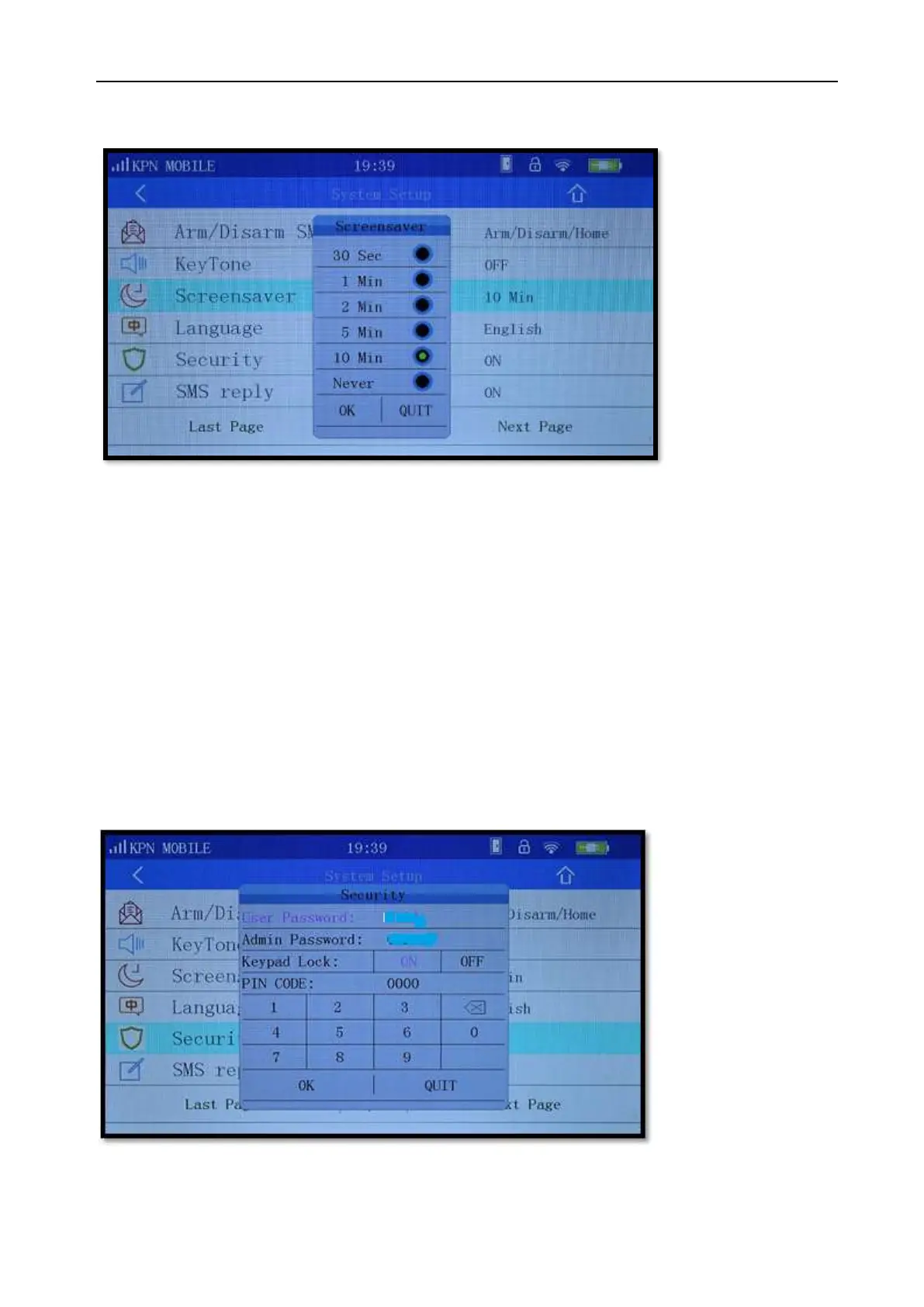
Picture 11-8
On the Screensaver settings page there are six options, "30 seconds", "1 minute", "2 minutes" "5
minutes", "10 Minutes", "never". The factory default is 30 seconds, indicating that without any
operation during 30 seconds, the host display will automatically turn off and be locked. Choosing
“never” means that the display never turns off or will be locked.
11.8 Language
On the ‘System setup’ page under ‘language’ (System > Language) you can choose two languages
(Chinese & English).
11.9 Security
Picture 11-9
As shown in Picture 11-9 users can set [User password], [administrator password] and [Keypad Lock]
User password: Is 4 digits to restrict the access of others. The factory default user password is 1234.
When Keypad lock is “on”, enter your user password can only for open / close / stay arming operation.



 To Next Page