◆Speed Sensor
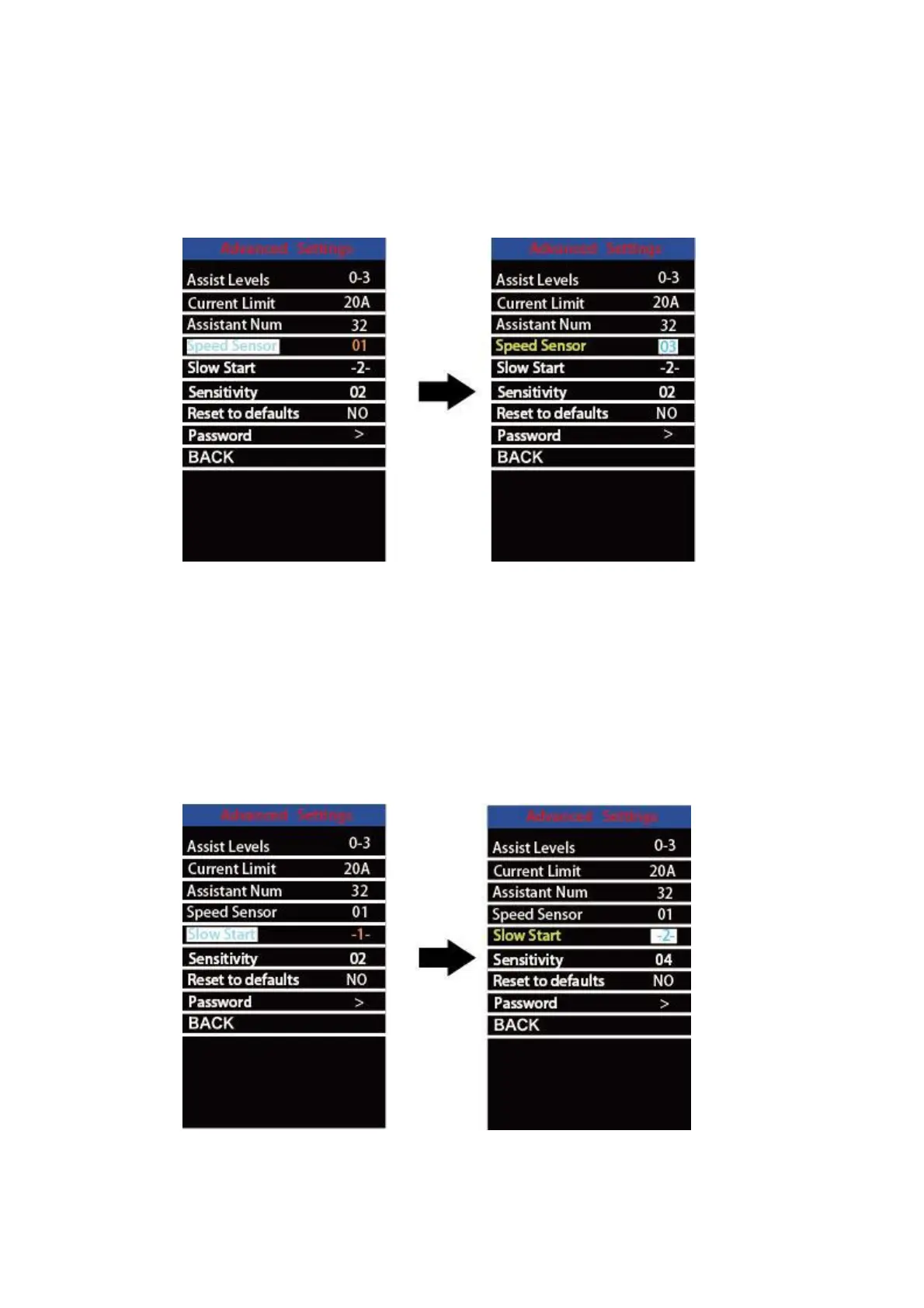
Speed Sensor represents speed sensor settings.
To change speed sensor settings, press the “+” or the “-” button to select the quantity of
magnet heads on the e-bike spoke (the range is from 1 to 15). The default value is 1.
To store a changed setting, press the “i” button to confirm.
Speed sensor setting
◆Slow start
Slow start represents slow start-up settings. It is a time duration before you get power
assistance when applying pedal power. The range is “1-4”. “4” is the slowest. The default
value is “1”.
To change slow start up settings, press +/- button to choose the desired value. And press the
i button to confirm.
Slow start setting


 To Next Page